




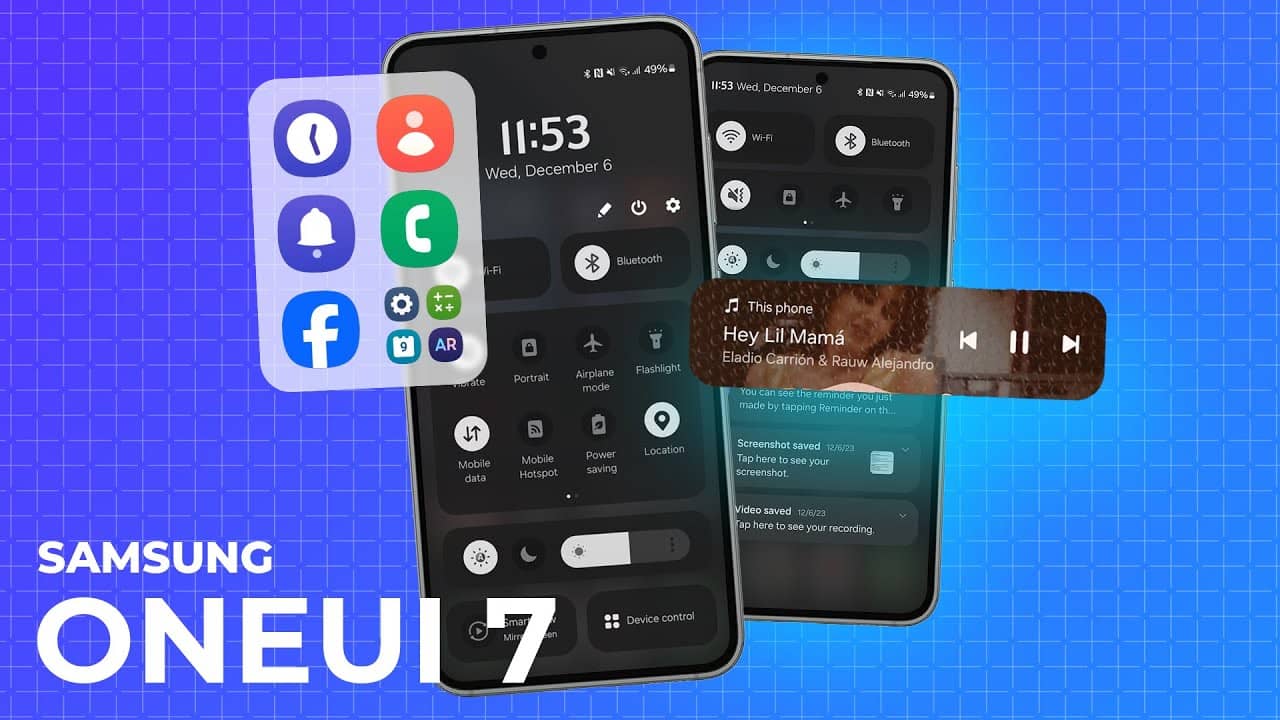
Samsung’s One UI 7 update brings a slew of exciting features, ranging from enhanced visual designs to advanced productivity tools.
Here’s a breakdown of what’s new:
Galaxy AI: Write like a pro
With Galaxy AI, writing tasks are made easier. You can now correct spelling and grammar, change tone, summarize, or apply formatting wherever you select text. Whether you’re starting with a short snippet or need a more polished piece, Galaxy AI helps you write better, faster.
Transcribe Recorded Calls
Review recorded calls more easily in the Samsung Phone app. With the new update, you can see the entire conversation transcribed into text directly on the Recents screen.
Bold New Look & Visual Enhancements
One UI 7 brings a fresh, sophisticated redesign to key components like buttons, menus, notifications, and control bars. The update introduces more curves and circles, a beautiful blur effect, and soft animations. The goal is to create a consistent visual experience while highlighting important information in a clearer, more organized way.
Reimagined Icons and Widgets
Your Home screen will look sharper with newly redesigned app icons that feature fresh visual metaphors and updated color schemes. Widgets have also undergone a transformation, offering more colorful images and consistent layouts for a seamless experience.
Enhanced Home Screen Layout
One UI 7 improves the Home screen with a simplified grid layout, making it more symmetrical and easy to use. Widgets now have a consistent aspect ratio in landscape mode, and you can also choose whether to display text labels under app icons and adjust their size.
Customizable Widgets and Folders
Widgets now offer more customization options, such as adjusting shape, background color, and transparency. Home screen folders can also be made larger, so apps open more immediately without needing to tap the folder first.
More Convenient Finder Access
Finder search bar is now positioned at the bottom of the Apps screen for easier one-handed access. You can even add a Finder button to the quick panel, making it accessible at any time.
Lock Screen & Always-On Display Enhancements
Stay on top of tasks with the Now bar, which shows essential information like media controls, timers, and Samsung Health without unlocking your phone. The Lock screen is now more customizable, letting you resize and reposition your clock and add new widgets or shortcuts for quick access.
Quick Panel and Notifications
One UI 7 introduces separated notification and quick panels, giving you more space to access quick settings. Live notifications keep you updated on ongoing activities, such as timers and voice recordings. New notification layouts make it easier to identify app icons by matching them with their Home screen counterparts.
Camera Improvements
The camera interface is more intuitive with reorganized controls and a redesigned “More modes” menu. New zoom controls and a 2x lossless zoom button make it easier to choose the right zoom level. Pro/Pro video modes are simplified, and new controls allow for smoother zooming and audio adjustments.
Photo and Video Editing
Editing photos is now simpler with features like object removal, free-form collages, and the ability to apply fun effects to motion photos. For video editing, options to undo edits and animate stickers or text add new creative possibilities.
Samsung Health Features
Samsung Health introduces a new Mindfulness feature for managing stress, mood tracking, and meditation. New badges help keep you motivated to achieve your health goals, while medication reminders ensure you never forget to take your medicine.
Productivity Boosters
One UI 7 enhances productivity with features like previews for minimized apps, new ways to group alarms, and improved file selection. Routines are now more customizable with If-Else logic, and calendar events are easier to manage with drag-and-drop rescheduling and new countdown widgets.
Security and Privacy
With Knox Matrix, you can now check the security status of your devices in real time, while Auto Blocker adds additional layers of protection from cyber threats by blocking 2G networks and preventing automatic Wi-Fi reconnections.
Battery and Charging Management
Battery-saving options are more customizable, allowing you to limit specific features when in Power saving mode. Additionally, Battery protection now lets you adjust the maximum charge level to preserve battery health.
Enhanced Accessibility
For those who find pinch zoom difficult, One UI 7 introduces a one-finger zoom feature in the Assistant menu. The menu now also includes more ways to customize touch interactions, making it easier to navigate the phone with a single tap or hold.
Other Notable Improvements
One UI 7 also introduces an option to restart videos from the beginning in the Video Player, a streamlined contacts list, and quicker ways to add boarding passes to Samsung Wallet. In the Weather app, new custom labels make it easier to track different locations, while activity forecasts help you plan your outdoor activities based on the weather.
Gaming Experience Enhancements
Game Booster’s in-game panel is redesigned to make it easier to adjust settings on the fly. You can now set performance levels separately for each game, ensuring an optimal gaming experience.
End of Support for Edge Panels
The ability to download new Edge panels has been discontinued in One UI 7, but previously downloaded Edge panels will continue to work as usual.
These are just a few highlights from Samsung’s One UI 7 update, designed to improve the overall user experience with a fresh interface, enhanced productivity features, and greater customization options.




