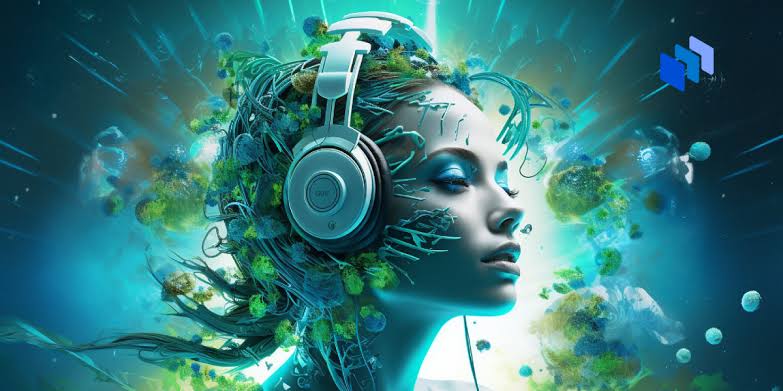
AI music generators can help beginners create instrumentals, song ideas, background tracks, podcast intros, demo vocals, and soundtrack-style audio from text prompts.
They are useful creative tools, but they are not perfect. You still need to review the output, check the license, avoid copyrighted material, and make sure the final track fits your project.
What AI Music Generators Can Do
AI music tools can help you create:
- Instrumental background music
- Full songs with vocals
- Lo-fi study beats
- Podcast intro music
- YouTube background tracks
- Game loops
- Songwriting demos
- Short soundtrack ideas
- Mood-based audio concepts
They are best for fast drafts and creative starting points, not guaranteed finished masters.
Step 1: Decide What You Want to Make
Start with a clear goal before writing a prompt.
Ask yourself:
- Is this for a video, podcast, song demo, game, or social post?
- Do I want vocals or instrumental only?
- What mood should it have?
- How long should it be?
- Will I publish or monetize it?
Prompt Example
Create a calm instrumental background track for a YouTube study video. Use soft piano, warm pads, light percussion, peaceful mood, and no vocals.Step 2: Use a Clear Prompt Formula
A simple AI music prompt should include:
Purpose + genre/style + instruments + vocals + mood + production styleBetter Prompt Structure
Create [type of track] for [use case].
Style: [genre or mood].
Instruments: [main instruments].
Vocals: [vocals or no vocals].
Mood: [emotion].
Production: [clean, lo-fi, cinematic, acoustic, etc.].
Example
Create a short podcast intro for a technology show.
Style: modern electronic.
Instruments: soft synth bass, light drums, bright digital tones.
Vocals: no vocals.
Mood: confident and friendly.
Production: clean and professional.
Step 3: Be Specific About Vocals
If you want vocals, describe them clearly.
Use:
- Male vocal
- Female vocal
- Soft vocal
- Spoken intro
- Choir-like backing vocals
- Layered harmonies
- Rap vocal cadence
If you do not want vocals, say it clearly:
Instrumental only. No vocals.Prompt Example
Create an acoustic pop demo with a warm male vocal, simple guitar strumming, light percussion, and an intimate hopeful mood.Step 4: Use Original Lyrics Only
If the tool lets you enter lyrics, use lyrics you wrote yourself or lyrics generated originally for your project.
Do not paste copyrighted lyrics from existing songs unless you own the rights or have permission.
The U.S. Copyright Office explains that copyright protects original works of human authorship, and AI-generated content can raise complex authorship questions.
Safe Lyrics Prompt
Write original lyrics for a hopeful acoustic song about starting over. Keep the language simple, emotional, and original. Do not imitate any specific artist.Step 5: Add Length, Tempo, and Mood
If the tool supports these details, include them.
Useful prompt details:
| Detail | Example |
|---|---|
| Length | 15 seconds, 30 seconds, 2 minutes |
| Tempo | slow, mid-tempo, upbeat, 90 BPM |
| Mood | peaceful, tense, hopeful, dramatic |
| Use case | podcast intro, video background, game loop |
| Vocals | instrumental, no vocals, soft female vocal |
| Production | clean mix, lo-fi texture, cinematic sound |
Prompt Example
Create a 30-second instrumental intro, 100 BPM, upbeat but not distracting, with light drums, bright guitar, soft synths, and a clean modern mix.Step 6: Generate More Than One Version
Most AI music tools can create multiple versions from the same idea. Do not judge the tool from one result.
Try 2–4 variations:
Version 1: calm and minimal
Version 2: brighter and more upbeat
Version 3: more cinematic
Version 4: softer and less busy
Refinement Prompt
Keep the same style, but make the drums softer, remove vocals, and make the mood more relaxed.Step 7: Review the Track Before Using It
Listen carefully before publishing or sending the track to a client.
Check for:
- Awkward vocals
- Strange lyrics
- Audio glitches
- Repeated sections
- Poor transitions
- Unwanted instruments
- Wrong mood
- Volume issues
- Copyright or originality concerns
AI-generated music can sound impressive at first, but small issues may appear after a full listen.
Step 8: Check the License Before Publishing
Before using AI-generated music in public, check the tool’s terms.
Look for:
- Can you use it commercially?
- Does the free plan allow monetization?
- Who owns the output?
- Is attribution required?
- Can you upload it to Spotify, YouTube, TikTok, or podcasts?
- Are there limits on client work?
- Can you edit or remix the output?
Licensing rules vary by platform and subscription plan. Do not assume every AI-generated track is free to use commercially.
Step 9: Avoid Misleading or Risky Uses
For safe use, avoid:
- Uploading copyrighted lyrics
- Asking for a song “like” a specific living artist
- Using fake streams or bots to promote AI music
- Claiming full human authorship if AI made most of the track
- Using private voice samples without permission
- Selling client work without checking license terms
Spotify warns that artificial streaming can lead to withheld royalties and other enforcement actions.
Copy-and-Paste Prompt Pack
YouTube Background Music
Create instrumental background music for a YouTube video. Use light drums, warm piano, soft synth pads, and a positive relaxed mood. Keep it clean, modern, and not distracting. No vocals.Podcast Intro
Create a 15-second podcast intro for a technology show. Use modern electronic sounds, soft synth bass, light percussion, and a confident friendly mood. No vocals.Study Music
Create calm instrumental study music with soft piano, warm ambient pads, light percussion, and a peaceful mood. Keep it slow, simple, and relaxing. No vocals.Game Loop
Create a seamless instrumental game loop for a mysterious forest scene. Use soft electronic pads, gentle percussion, subtle bells, and a calm but curious mood.Song Demo
Create a simple acoustic song demo with guitar strumming, light percussion, warm vocal, and a hopeful emotional mood. Keep the arrangement natural and easy to follow.Cinematic Background
Create cinematic background music for an emotional short film scene. Use soft piano, warm strings, subtle percussion, and a slow build from quiet to hopeful. No vocals.Common Mistakes to Avoid
| Mistake | Why It Hurts |
|---|---|
| Writing vague prompts | Results may sound generic |
| Forgetting to say “no vocals” | The tool may add singing |
| Using copyrighted lyrics | Can create legal problems |
| Copying an artist’s style too closely | Can raise originality concerns |
| Publishing without checking license terms | Commercial use may not be allowed |
| Trusting the first version | Better results often come after refinement |
| Buying fake streams | Can lead to penalties |
| Sending raw AI output to clients | Quality may not meet expectations |
Limitations of AI Music Generators
AI music tools are helpful, but they have limits.
They may:
- Mispronounce words
- Create awkward lyrics
- Add unwanted vocals
- Produce repetitive sections
- Struggle with complex instructions
- Generate audio artifacts
- Misunderstand mood or genre
- Create music that needs editing
- Have unclear copyright protection
The U.S. Copyright Office has stated that copyright protection generally requires human authorship, which is important when considering fully AI-generated music.
FAQ
What is the best prompt for an AI music generator?
A good beginner prompt includes purpose, style, instruments, vocals, mood, and production style.
Example:
Create instrumental background music for a travel vlog with acoustic guitar, soft percussion, warm bass, bright uplifting mood, and a clean natural mix. No vocals.Can I use AI-generated music on YouTube?
Possibly, but it depends on the tool’s license and your account plan. Always check commercial-use rules before publishing or monetizing.
Can I upload AI music to Spotify?
Possibly, but check the music generator’s terms, your distributor’s rules, and streaming platform policies. Avoid fake streams or misleading promotion.
Is AI-generated music copyrighted?
It depends on human contribution and local law. Fully AI-generated works may have limited or uncertain copyright protection.
Should beginners edit AI-generated music?
Yes. Even simple edits like trimming, volume balancing, removing weak sections, or regenerating parts can improve the final result.
Final Takeaway
AI music generators are useful for beginners who want quick demos, background tracks, intros, or creative ideas. The best results come from clear prompts that explain the purpose, instruments, vocals, mood, and production style.
Use original material, avoid copyrighted lyrics, check licensing terms, and review the track before publishing. AI can help you create music faster, but responsible human judgment still matters.