Close Menu
    Facebook X (Twitter) Instagram
    Facebook X (Twitter) Instagram Pinterest
    NoMusica.com
    • AI
    • Tech
      • Electronics & Gadgets
      • Apps & Updates
      • Smartphones
    • Films & Shows
    • Music
    • Gaming
    • Streaming
    • Music Production
    NoMusica.com
    Home How to Preload Monster Hunter Wilds: Step-by-Step for PC, PS5, and Xbox
    Gaming & eSports

    How to Preload Monster Hunter Wilds: Step-by-Step for PC, PS5, and Xbox

    2 Mins Read
    Share Facebook Twitter Pinterest Telegram WhatsApp Copy Link
    Monster Hunter Wilds

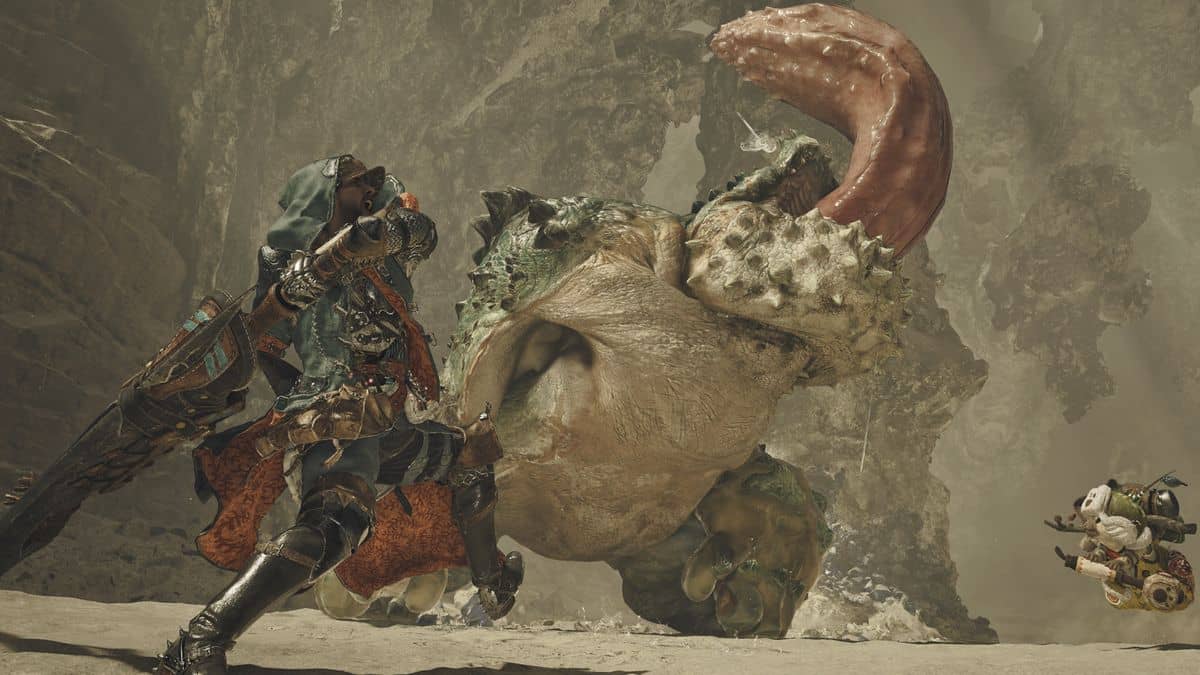
    Monster Hunter Wilds is set to release on February 28, 2025, at 9:00 PM PST. Fans of the popular series are excited to dive into the new open-world adventure.

    For those eager to start playing right away, Capcom has announced that the preload for Monster Hunter Wilds will be available 48 hours before launch for PS5 and on February 25, 2025, at 9 PM PT globally for PC and Xbox.

    Here’s how you can preload the game on each platform.

    How to Preload Monster Hunter Wilds on PC/Steam
    The preload for Steam users will start globally on February 25, 2025, at 9 PM PT. To preload Monster Hunter Wilds on your PC, follow these steps:

    1. Open the Monster Hunter Wilds Steam Store page.
    2. When the preload button appears, click it.
    3. Choose the directory where you want to install the game.
    4. Wait for the download to finish.

    How to Preload Monster Hunter Wilds on PS5
    For PlayStation 5 users, the preload option will be available 48 hours before the game’s official launch. Here’s how to do it:

    1. Open the Monster Hunter Wilds store page on the PlayStation Store.
    2. Look for the preload game option, which will be available in your region.
    3. Select the preload option and wait for the installation to finish.

    How to Preload Monster Hunter Wilds on Xbox
    Like Steam, the preload for Xbox will be available globally on February 25, 2025, at 9 PM PT. To preload the game on Xbox:

    1. Open Monster Hunter Wilds on the Xbox Games Store.
    2. Select the preload option after 9 PM PT on February 25, 2025.
    3. Wait for the installation to complete.

    With these easy steps, you’ll be ready to jump into Monster Hunter Wilds as soon as it releases.

    If you have any questions about preload timings or anything else, feel free to ask in the comments below!


    Monster Hunter Monster Hunter Wilds
    Share. Facebook Twitter Pinterest Telegram WhatsApp Copy Link
    Sazid Kabir
    • Website
    • X (Twitter)
    • Pinterest
    • Instagram
    • LinkedIn

    Founder & Chief Editor, NoMusica.com. Sazid Kabir is a tech writer and music producer covering music, tech, and music production with both analytical and practical experience.

    Related Posts

    GTA 6 Reportedly Set to Make Superfans Very Rich

    Epic Games Plans Massive Fortnite Reset With Disney Universe

    The Open World Game That Could Tide You Over Until GTA 6 Finally Arrives

    New Stardew Valley Prequel Offers Fans a Glimpse Before the Farmer

    Hogwarts Legacy 2 Could Let Players Explore the Muggle World

    RDR2 Mod Adds 143 New Missions and It’s Completely Free

    Add A Comment
    Leave A Reply Cancel Reply

    Latest Posts

    Travis Scott Drops Cactus Jack Nike Phantom 6 For 2026 World Cup

    June 7, 2026

    Netflix Corruption: Michael Jackson Film is False & Slander, Here’s the Documented Facts

    June 7, 2026

    Cassie Ventura Fled U.S. with Diddy’s $30M,  Her Innocence Now in Question

    June 5, 2026

    50 Cent Says Daphne Joy’s OnlyFans Up 85% After Diddy Tape, Hints Model Leaked Her Own Tape

    June 5, 2026

    NEW HIPHOP THIS FRIDAY (JUNE 5, 2026)

    June 5, 2026
    Facebook X (Twitter) Instagram Pinterest
    © 2026 A WowPress Initiative

    Type above and press Enter to search. Press Esc to cancel.