




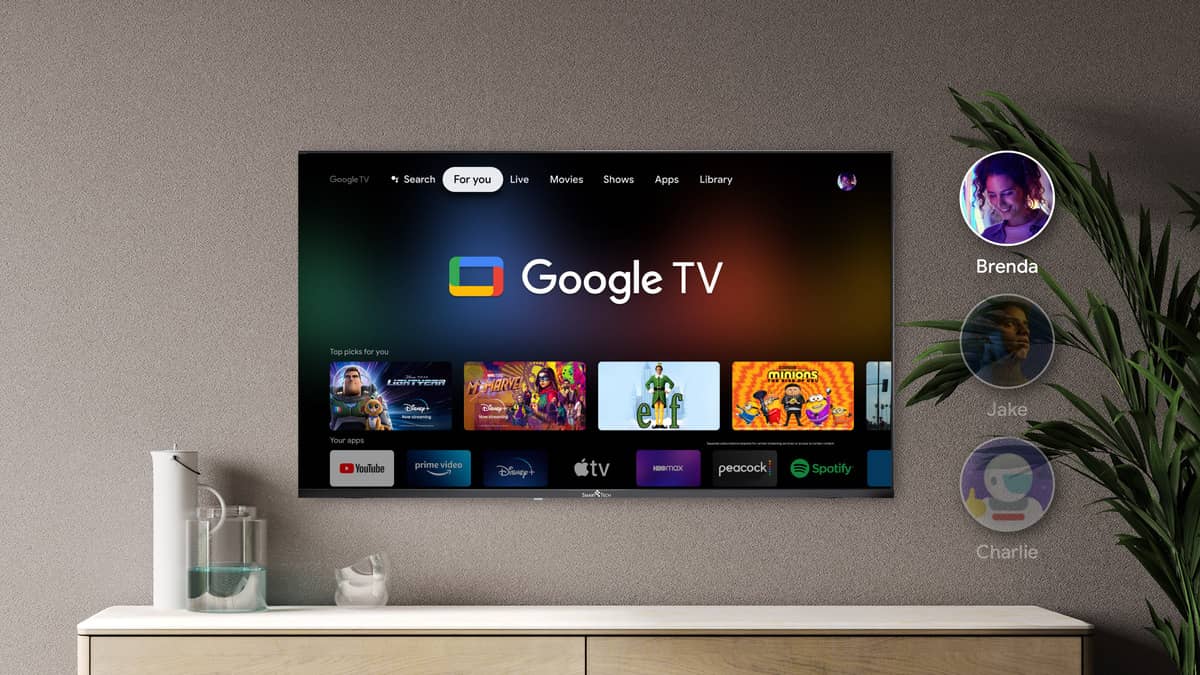
Whether you’re a casual viewer or a dedicated binge-watcher, Google TV offers tools and features to enhance your viewing experience.
In this article, we will explore what Google TV is, how it works, its smart home capabilities, and whether it is the right choice for you.
What is Google TV?
Google TV is a smart TV platform from Google. It combines streaming services, live TV, and smart home features into one interface. Launched in 2020, Google TV makes it easy to find and watch content. You can access it on devices like Chromecast with Google TV and select smart TVs from brands like Sony and TCL.
How Does Google TV Work?
Google TV runs on the Android TV operating system. It uses algorithms to learn from your viewing habits. Here are its main features:
- Content Search: Search for shows and movies across different apps without switching between them.
- Voice Control: Use Google Assistant for hands-free navigation.
- Smart Home Control: Manage compatible smart devices directly from your TV.
- User Profiles: Set up multiple profiles for personalized recommendations.
To use Google TV, connect your device to Wi-Fi and set up your streaming accounts.
Free Channels on Google TV
Google TV Freeplay is a new feature that offers access to free streaming channels on Google TV. This service combines over 800 ad-supported channels into one convenient location. Users can find Freeplay channels through the Live tab or the dedicated Freeplay app, which is available on devices like Chromecast and select smart TVs.
Learn More: Google TV: All Free TV Channels List
Google TV’s Smart Home Features
Google TV connects with smart home devices using the Thread protocol. This allows for easy communication between devices. Benefits include:
- Central Control: Manage all smart devices from the Google TV interface.
- Security: Thread keeps device connections secure.
- Easy Setup: New devices can join the network quickly.
This feature lets you control your home environment from your television.
Learn More: Top 5 Google TV Streaming Devices For You
Android TV vs. Google TV
Android TV and Google TV are similar but have key differences:
| Feature | Android TV | Google TV |
|---|---|---|
| User Interface | Basic layout | Enhanced layout with recommendations |
| Content Discovery | Simple search | Advanced search and aggregation |
| Smart Home Integration | Limited support | Strong support via Thread |
| User Profiles | Few options | Multiple profiles available |
Google TV focuses more on content discovery and user experience.
Learn More: Android TV vs. Google TV: What Are The Differences?
Games on Google TV
Google TV supports gaming through various platforms. You can find games in the Google Play Store or use cloud gaming services like NVIDIA GeForce NOW. Key features include:
- Controller Support: Many Bluetooth controllers work with Google TV.
- Game Streaming: Play high-quality games without a powerful console.
- Casual Games: Access a variety of casual games in the Play Store.
This makes Google TV a complete entertainment hub.
Common Google TV Voice Commands
Google Assistant is built into Google TV. Here are some useful voice commands:
Content Control:
- “Play The Mandalorian on Disney+.”
- “Pause,” “Resume,” or “Stop.”
- “Open Netflix” or “Launch YouTube.”
Smart Home Control:
- “Dim the lights.”
- “Set temperature to 72 degrees.”
Information Requests:
- “What’s the weather today?”
- “Who stars in this movie?”
You can activate voice commands using the remote or by saying “Hey Google.”
How to Get Google TV
To get started with Google TV:
- Choose a Device: Buy a Chromecast with Google TV or a compatible smart TV.
- Set Up Your Device:
- Connect it to your television and power it on.
- Follow on-screen instructions to connect to Wi-Fi.
- Add Your Google Account:
- Go to settings, select “Accounts,” and add your account.
- Explore the Interface: Familiarize yourself with recommendations and streaming options.
Is Google TV Right for You?
Consider these points when deciding if Google TV is suitable for you:
- Content Use: Ideal if you subscribe to multiple streaming services.
- Smart Home Devices: Great if you have compatible smart home products.
- User Experience: Offers an easy-to-use interface with personalized suggestions.
- Gaming Needs: Good if you want gaming options along with media content.
If you value easy access to diverse content, enjoy personalized recommendations, and want smart home integration, Google TV could be a great addition to your entertainment setup.




