



Close Menu
    Facebook X (Twitter) Instagram
    Facebook X (Twitter) Instagram Pinterest
    NoMusica.com
    • AI
    • Tech
      • Electronics & Gadgets
      • Apps & Updates
      • Smartphones
    • Films & Shows
    • Music
    • Gaming
    • Streaming
    • Music Production
    NoMusica.com
    Apps & Updates

    Notepad and Paint Lose Free Features – Microsoft 365 Now Required

    2 Mins Read
    Share Facebook Twitter Pinterest Telegram WhatsApp Copy Link

    Microsoft is now restricting certain features in Notepad and Paint, requiring a Microsoft 365 subscription to access them.

    These apps have been free and built into Windows for years, but now users will need to pay for full functionality.

    What’s Changing?

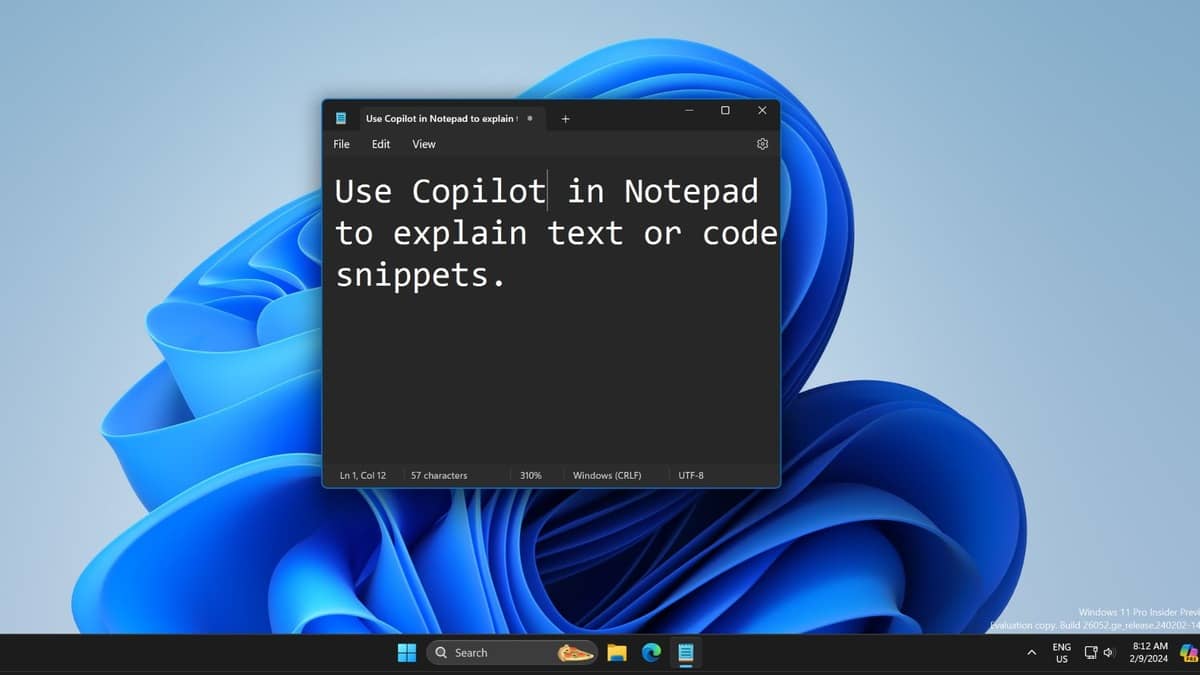
    Microsoft recently added AI-powered features to Notepad and Paint, making them more advanced than ever. However, these enhancements will now be locked behind a paywall, requiring a Microsoft 365 subscription, which costs $9.99 per month or $99.99 per year.

    Windows Insiders previously had free access to these new tools, but Microsoft has now made them subscription-only. Users who don’t subscribe will see a grayed-out interface or a message informing them of the restriction.

    Which Features Are No Longer Free?

    In Notepad:

    Users will still get spell check for free, but these AI-powered tools will require a paid subscription:

    • AI text rewriting for different styles and tones.
    • AI-generated alternative versions of selected text.
    • AI-powered text shortening and lengthening.

    In Paint:

    The Image Creator feature, powered by OpenAI’s DALL-E, will now be locked behind a paywall. However, the automatic background removal tool will remain free.

    Why Is Microsoft Doing This?

    Microsoft has never put basic features of Notepad and Paint behind a paywall before, making this move surprising. The company seems to be pushing AI-powered tools as premium features, making them exclusive to Microsoft 365 subscribers.

    Can You Still Use Notepad and Paint for Free?

    Yes, basic features of both apps will remain free. You can still:

    • Use Notepad for regular text editing and spell check.
    • Use Paint for basic drawing and editing without AI-generated images.

    Microsoft is making AI-powered features in Notepad and Paint exclusive to Microsoft 365 users, marking a big shift for these classic Windows apps.

    While the core functions remain free, users who want advanced AI tools will need to pay for a subscription.


    Microsoft Microsoft 365 Microsoft Notepad Microsoft Paint Windows
    Share. Facebook Twitter Pinterest Telegram WhatsApp Copy Link
    Sazid Kabir
    • Website
    • X (Twitter)
    • Pinterest
    • Instagram
    • LinkedIn

    Founder & Chief Editor, NoMusica.com. Sazid Kabir is a tech writer and music producer covering music, tech, and music production with both analytical and practical experience.

    Related Posts

    Are APK Downloads Safe? Risks, Legal Issues, and Safer Alternatives

    5 Best Free Firewall Apps for Android in 2026 (No Root Needed Options Included)

    50+ Best Android Alternative Apps ― Free Movies, No Ads, Offline Maps

    10 Best Free Movie Apps in 2026 (Safe & Working)

    10 Best Free Music Apps in 2026 (No Subscription Needed)

    WhatsApp Tests ‘Plus’ Subscription With New Premium Features

    Add A Comment
    Leave A Reply Cancel Reply

    Latest Posts

    Cardi B calls Karmelo Anthony verdict “disgusting” in Texas teen murder case

    June 13, 2026

    Nipsey Hussle Estate Releases Unseen Footage of Nipsey and Lauren London in New Rap Video “Sacrifices”

    June 13, 2026

    Top 10 lies Being Said About Sean “Diddy” Combs Trial & Who’s Pushing the Narrative

    June 13, 2026

    Travis Scott Drops Cactus Jack Nike Phantom 6 For 2026 World Cup

    June 7, 2026

    Netflix Corruption: Michael Jackson Film is False & Slander, Here’s the Documented Facts

    June 7, 2026
    Facebook X (Twitter) Instagram Pinterest
    © 2026 A WowPress Initiative

    Type above and press Enter to search. Press Esc to cancel.


