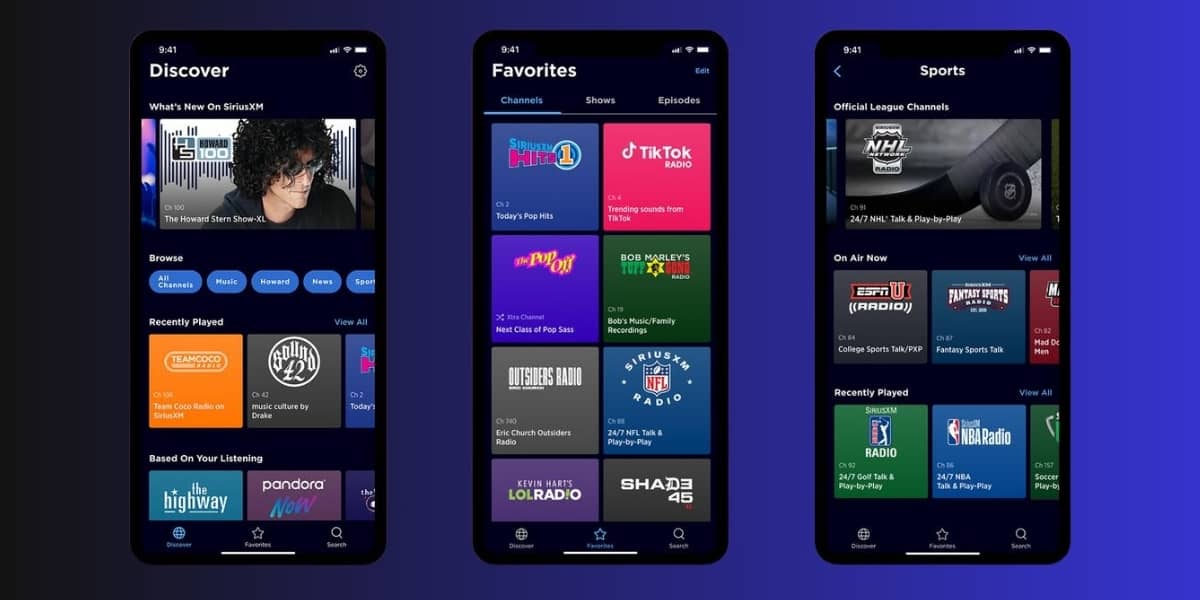
SiriusXM has been enhancing its streaming service with new features designed to improve user experience and expand content offerings.
Here’s a detailed look at ten new features, along with actionable tips and tutorials to help you make the most of SiriusXM.
1. SiriusXM Video Library
Feature Overview:
SiriusXM now offers a video library featuring interviews, performances, and behind-the-scenes content from popular shows.
How to Use:
- Open the SiriusXM app on your device.
- Navigate to the “Video” section in the menu.
- Browse through available videos and tap to watch.
Tip:
Check back regularly for new content and exclusive performances from your favorite artists.
2. Personalized Recommendations
Feature Overview:
SiriusXM provides personalized recommendations based on your listening habits, helping you discover new channels and shows.
How to Use:
- Go to the “Home” tab in the app.
- Scroll down to the “Recommended for You” section.
- Explore the suggested channels and shows.
Tip:
Interact with the app by liking or saving content to improve the accuracy of your recommendations.
3. Exclusive Streaming-Only Channels
Feature Overview:
SiriusXM has introduced exclusive streaming-only channels curated for specific moods or activities, such as workouts or relaxation.
How to Use:
- Go to the “Browse” tab in the app.
- Select “Channels” to view the streaming-only options.
- Choose a channel that fits your current mood or activity.
Tip:
Use these channels to enhance your experience during workouts or while relaxing at home.
4. Artist Stations
Feature Overview:
Create personalized stations based on your favorite artists, allowing for a tailored listening experience.
How to Use:
- Search for your favorite artist in the app.
- Tap on the artist’s profile and select “Create Station.”
- Enjoy a continuous stream of music based on that artist.
Tip:
Use this feature to discover similar artists and expand your music library.
5. Reminders for New Episodes
Feature Overview:
Set reminders for new episodes of your favorite shows or when your sports team plays.
How to Use:
- Navigate to a show or sports team page in the app.
- Tap the bell icon to set a reminder.
- Receive notifications when new content is available.
Tip:
Use reminders to stay updated on your favorite shows and never miss an episode.
6. Offline Listening
Feature Overview:
Download shows and playlists for offline listening, perfect for when you’re on the go without internet access.
How to Use:
- Find a show or playlist you want to download.
- Tap the download icon (downward arrow) next to the title.
- Access your downloaded content in the “Downloads” section.
Tip:
Download content before traveling to avoid using mobile data.
7. Smart Speaker Integration
Feature Overview:
SiriusXM integrates seamlessly with smart speakers, allowing you to control playback with voice commands.
How to Use:
- Link your SiriusXM account with your smart speaker device (e.g., Amazon Alexa, Google Assistant).
- Use voice commands like “Play SiriusXM” or “Tune to [channel name].”
Tip:
Explore different voice commands to enhance your listening experience hands-free.
8. Enhanced Search Functionality
Feature Overview:
SiriusXM has improved its search functionality, making it easier to find specific shows, channels, or artists.
How to Use:
- Tap the search bar at the top of the app.
- Enter your search term (e.g., artist name, show title).
- Browse the results to find what you’re looking for.
Tip:
Use filters to narrow down your search results by category, such as music, talk, or sports.
9. Expanded Podcast Library
Feature Overview:
SiriusXM has expanded its podcast offerings, providing access to a wide variety of shows across different genres.
How to Use:
- Navigate to the “Podcasts” tab in the app.
- Browse through categories or use the search function to find specific podcasts.
- Tap on an episode to start listening.
Tip:
Subscribe to your favorite podcasts to receive notifications about new episodes.
10. Customizable Library
Feature Overview:
Organize your favorite channels, shows, and podcasts in a customizable library for easy access.
How to Use:
- Go to the “My Library” tab in the app.
- Add channels or shows to your library by tapping the “Add” button.
- Organize your selections for quick access.
Tip:
Regularly update your library to keep your favorite content readily available.
These ten new features on SiriusXM are designed to enhance your listening experience, making it more personalized, engaging, and convenient. By utilizing these tips and tutorials, you can fully enjoy the benefits of SiriusXM and discover new ways to connect with your favorite music and shows. Dive into these features and elevate your audio journey!