



NoMusica.com
No Result
View All Result
No Result
View All Result
NoMusica
No Result
View All Result

Microsoft Reveals Bold Concept Designs for the New Start Menu in Windows 11

June 3, 2025
in Apps & Updates
Microsoft Windows 11 Redesign Concept

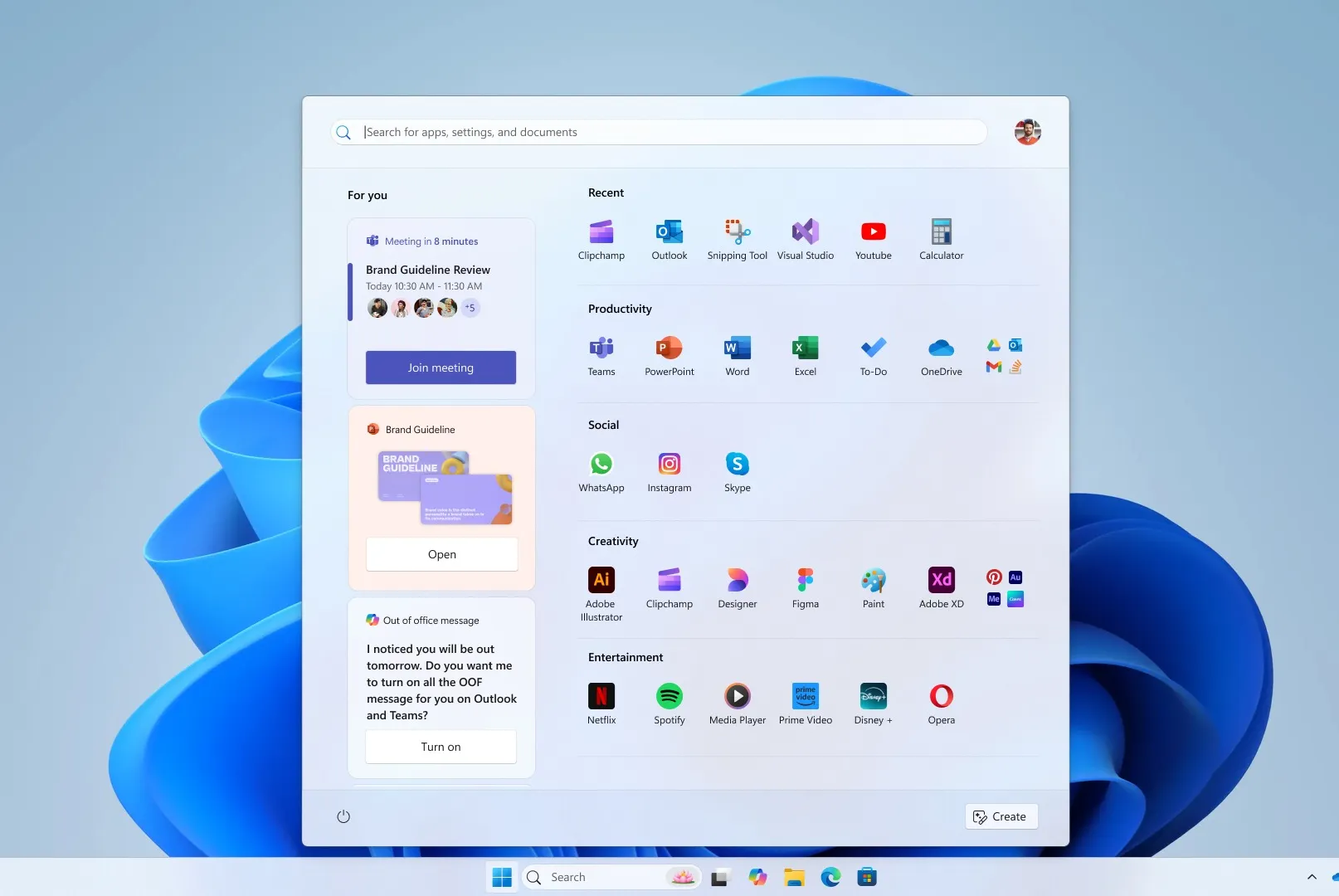
Microsoft is rolling out a redesigned Start menu in Windows 11, offering a wider layout and allowing users to disable the recommended feed of files and apps. However, before settling on this design, Microsoft tested several concept designs, some of which could have radically changed how the Start menu functions.

In a blog post detailing the redesign process, Microsoft shared five concept designs that were considered but ultimately rejected. These designs varied from more rounded menus with widget-like functionality to designs that took up entire vertical screen space. One of the concepts featured a “For You” section that included personalized content like Teams meetings, YouTube videos, and recently used files.

Another concept placed the For You section to the side, focusing the main Start menu on categories of apps. Another version imagined the Start menu as a landing page, offering shortcuts, files, and direct access to features like Android phone integration and creation tools. Some prototypes even explored a scrollable, vertical Start menu to provide an entirely new user experience.

The Windows design team emphasized how much experimentation was involved in the process, with sketches, Figma frames, and paper prototypes all helping to shape the final result. The designs were tested with over 300 Windows 11 fans, using eye-tracking heat maps and feedback from co-creation calls to refine the concepts.

The aim of the redesign is to make the Start menu more customizable, faster, and more accessible while ensuring it still aligns with the muscle memory users have developed over the last three decades. The result is a Start menu that’s larger and more customizable, with options to remove the recommended feed and the addition of a phone companion panel for quick access to calls, messages, and phone files.

This new design is currently being tested with Windows Insiders and will be rolled out to all Windows 11 users in the coming months.


Tags: MicrosoftWindows 11
Sazid Kabir

Sazid Kabir

Founder & Chief Editor, NoMusica.com. Sazid Kabir is a tech writer and music producer covering music, tech, and music production with both analytical and practical experience.

Read More

Android Canary Introduces “Now Playing” Lock Screen Button
Apps & Updates

Are APK Downloads Safe? Risks, Legal Issues, and Safer Alternatives

May 8, 2026
5 Best Free Firewall Apps for Android in 2026 (No Root Needed Options Included)
Apps & Updates

5 Best Free Firewall Apps for Android in 2026 (No Root Needed Options Included)

April 24, 2026
Apple Reportedly Plans Ad Expansion to Maps App in 2026
Apps & Updates

50+ Best Android Alternative Apps ― Free Movies, No Ads, Offline Maps

April 24, 2026
Tubi
Apps & Updates

10 Best Free Movie Apps in 2026 (Safe & Working)

April 24, 2026
music streaming apps
Apps & Updates

10 Best Free Music Apps in 2026 (No Subscription Needed)

April 24, 2026
WhatsApp
Apps & Updates

WhatsApp Tests ‘Plus’ Subscription With New Premium Features

April 22, 2026

Leave a Reply Cancel reply

Your email address will not be published. Required fields are marked *

NoMusica.com

© 2026 WowPress Agency

Navigate Site

  • About
  • Advertise with us
  • Contact
  • Cookie Policy
  • Privacy Policy
  • Tools

Follow Us

No Result
View All Result
  • About
  • Advertise with us
  • Contact
  • Cookie Policy
  • Privacy Policy
  • Tools
    • AI Apps Idea Generator
    • Apple Music Royalty Calculator
    • Case Converter Tool Online
    • Lorem Ipsum Text Generator
    • Perfect Reverb & Delay Calculator
    • Perfect Studio Monitor Placement Calculator
    • Spotify Royalty Calculator
    • Stranger Things Text Generator – Flip Your Text Upside Down Online
    • Upside Down Text Generator
    • YouTube Music Revenue Calculator

© 2026 WowPress Agency


