




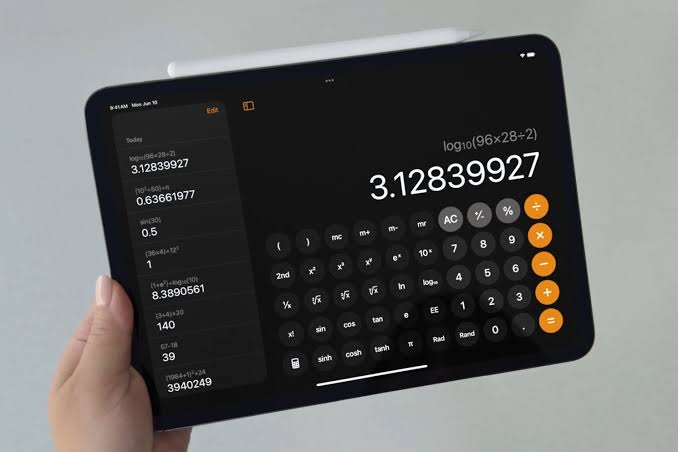
With Apple’s latest software update—iOS 18, iPadOS 18, and macOS 15 Sequoia—comes Math Notes, a versatile tool added to the Calculator and Notes apps.
This hidden gem allows users to solve equations, draw graphs, and handle conversions, making it an indispensable tool for students, professionals, and math enthusiasts. Here’s how to make the most of it.
Accessing Math Notes
You can access Math Notes from either the Notes or Calculator app. In Notes, simply open a new note and start using Math Notes features. In the Calculator app, tap the calculator icon in the lower-left corner and select Math Notes. Here, you’ll see options to create new notes or revisit previous ones.
Performing Basic Calculations
Math Notes simplifies calculations. Type equations like “4+4=” or “8×8=,” and the answer appears instantly. On iPhones and iPads, you can also scribble equations with a stylus or your finger. Draw a line under columns of numbers to get totals automatically. If you make a mistake, Math Notes flags errors with red lines or requests clarification with blue ones.
Handling Conversions
Math Notes supports unit conversions. For example, typing “5 m =” shows equivalents in feet or kilometers. If the default conversion isn’t what you need, you can specify units. This feature covers a wide range of unit types, making it a practical tool for daily tasks.
Using Variables
One of Math Notes’ standout features is its ability to handle variables. Assign values with statements like “x=10” or “price=50.” These variables can be used across multiple expressions, and when adjusted, the related results update instantly. Variables can even reference themselves for incremental changes, such as “y=y+2.”
Creating Graphs
Math Notes can generate graphs directly from your equations. On iPhones and iPads, writing an expression with two variables (e.g., “y=2x+5”) prompts a pop-up option to insert a graph. You can add multiple expressions to a single graph, resize it, and move it within your notes. While macOS displays these graphs, creation is exclusive to mobile devices.
Customizing Your Math Notes Experience
You can adjust how results appear in Math Notes. Tap the three dots in the top-right corner of a note and select Math Results. Choose between automatic insertion, suggestions, or turning off results entirely for a cleaner workspace.
Why You Should Use Math Notes
Math Notes isn’t just a simple calculator—it’s a flexible, intuitive tool for tackling equations, managing conversions, and visualizing data. Whether you’re a student solving problems, a professional working with variables, or someone exploring math for fun, Math Notes streamlines the process.
Apple’s Math Notes transforms how users interact with numbers. From solving basic equations to graphing complex functions, it combines simplicity with powerful features. Dive into Math Notes today and discover how it can simplify your workflows and elevate your productivity.




