Close Menu
NoMusica.com
    Facebook X (Twitter) Instagram
    Facebook X (Twitter) Instagram
    NoMusica.comNoMusica.com
    • Entertainment
    • Music
      • Music Production
    • Tech
      • AI
      • Electronics & Gadgets
      • Apps & Updates
      • Smartphones
    • Films & Shows
    • Gaming
    • Streaming
    NoMusica.com
    Home»AI

    How to Turn On Siri’s Brand-New Glow Effect on Your iPhone

    February 25, 2025
    Siri
    Share
    Facebook Twitter LinkedIn Pinterest Email

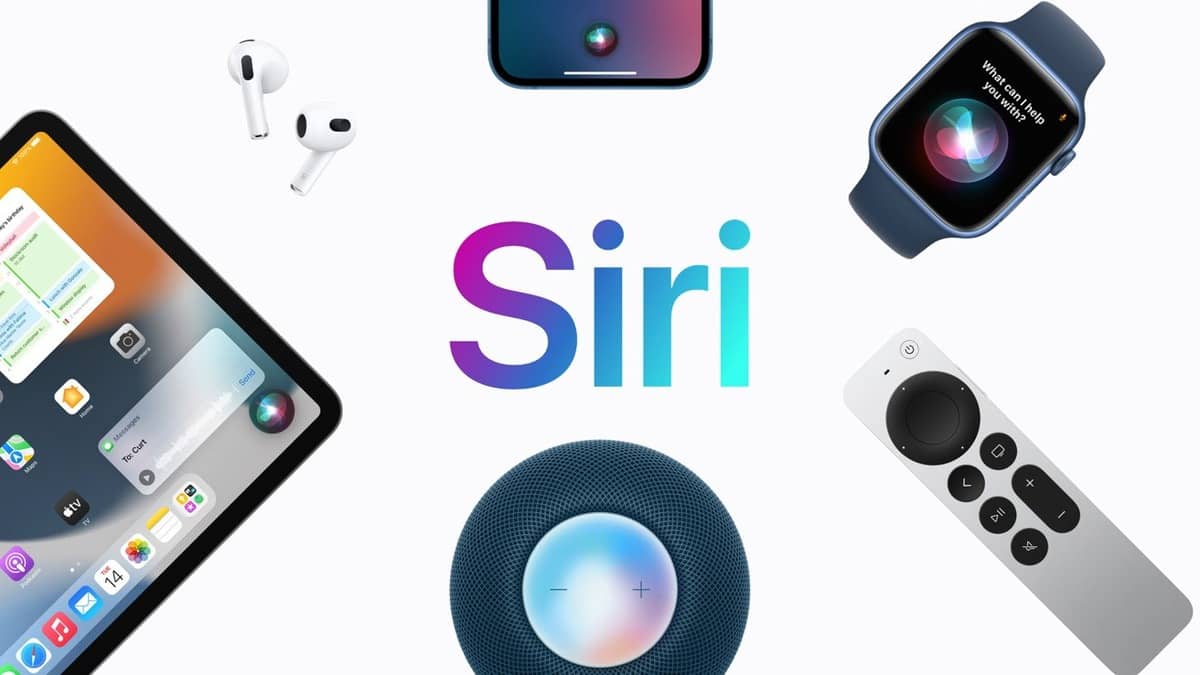
    Apple’s iOS 18.3 update introduces an exciting new look for Siri, featuring a vibrant glowing effect.

    If you’ve updated your iPhone but aren’t seeing the new shimmering Siri animation, don’t worry. Here’s how to activate it.

    Why You Might Not See the New Glow Effect

    The new Siri glow is part of Apple Intelligence and is available for iPhone XS or newer models, along with Macs and iPads powered by M-series processors.

    However, not all users will see the glow right away due to certain requirements. If you’ve updated to iOS 18.3 and still see the old Siri orb, it’s likely that Apple Intelligence hasn’t been activated on your device yet.

    Check Your Device Compatibility

    The new glowing Siri effect is available for these models:

    • iPhone 15 Pro & Pro Max
    • iPhone 16 Series
    • Macs and iPads with M-series chips (including the iPad Mini with A17 Pro)

    If your device is compatible, but you don’t see the glowing effect, there are a few steps you can take to unlock it.

    Re-enable Apple Intelligence

    Sometimes Apple Intelligence might not be activated automatically after the iOS update. If this is the case, you need to manually enable it:

    1. Go to Settings > Apple Intelligence & Siri
    2. Turn on the Apple Intelligence toggle
    3. Restart your device to re-download the necessary language model.

    Check Your Siri Language Settings

    Currently, Apple Intelligence is available only in English and is limited to specific variants, including English from Australia, Canada, the UK, and the US, among others.

    If you’re using a different language, you might not see the new effect yet. To enable it:

    1. Go to Settings > Apple Intelligence & Siri
    2. Set the Language to one of the supported English variants.

    After that, follow the steps to turn Apple Intelligence off and back on again, and restart your iPhone.

    Upcoming Language Support

    Apple plans to expand the Siri glow effect to more languages later in the year, including Chinese, French, German, Japanese, Korean, and others by April 2025.

    Once you’ve activated Apple Intelligence and set your language correctly, you should see the new glowing Siri effect in action!


    Apple iOS iOS 18 Siri
    Sazid Kabir
    • Website
    • X (Twitter)
    • Pinterest
    • Instagram
    • LinkedIn

    Founder & Chief Editor, NoMusica.com. Sazid Kabir is a tech writer and music producer covering music, tech, and music production with both analytical and practical experience.

    Keep Reading

    5 Best Free AI Image Generators in 2026: Tested & Compared

    10 Free AI Courses With Certificates for High-Income Skills in 2026

    Best Discord AI Bots in 2026 (Safe, Useful & Verified Tools)

    15 Best AI Apps for Daily Use (2026 Guide)

    10 Free AI Voice Changers for Gamers and Streamers in 2026

    Best Free AI Tools for Content Creators in 2026 (Features, Limits, and Real Use Cases)

    Add A Comment
    Leave A Reply Cancel Reply

    Latest Posts

    XXL 2026 Freshman Class Is Here… But Did They Get It Right?

    June 26, 2026

    People Want To Know Why Cities Are Banning Kanye But Not Netanyahu & Israel’s Genocidal Regime, Epstein Friends

    June 24, 2026

    Drake Fans Go Off On Lil Yachty Over A$AP Rocky Link-Up

    June 22, 2026

    New Pooh Shiesty x GloRilla Track Sparks Gucci Mane Debate Online

    June 22, 2026

    #HimToo: The Man Cassie Ventura exposed to STDs & Public Embarrassment, wants Accountability

    June 20, 2026
    Pages
    • Home
    • Blog
    • About
    • Contact
    • Advertise
    • Cookie Policy
    • Privacy Policy
    Categories
    • AI
    • Tech & Science
    • Films & TV Shows
    • Entertainment
    • Music
    • Streaming
    • Music Production
    Random Reads

    Google May Let Users Change Their Gmail Address Without Losing Data

    Microsoft’s Free Generative AI Certificate ― Everything You Need to Know

    What is ChatGPT Canvas? Everything You Need to Know About The Game-Changing Feature

    Facebook X (Twitter) Instagram Pinterest
    © 2026 WowPress Digital

    Type above and press Enter to search. Press Esc to cancel.