Close Menu
NoMusica.com
    Facebook X (Twitter) Instagram
    Facebook X (Twitter) Instagram
    NoMusica.comNoMusica.com
    • Entertainment
    • Music
      • Music Production
    • Tech
      • AI
      • Electronics & Gadgets
      • Apps & Updates
      • Smartphones
    • Films & Shows
    • Gaming
    • Streaming
    NoMusica.com
    Home»Tech & Science

    Google Launches Caller ID Solution, Providing Alternative to TrueCaller

    Goodbye TrueCaller! Google Introduces Native Caller ID for Android.
    June 16, 2024
    Share
    Facebook Twitter LinkedIn Pinterest Email

    Google has recently introduced a new tool to help users identify and manage potential scam phone calls.

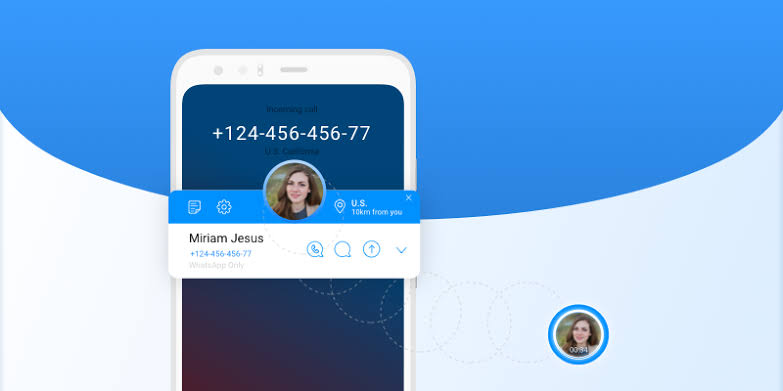
    This feature, called the Lookup button, is integrated into the Google Phone app and allows users to quickly look up the source of an unidentified number without having to manually search for it.

    The Lookup button is designed to provide users with crucial information about incoming calls, enabling them to identify potential scams and report them safely. This feature taps into Google’s extensive caller ID coverage to provide details about businesses reaching out to users. However, it is limited in its recognition, as it can only identify businesses registered with Google Business.

    While the Lookup button may not possess the robust features of popular caller ID apps like TrueCaller, it still offers valuable information to help users manage unwanted calls. This new tool from Google serves as an alternative to standalone caller ID apps, providing a convenient and integrated solution for Android users.

    The launch of the Lookup button comes at a time when many users are seeking alternatives to TrueCaller due to concerns over privacy and performance issues. Google’s offering provides a simple and effective way to identify and block spam calls, without the need for a separate app.

    Overall, the Lookup button is a welcome addition to the Android ecosystem, providing users with an easy-to-use and integrated solution for managing unwanted calls.

    As Google continues to enhance its caller identification capabilities, this feature may become an increasingly attractive alternative to traditional caller ID apps.


    Google
    Sazid Kabir
    • Website
    • X (Twitter)
    • Pinterest
    • Instagram
    • LinkedIn

    Founder & Chief Editor, NoMusica.com. Sazid Kabir is a tech writer and music producer covering music, tech, and music production with both analytical and practical experience.

    Keep Reading

    New UK Law Could Stop Under-16s From Using TikTok, Instagram and More

    10 Free AI Courses With Certificates for High-Income Skills in 2026

    7 Best Knowledge Base Tools for Learning in 2026 (Ranked)

    Best Open-Source Softwares in 2026: Safe, Free Tools for Creators, Developers, and Everyday Use

    How to Use Google Nano Banana: Prompt Structure, Examples, and Limitations

    5 Best Free Audio Editing Software in 2026: For Podcasts & Music

    Add A Comment

    Comments are closed.

    Latest Posts

    Crypto Traders Bet Big on Cardi B’s Womb in Wild “Cardi Bee” Presale Frenzy

    July 24, 2026

    Snoop Dogg Biopic Set for 2027 Release with Jonathan Daviss in Lead Role

    July 23, 2026

    Kevin durant Ignores Lionel Messi & racist Argentian Soccer Team, refusing to shake their Hands

    July 19, 2026

    Spotify Removes Over 75 Million AI-Generated Tracks in Major Crackdown

    July 18, 2026

    Serena Williams Returns and Using GLP-1 Peptides To Improve Her Health

    July 14, 2026
    Pages
    • Home
    • Blog
    • About
    • Contact
    • Advertise
    • Cookie Policy
    • Privacy Policy
    Categories
    • AI
    • Tech & Science
    • Films & TV Shows
    • Entertainment
    • Music
    • Streaming
    • Music Production
    Random Reads

    How AI Simplifies Learning for Students with Disabilities

    Use This Secret Code to Stop AI Hack Attacks on Your Phone

    The White Lotus Thailand: Four Resorts You Can Visit

    Facebook X (Twitter) Instagram Pinterest
    © 2026 WowPress Digital

    Type above and press Enter to search. Press Esc to cancel.