Google’s Gemini AI has revolutionized email writing by offering intelligent assistance right within Gmail.
With Gemini, you can draft emails, refine existing messages, and even locate specific emails with ease. Here’s how to make the most of this powerful AI tool:
Composing Emails with Gemini
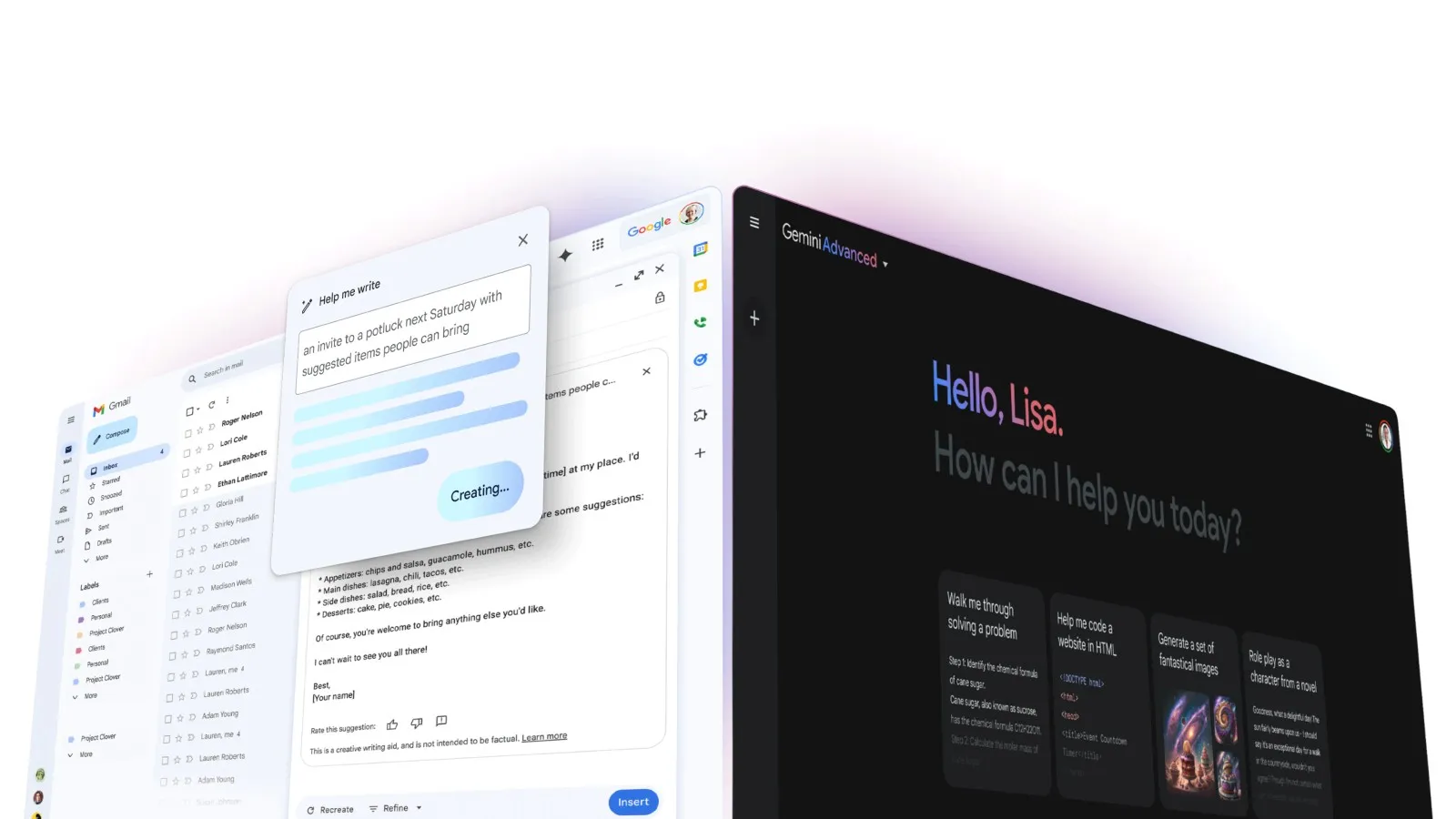
To write a new email using Gemini, simply click the “Help me write” button in Gmail’s compose window. Enter a prompt describing the type of email you need, such as “a thank you letter for my job interview” or “a birthday invitation for my 5-year-old.”
Gemini will generate a draft based on your instructions.For best results, include details like the recipient, topic, and desired tone in your prompt. Keep in mind that you may need to try a few variations before getting a draft you’re satisfied with.
Refining Existing Drafts
Gemini can also help refine emails you’ve already written. With an email open, click “Help me write” and choose an option from the menu:
- Formalize: Makes the draft more formal
- Elaborate: Adds details to build upon the text
- Shorten: Reduces the length of the draft
- I’m Feeling Lucky: Updates the draft with creative details
After refining, you can send feedback on the generated text, edit it manually, or recreate a new version.
Locating Specific Emails
Gemini’s search capabilities make it easy to find emails on a particular topic or from a specific sender. Try prompts like “Find emails from my Gmail about [topic]” or “Pull up emails from [name].” You can even incorporate filters to narrow down the results.
Providing Feedback
If Gemini generates inaccurate or inappropriate text, you can submit feedback to help improve its performance. Below the generated text, tap “Bad suggestion” and select a feedback option from the menu. Include any additional comments and submit the form.
Limitations and Considerations
While Gemini can be a valuable tool, it’s important to use it judiciously. Avoid relying on Gemini for sensitive information or anything requiring professional expertise, as it may produce inaccurate or unsafe content.
Additionally, consider how your recipients may feel about receiving AI-generated emails. For personal messages, it’s often better to write from the heart rather than using a bot.
By understanding Gemini’s capabilities and limitations, you can harness its power to streamline your email workflow while maintaining a human touch. With practice and feedback, Gemini will continue to improve, making it an increasingly useful tool for Gmail users.