Close Menu
NoMusica.com
    Facebook X (Twitter) Instagram
    Facebook X (Twitter) Instagram
    NoMusica.comNoMusica.com
    • Entertainment
    • Music
      • Music Production
    • Tech
      • AI
      • Electronics & Gadgets
      • Apps & Updates
      • Smartphones
    • Films & Shows
    • Gaming
    • Streaming
    NoMusica.com
    Home»Apps & Updates

    Microsoft Pulls Plug on Windows 11 SE, Leaving Schools With One Year to Switch

    August 5, 2025
    Windows 11
    Share
    Facebook Twitter LinkedIn Pinterest Email

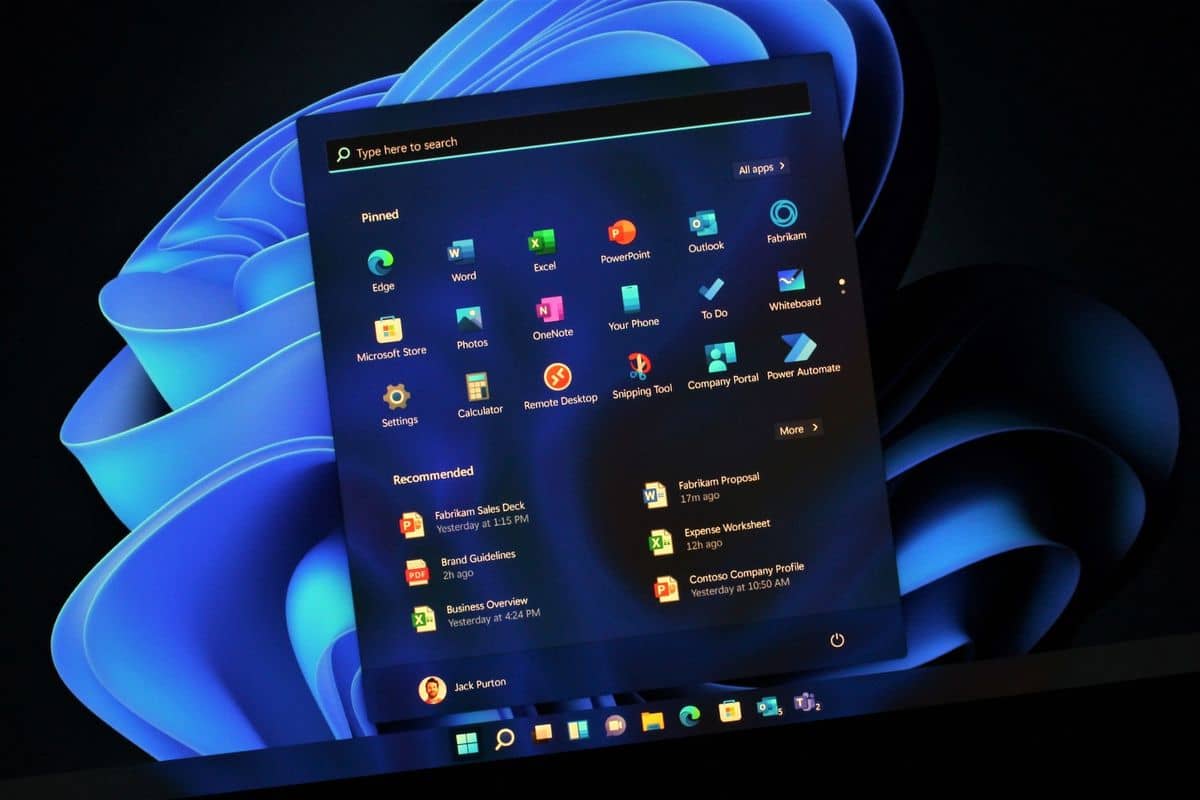
    Microsoft has announced it will stop supporting Windows 11 SE in October 2026. The operating system, launched nearly five years ago for schools and colleges, will no longer receive updates, security patches, or technical help after that date.

    Windows 11 SE was designed as a simple, web-first version of Windows 11 for education devices. However, it never became popular. Many IT technicians found it too limited because it blocked many applications outside web-based tools and education software.

    The system was also slow on low-cost laptops, especially when compared to Google’s ChromeOS, which remains a strong choice for schools worldwide.

    Despite being sold by major computer makers like Acer, Dell, HP, and Lenovo, Windows 11 SE struggled to win over schools and IT teams. Microsoft now recommends schools switch to other versions of Windows 11 to keep receiving support and security.

    This announcement leaves many schools facing a tough decision. Existing Windows 11 SE devices may become risky to use without security updates. Moving to a full Windows 11 version might not be smooth, as older devices may not run it well, and current licenses may not cover it. Many schools will need to explore switching to ChromeOS or buying new devices.

    Microsoft’s exit from Windows 11 SE signals a broader problem: the company has struggled to compete with Google in the education and lightweight operating system market. Previous attempts like Windows 10 S and Windows RT also ended quickly, pushing users toward alternatives.

    With support ending soon and no clear replacement, school IT departments have just over a year to plan their next move away from Windows 11 SE.

    Microsoft Windows Windows 11
    Sazid Kabir
    • Website
    • X (Twitter)
    • Pinterest
    • Instagram
    • LinkedIn

    Founder & Chief Editor, NoMusica.com. Sazid Kabir is a tech writer and music producer covering music, tech, and music production with both analytical and practical experience.

    Keep Reading

    Are APK Downloads Safe? Risks, Legal Issues, and Safer Alternatives

    5 Best Free Firewall Apps for Android in 2026 (No Root Needed Options Included)

    50+ Best Android Alternative Apps ― Free Movies, No Ads, Offline Maps

    10 Best Free Movie Apps in 2026 (Safe & Working)

    10 Best Free Music Apps in 2026 (No Subscription Needed)

    WhatsApp Tests ‘Plus’ Subscription With New Premium Features

    Add A Comment

    Comments are closed.

    Latest Posts

    Crypto Traders Bet Big on Cardi B’s Womb in Wild “Cardi Bee” Presale Frenzy

    July 24, 2026

    Snoop Dogg Biopic Set for 2027 Release with Jonathan Daviss in Lead Role

    July 23, 2026

    Kevin durant Ignores Lionel Messi & racist Argentian Soccer Team, refusing to shake their Hands

    July 19, 2026

    Spotify Removes Over 75 Million AI-Generated Tracks in Major Crackdown

    July 18, 2026

    Serena Williams Returns and Using GLP-1 Peptides To Improve Her Health

    July 14, 2026
    Pages
    • Home
    • Blog
    • About
    • Contact
    • Advertise
    • Cookie Policy
    • Privacy Policy
    Categories
    • AI
    • Tech & Science
    • Films & TV Shows
    • Entertainment
    • Music
    • Streaming
    • Music Production
    Random Reads

    Oracle and Microsoft in Talks to Take Over TikTok, Reports Say

    The Xreal Air 2 Pro Offers Great Video, but Disappointing Features

    Android TV vs. Google TV: What Are The Differences?

    Facebook X (Twitter) Instagram Pinterest
    © 2026 WowPress Digital

    Type above and press Enter to search. Press Esc to cancel.