


Close Menu
    Facebook X (Twitter) Instagram
    Facebook X (Twitter) Instagram Pinterest
    NoMusica.com
    • AI
    • Tech
      • Electronics & Gadgets
      • Apps & Updates
      • Smartphones
    • Films & Shows
    • Music
    • Gaming
    • Streaming
    • Music Production
    NoMusica.com
    Home iOS 18.2 Brings New Features to Photos App
    Tech & Science

    iOS 18.2 Brings New Features to Photos App

    Updated:January 28, 20252 Mins Read
    Share Facebook Twitter Pinterest Telegram WhatsApp Copy Link

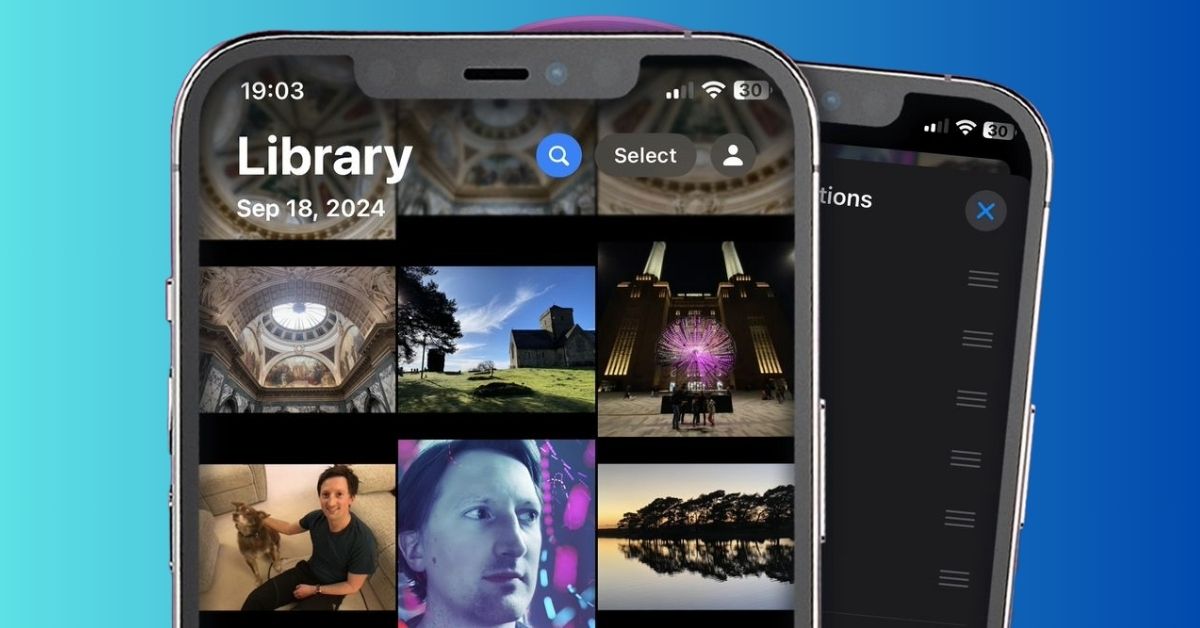
    The latest update for iOS, version 18.2, brings several useful improvements to the Photos app.

    While not a complete redesign, these updates make it easier to manage your photo library and customize the app to your liking.

    Clear Recently Viewed and Recently Shared History

    In iOS 18.2, you can now clear your Recently Viewed and Recently Shared albums, which can get cluttered over time. To do this:

    1. Open the Photos app and scroll to the Utilities section.
    2. Tap on Recently Viewed.
    3. Tap the More button (three dots) in the top right corner.
    4. Select Remove All from Recently Viewed to clear the folder, or tap and hold on a photo to remove it individually.

    The same steps apply for clearing the Recently Shared album.

    Stop Auto-Looping Videos

    Videos in the Photos app used to auto-loop by default, but iOS 18.2 lets you turn off this feature. Here’s how:

    1. Open the Settings app and scroll down to Photos.
    2. Find the Loop Videos option.
    3. Toggle it off to stop videos from looping automatically.

    Sort Albums Alphabetically

    If you prefer a more organized view, iOS 18.2 lets you list your photo albums alphabetically. To do this:

    1. Open the Albums section of the Photos app.
    2. Tap the More button (three dots) in the top right corner.
    3. Select Sort by Name to organize your albums alphabetically.

    These updates make managing your photos easier and more customizable. While not groundbreaking, they provide useful tools for everyday photo organization and playback.

    For more tips on using iOS 18.2, check out our guides on ChatGPT with Siri and creating custom emojis.

    Apple iOS iOS 18
    Share. Facebook Twitter Pinterest Telegram WhatsApp Copy Link
    Sazid Kabir
    • Website
    • X (Twitter)
    • Pinterest
    • Instagram
    • LinkedIn

    Founder & Chief Editor, NoMusica.com. Sazid Kabir is a tech writer and music producer covering music, tech, and music production with both analytical and practical experience.

    Related Posts

    10 Free AI Courses With Certificates for High-Income Skills in 2026

    7 Best Knowledge Base Tools for Learning in 2026 (Ranked)

    Best Open-Source Softwares in 2026: Safe, Free Tools for Creators, Developers, and Everyday Use

    5 Best Free Audio Editing Software in 2026: For Podcasts & Music

    15 AI Tools Musicians Can Use to Create and Promote Music

    5 Best Free Game Recording Software (No Watermark, No Subscription)

    Add A Comment

    Comments are closed.

    Latest Posts

    Travis Scott Drops Cactus Jack Nike Phantom 6 For 2026 World Cup

    June 7, 2026

    Netflix Corruption: Michael Jackson Film is False & Slander, Here’s the Documented Facts

    June 7, 2026

    Cassie Ventura Fled U.S. with Diddy’s $30M,  Her Innocence Now in Question

    June 5, 2026

    50 Cent Says Daphne Joy’s OnlyFans Up 85% After Diddy Tape, Hints Model Leaked Her Own Tape

    June 5, 2026

    NEW HIPHOP THIS FRIDAY (JUNE 5, 2026)

    June 5, 2026
    Facebook X (Twitter) Instagram Pinterest
    © 2026 A WowPress Initiative

    Type above and press Enter to search. Press Esc to cancel.