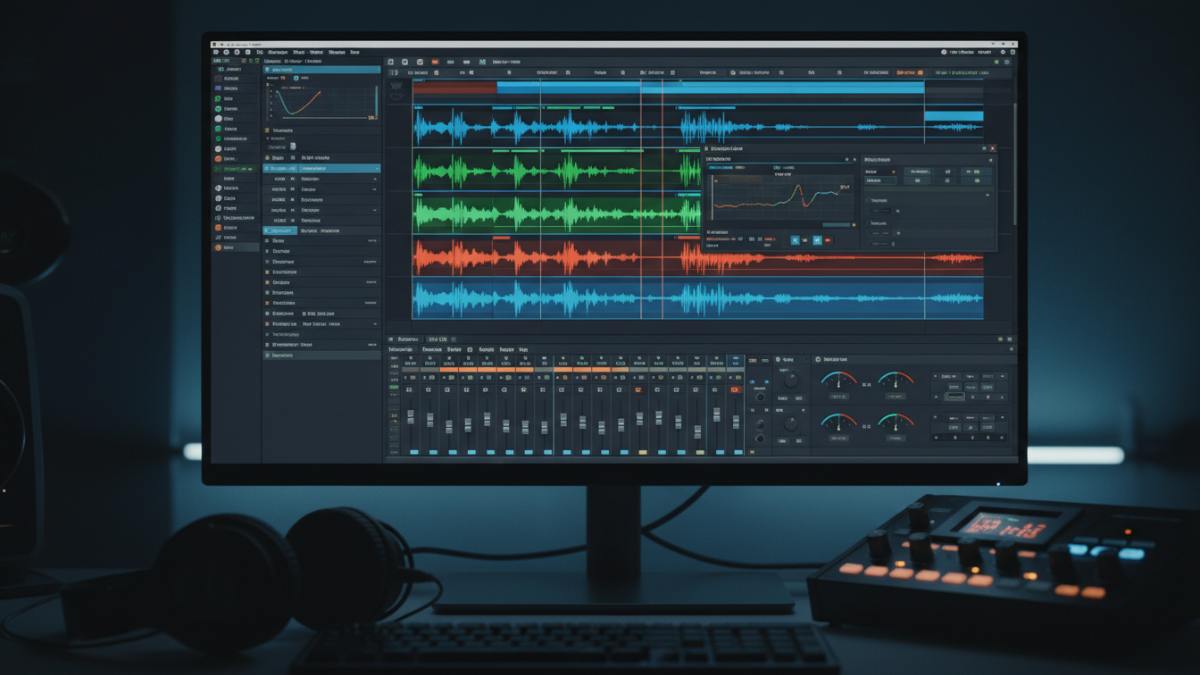
Professional audio editing no longer requires a studio budget. In 2026, free software handles everything from podcast production and voiceover cleanup to full music composition and mixing. The challenge isn’t finding a free tool — it’s finding one that doesn’t cripple you with track limits, export restrictions, or watermarked output.
We tested the top free audio editors and DAWs available right now. These five tools deliver genuinely professional workflows without costing a cent.
Quick Comparison Table
| Tool | Type | Tracks | Platform | Best For | Standout Feature |
|---|---|---|---|---|---|
| Audacity | Waveform Editor | Unlimited | Win/Mac/Linux | Podcasts, voice editing | Noise Reduction, spectral editing |
| Cakewalk Sonar | Full DAW | Unlimited | Windows only | Music production, mixing | Professional console, VST support |
| GarageBand | Beginner DAW | 32 max | Mac/iOS only | Songwriting, beginners | Smart Instruments, loop library |
| Waveform Free | Full DAW | Unlimited | Win/Mac/Linux | Cross-platform producers | Single-window workflow, no limits |
| Ocenaudio | Lightweight Editor | Single-file | Win/Mac/Linux | Quick edits, cleanup | Real-time effects preview |
Tools to Avoid (Limited or Not Truly Free)
| Tool | Free Limitation | Why Skip |
|---|---|---|
| LMMS | No audio recording | Excellent for electronic beats but cannot record vocals or instruments — a critical gap for most music producers |
| Ardour | Nag screen / $45 to remove | Powerful open-source DAW, but the free version has a persistent donation nag screen; paid removal required for clean experience |
| BandLab (online) | Cloud-only, limited tracks | Good for collaboration but restricted compared to desktop DAWs; not suitable for serious production |
| Pro Tools First | 16-track limit, cloud storage only | Avid’s “free” tier is too restrictive for anything beyond basic demos; forces cloud dependency |
| Studio One Prime | No VST support, no MP3 export | PreSonus locks core functionality behind paid tiers; the free version is intentionally crippled |
What We Tested For
- No artificial track limits: Must handle multi-track projects without arbitrary restrictions
- No watermark on exports: Clean WAV, MP3, FLAC, or project files you can actually publish
- Recurring free access: Not a 30-day trial — fully functional, ongoing free software
- Real recording capability: Must support live audio input (microphone, instruments, interfaces)
- Cross-platform or native optimization: Works well on its target platform
1. Audacity — Best for Podcasts & Voice Editing
Best for: Podcasters, voiceover artists, journalists, and anyone who needs to edit spoken word quickly and precisely
Audacity is the most downloaded free audio editor in history, and it remains the best starting point for anyone working with voice. It’s not a DAW — it’s a dedicated waveform editor designed for cutting, cleaning, and exporting audio files.
What You Get for Free
- Completely free and open-source — no paid tier, no upsells, no account required
- Multi-track waveform editing with precise cut, copy, paste, and splice tools
- Noise Reduction — sample a noise profile and remove background hiss, hum, and room tone
- EQ, compression, normalization, and limiting built-in
- Spectral editing — visually identify and remove specific frequencies (clicks, pops, breaths)
- Batch processing via Chains/Macros for repetitive tasks
- Every format supported: WAV, MP3, FLAC, OGG, AIFF, and more
- Cross-platform: Windows, macOS, Linux
- No watermark, no export restrictions, no track limits
The Trade-Offs
- Destructive editing — changes are applied directly to the audio file (though undo is unlimited within a session)
- No MIDI support — cannot work with virtual instruments or MIDI controllers
- No real-time effects during recording — effects are applied post-recording
- Dated interface — functional but not modern-looking
- No built-in instruments or loops — purely an editor, not a production environment
- Plugin support limited to Nyquist, LADSPA, LV2, and VST (with some compatibility issues)
Verdict
Audacity is essential for every podcaster and voice creator. The noise reduction alone justifies the download — it can rescue recordings made in imperfect environments. For music production, it’s too limited (no MIDI, no virtual instruments), but as a dedicated audio editor, nothing free comes close.
2. Cakewalk by BandLab / Cakewalk Sonar (Free Tier) — Best Full DAW for Windows
Best for: Windows-based musicians, producers, and engineers who need a complete professional DAW without paying
Cakewalk was once a $500 commercial DAW (SONAR Platinum). BandLab acquired it and released it as a fully functional free DAW for Windows. In 2026, the free tier of Cakewalk Sonar continues to offer the most complete feature set of any free music production software.
What You Get for Free
- Unlimited audio, MIDI, and instrument tracks
- Full VST plugin support — use any third-party virtual instrument or effect
- Professional mixing console with bus routing, sidechain compression, and advanced automation
- Built-in effects: EQ, compression, reverb, delay, amp simulators, and more
- Piano Roll, Step Sequencer, and Matrix View for MIDI composition
- AudioSnap for tempo matching and loop syncing
- ARA support for advanced vocal editing (Melodyne integration)
- 24-bit / 192kHz recording and export
- No watermark, no export restrictions, no time limits
The Trade-Offs
- Windows only — no macOS or Linux support
- Steeper learning curve than GarageBand or Audacity
- Dated interface compared to modern DAWs like Ableton or Logic
- Free tier limitations: Only 1 Arranger Track, no Track Manager, no Plugin Oversampling, no BandLab Sounds integration
- Requires BandLab account for activation
- System requirements: 8-core CPU, 16GB RAM recommended
Verdict
For Windows users serious about music production, Cakewalk is the only free DAW that genuinely competes with paid options. The mixing console, VST support, and unlimited tracks make it suitable for professional releases. The free tier limitations are minor — most producers won’t miss the locked features until they’re already making money from music.
3. GarageBand — Best for Mac Beginners & Songwriters
Best for: Mac and iOS users who want to start making music immediately with minimal learning curve
GarageBand comes pre-installed on every Mac and is free on iOS. It’s the most beginner-friendly entry point into music production, with a drag-and-drop workflow that lets you build a complete song in under 30 minutes.
What You Get for Free
- Completely free with macOS and iOS
- Drag-and-drop loop library with thousands of professional Apple Loops
- Smart Instruments — play realistic drums, guitars, and keyboards without knowing music theory
- Built-in virtual instruments: synths, drum kits, orchestral sounds, and more
- Multi-touch instruments on iOS
- Drummer feature — AI-generated drum tracks that follow your song’s groove
- Basic mixing tools with EQ, compression, and reverb
- 24-bit WAV export
- Seamless upgrade path to Logic Pro — open GarageBand projects directly in Logic
- No watermark, no export restrictions
The Trade-Offs
- Mac and iOS only — no Windows or Android version
- 32-track limit — sufficient for most songs but restrictive for complex arrangements
- No VST plugin support — only AU (Audio Unit) plugins
- Limited to 4 effect plugins per track — workable but not flexible for complex mixing
- No true mixing console — simplified track header controls instead of a dedicated mixer view
- Limited mastering capabilities — no professional-grade mastering tools
Verdict
GarageBand is the perfect starting point for Mac users. The Smart Instruments and loop library make it possible to create polished music without any prior knowledge. The 32-track limit and plugin restrictions will eventually push serious producers toward Logic Pro ($200 one-time), but most beginners won’t hit those walls for months or years.
4. Tracktion Waveform Free — Best Cross-Platform DAW
Best for: Producers who work across multiple operating systems or want a modern, unconventional DAW workflow
Waveform Free is a full-featured DAW developed by Tracktion. Unlike “lite” free DAWs, it doesn’t remove core functionality to force an upgrade. You get unlimited tracks, full audio and MIDI editing, automation, and plugin support without restrictions.
What You Get for Free
- Unlimited tracks — audio, MIDI, and automation
- Full VST plugin support on Windows, macOS, and Linux
- Modern single-window workflow — no floating windows or cluttered interface
- Cross-platform: Windows, macOS, Linux, and even Raspberry Pi
- No artificial export limits — export in any format, any length
- Advanced features: MIDI editing, time-stretching, pitch-shifting, and plugin sandboxing
- Regular updates — version 13.5 in 2026 includes stability and performance improvements
- No watermark, no nag screens, no time limits
The Trade-Offs
- Unconventional interface — single-window workflow is different from traditional DAWs like Pro Tools or Logic
- Weaker stock plugins compared to GarageBand or Cakewalk
- Less refined advanced routing for complex mix sessions
- Smaller community than GarageBand or Cakewalk — fewer tutorials and templates
- Learning curve for users coming from other DAWs
Verdict
Waveform Free is the best option for producers who value flexibility and cross-platform compatibility. If you work on multiple machines (Mac at home, Windows at the studio, Linux for live performance), Waveform is the only free DAW that follows you everywhere. The unconventional interface rewards users who take the time to learn it.
5. Ocenaudio — Best Lightweight Editor for Quick Tasks
Best for: Users who need a fast, stable, and intuitive editor for quick edits, noise cleanup, and format conversion
Ocenaudio strikes a balance between Audacity’s power and GarageBand’s simplicity. It’s a lightweight, cross-platform audio editor with a modern interface and real-time effects preview — something Audacity lacks.
What You Get for Free
- Completely free — no paid tier, no ads, no account required
- Real-time effects preview — hear changes instantly without rendering
- Multi-selection editing — select and edit multiple portions of a file simultaneously
- Spectrogram view for frequency-based editing and noise identification
- Large file handling — processes long recordings without lag or crashes
- VST plugin support for extended functionality
- Non-destructive editing — undo/redo without altering the original file
- Cross-platform: Windows, macOS, Linux
- Clean, modern interface — more intuitive than Audacity
The Trade-Offs
- No multi-track editing — single-file editor only, not a DAW
- No MIDI support — cannot work with virtual instruments
- No batch processing — must edit files one at a time
- Less powerful than Audacity for advanced tasks like spectral repair or macro automation
- No built-in instruments or loops — purely an editor
Verdict
Ocenaudio is the best choice for users who find Audacity overwhelming but need more than a basic trim tool. The real-time effects preview and modern interface make it ideal for quick podcast edits, voiceover cleanup, and format conversion. It’s not a replacement for a full DAW, but as a lightweight editor, it’s faster and more pleasant to use than Audacity for simple tasks.
Recommended Workflow by Use Case
For Podcast Production
- Audacity — Record, noise reduction, EQ, compression, and export
- Ocenaudio — Quick trim and cleanup if Audacity feels too complex
- Cakewalk — If you need music beds, intros, and multi-track mixing with voice
For Music Production (Windows)
- Cakewalk Sonar — Primary DAW for recording, MIDI, mixing, and mastering
- Audacity — For sample editing, noise reduction, and format conversion
- Waveform Free — If you need to work across multiple PCs or operating systems
For Music Production (Mac)
- GarageBand — Start here; learn arrangement, MIDI, and basic mixing
- Logic Pro — Upgrade when you hit the 32-track limit or need advanced features ($200 one-time)
- Audacity — For sample editing and voice recording cleanup
For Quick Audio Cleanup
- Ocenaudio — Fast, intuitive, real-time preview
- Audacity — If you need spectral editing or batch processing
For Cross-Platform Production
- Waveform Free — Primary DAW that works on Windows, Mac, and Linux
- Audacity — For editing tasks on any platform
- Ocenaudio — For lightweight quick edits on any platform
Important Legal & Safety Notes
Licensing & Ownership
- Audacity, Ocenaudio, LMMS, and Ardour are open-source — you own your projects and can use them commercially
- GarageBand is free but Apple retains rights to the software; your content is yours
- Cakewalk free tier requires a BandLab account; your projects are stored locally but activation is tied to their service
- Waveform Free is proprietary but free to use; your projects are fully yours
Plugin Safety
- Only download VST plugins from reputable sources (developer websites, established marketplaces like Plugin Boutique or KVR Audio)
- Free plugins from unknown sources can contain malware or crash your DAW
- Always scan downloaded plugins with antivirus software before installing
Audio Interface Compatibility
- All five tools support standard ASIO (Windows) and Core Audio (Mac) drivers
- For low-latency recording, use a dedicated audio interface rather than built-in sound cards
- Cakewalk and Waveform Free benefit most from ASIO-compatible hardware
Backup Your Projects
- Free DAWs don’t include cloud backup — save project files to multiple locations
- Export stems (individual track WAVs) regularly in case a project file corrupts
- Cakewalk projects can be opened in Sonar (paid) but not easily transferred to other DAWs
When to Upgrade from Free
Consider paying when:
- You hit GarageBand’s 32-track limit — upgrade to Logic Pro ($200 one-time)
- You need advanced mixing with bus sends, sidechain routing, and complex automation — Cakewalk Membership or Logic Pro
- You need third-party plugins that your free DAW doesn’t support — Cakewalk (Windows) or Logic Pro (Mac)
- Your sessions exceed 30–40 tracks and free DAWs struggle with stability
- You need professional mastering tools — dedicated mastering plugins or services
- You want specific workflow features like Ableton’s Session View or FL Studio’s pattern system
For most creators, the free tools above are sufficient for 1–3 years of serious production before an upgrade is necessary.
FAQ
Q: Can I really make professional music with free software?
A: Yes. Many hit songs started in GarageBand. Cakewalk was a $500 DAW before it was free. The limitation is your skill, not the software.
Q: Which free DAW is closest to FL Studio?
A: LMMS is inspired by FL Studio’s pattern-based workflow, but it lacks audio recording. For a complete FL Studio-like experience, you’ll need to pay for FL Studio itself.
Q: Can I use these tools for commercial podcast production?
A: Yes. Audacity, Ocenaudio, Cakewalk, and Waveform Free all permit commercial use. GarageBand is also free for commercial use. Just avoid using copyrighted loops in commercial releases without clearance.
Q: Do I need an audio interface?
A: For voice recording and podcasting, a USB microphone is sufficient. For music production with instruments, a dedicated audio interface (Focusrite, PreSonus, Universal Audio) provides better sound quality and lower latency.
Q: What’s the difference between a DAW and an audio editor?
A: A DAW (Digital Audio Workstation) is for music production — multi-track recording, MIDI, virtual instruments, mixing, and mastering. An audio editor is for working with existing audio files — cutting, cleaning, noise reduction, and format conversion. Audacity and Ocenaudio are editors; Cakewalk, GarageBand, and Waveform are DAWs.
Q: Can I open projects between these tools?
A: Generally no — each uses its own project format. However, you can export stems (individual track WAVs) from any tool and import them into another. GarageBand projects open directly in Logic Pro.
Q: Are there any hidden costs?
A: No. All five tools are genuinely free with no subscription, no watermark, and no export restrictions. The only “cost” is Cakewalk’s free tier requiring a free BandLab account for activation.
Q: Which tool should I start with as a complete beginner?
A: Mac users: GarageBand. Windows users: Cakewalk if you’re serious about music, Audacity if you’re doing podcasts or voice work. Linux users: Ardour (accept the nag screen) or Waveform Free.
This guide was last updated in May 2026. Free audio software evolves constantly — features, system requirements, and platform support are subject to change. Always download from official websites and verify current system requirements before installing.