


Close Menu
NoMusica.com
    Facebook X (Twitter) Instagram
    Facebook X (Twitter) Instagram
    NoMusica.comNoMusica.com
    • Entertainment
    • Music
      • Music Production
    • Tech
      • AI
      • Electronics & Gadgets
      • Apps & Updates
      • Smartphones
    • Films & Shows
    • Gaming
    • Streaming
    NoMusica.com
    Home»Tutorials

    How to Install DirectX 9 on Windows 10 to Play Old Games

    December 23, 2024
    Share
    Facebook Twitter LinkedIn Pinterest Email

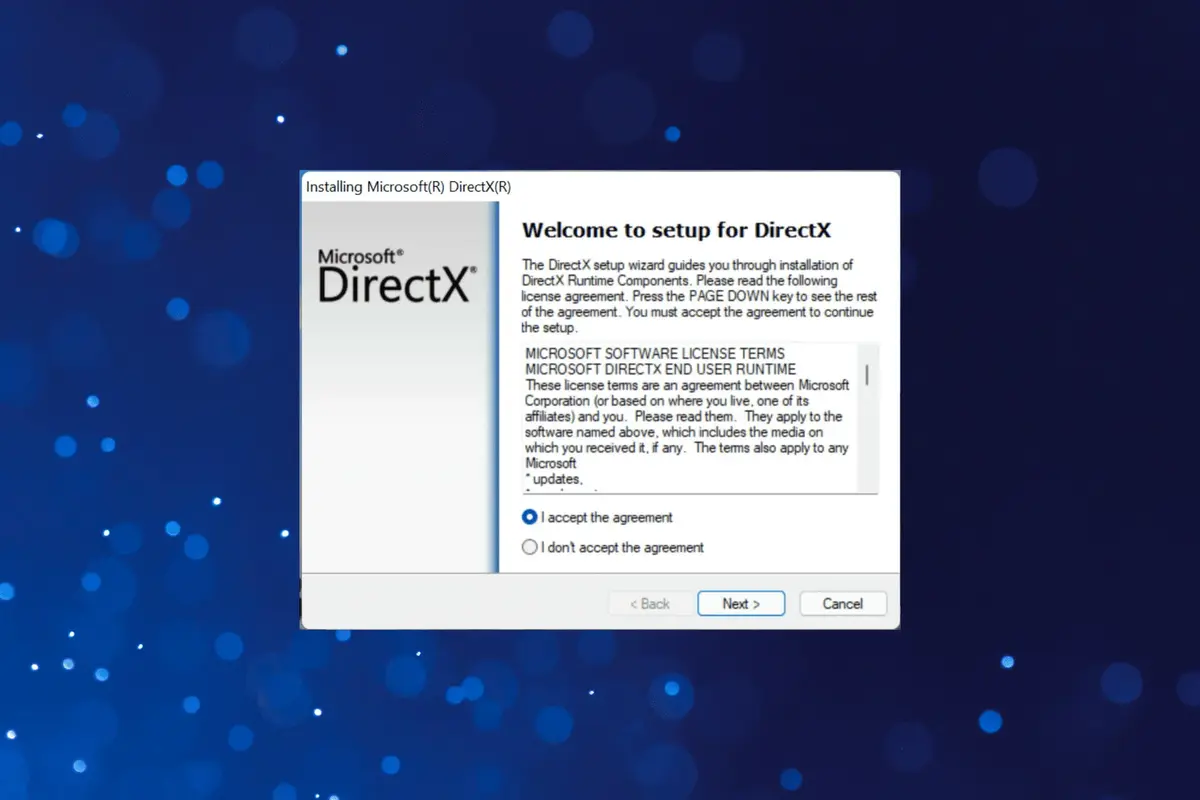
    Many old games need DirectX 9 to run. Windows 10 does not include it by default, but you can install it easily.

    Follow these steps to get started.

    Step 1: Download DirectX 9

    1. Go to the official Microsoft website.
    2. Search for “DirectX End-User Runtime Web Installer.”
    3. Download the setup file.

    Step 2: Run the Installer

    1. Open the downloaded file.
    2. Follow the on-screen instructions.
    3. Choose a folder to extract the files.

    Step 3: Complete the Installation

    1. Open the folder with the extracted files.
    2. Find the file named DXSETUP.exe.
    3. Double-click it and follow the steps to install DirectX 9.

    Step 4: Restart Your Computer

    After installation, restart your computer. This ensures the changes take effect.

    Notes

    • DirectX 9 does not replace newer versions. It works alongside them.
    • Some games may need additional files or patches.

    By following these steps, you can enjoy old games on Windows 10 without errors.

    DirectX Windows Windows 10
    Sazid Kabir
    • Website
    • X (Twitter)
    • Pinterest
    • Instagram
    • LinkedIn

    Founder & Chief Editor, NoMusica.com. Sazid Kabir is a tech writer and music producer covering music, tech, and music production with both analytical and practical experience.

    Keep Reading

    Windows 11 Upgrade Incoming as MacBook Neo Raises Pressure

    This GitHub Trick Unlocks Claude Opus 4.6 for Free

    This Free Tool Lets You Share Files Between iPhone, Windows, and Android

    How to Nearly Double Your iPhone Battery Life

    This Hidden Windows 11 Feature Can Improve Responsiveness by 76%

    Over 100 Windows Bugs Patched This Month, One Already Being Exploited

    Add A Comment
    Leave A Reply Cancel Reply

    Latest Posts

    NBA Star Klay Thompson Reportedly Called Megan Thee Stallion “Ghetto” As Relationship Fell Apart

    June 15, 2026

    Cardi B calls Karmelo Anthony verdict “disgusting” in Texas teen murder case

    June 13, 2026

    Nipsey Hussle Estate Releases Unseen Footage of Nipsey and Lauren London in New Rap Video “Sacrifices”

    June 13, 2026

    Top 10 lies Being Said About Sean “Diddy” Combs Trial & Who’s Pushing the Narrative

    June 13, 2026

    Travis Scott Drops Cactus Jack Nike Phantom 6 For 2026 World Cup

    June 7, 2026
    Pages
    • Home
    • Blog
    • About
    • Contact
    • Advertise
    • Cookie Policy
    • Privacy Policy
    Categories
    • AI
    • Tech & Science
    • Films & TV Shows
    • Entertainment
    • Music
    • Streaming
    • Music Production
    Random Reads

    BTS’ V Proved His Power with These 20 Accomplishments in the Military

    Alibaba’s New Qwen 3.5 Model Runs Fully Offline on iPhone 17 Pro

    CES 2025: Samsung and LG Ramp Up Competition in Subscription Services and Robotics

    Facebook X (Twitter) Instagram Pinterest
    © 2026 WowPress Digital

    Type above and press Enter to search. Press Esc to cancel.