




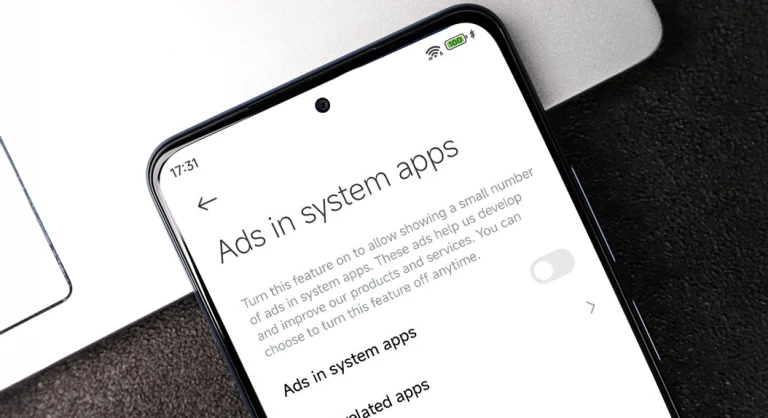
Xiaomi smartphones running HyperOS, the company’s custom Android skin, often display ads in various system apps and the interface. These ads can be intrusive and ruin the user experience.
Fortunately, there are several steps you can take to disable ads on your Xiaomi device running HyperOS. Here’s a step-by-step guide:
1. Disable MSA (MIUI System Ads)
MSA is the service responsible for displaying system-wide ads in HyperOS. To disable it:
- Go to Settings > Fingerprints, face data, and screen lock > Authorization & revocation.
- Find MSA in the list and toggle it off.
- Wait 10 seconds, then tap Revoke.
2. Disable Personal Ad Recommendations
To prevent Xiaomi from serving personalized ads based on your usage habits:
- Go to Settings > Fingerprints, face data, and screen lock > Privacy > Ad services.
- Toggle off Personalized ad recommendations.
3. Disable Ads in Security App
- Open the Security app and tap the gear icon in the top-right corner.
- Toggle off Receive recommendations.
- Select Cleaner and toggle off Receive recommendations.
4. Disable Ads in Mi Browser
- Open Mi Browser and tap the profile icon in the bottom-right corner.
- Select the settings gear icon and go to Privacy & security.
- Toggle off Personalized services.
5. Disable Ads in Mi Music
- Open Mi Music and tap the menu button in the top-left corner.
- Select Settings > Advanced settings.
- Toggle off Show ads.
6. Disable Ads in Mi Video
- Launch Mi Video and tap your Profile.
- Select Settings and toggle off Recommendations.
By following these steps, you can significantly reduce the number of ads displayed on your Xiaomi device running HyperOS. Keep in mind that some ads may still appear in certain apps, as Xiaomi has control over its app ecosystem.
If you find the ads still intrusive after following this guide, consider using a third-party ad blocker or exploring alternative Android ROMs that offer a cleaner, ad-free experience.




