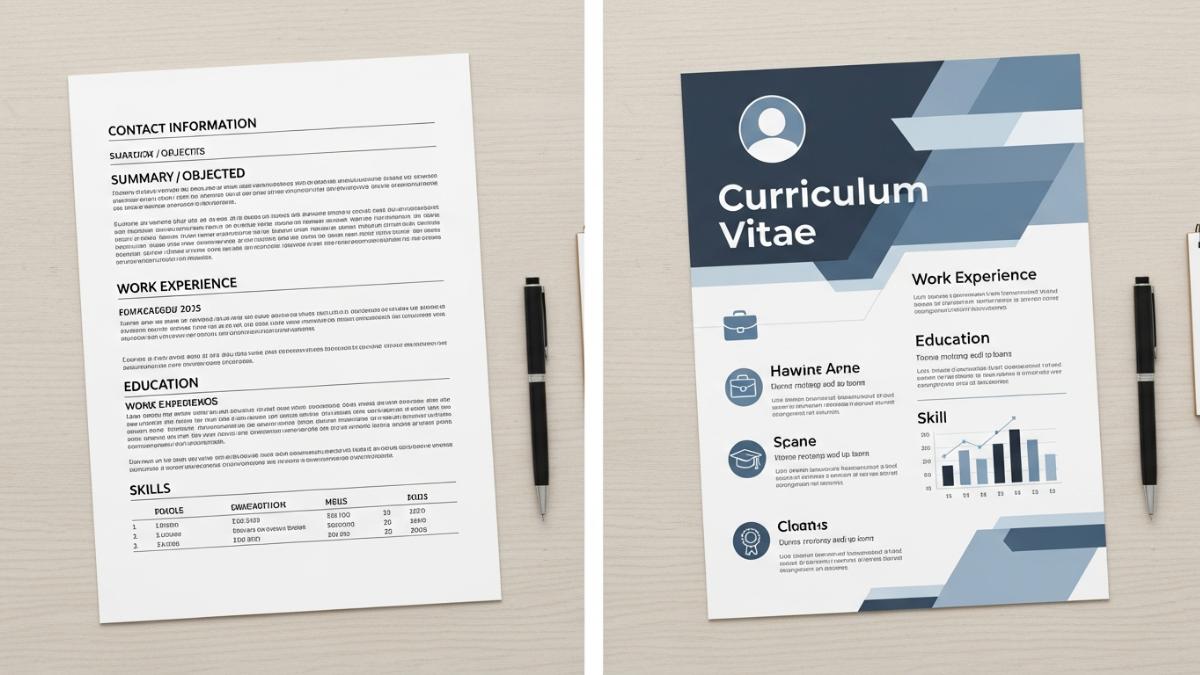
ChatGPT can help you draft, rewrite, tailor, and proofread a resume. OpenAI describes ChatGPT as an AI assistant that can help with everyday tasks such as writing, brainstorming, summarizing, and analyzing files.
The key is to use it honestly. ChatGPT should help improve your real experience — not invent jobs, skills, degrees, or achievements.
Step 1: Gather Your Real Resume Information
Before using ChatGPT, prepare your basic career details:
- Job titles
- Company names
- Employment dates
- Main responsibilities
- Measurable achievements
- Skills and tools
- Education
- Certifications
- Projects or portfolio links
Use only accurate information.
Prompt Example
I want to create a professional resume. Ask me for the information you need first. Do not invent anything. If something is missing, mark it as [NEEDS DETAIL].Step 2: Ask ChatGPT to Create a Resume Draft
Once your details are ready, ask ChatGPT to organize them into a clean resume structure.
Prompt Example
Create a professional resume using the information below.

Use these sections:
- Professional Summary
- Work Experience
- Skills
- Education
- Certifications
- Projects, if relevant

Keep it concise, clear, and achievement-focused. Do not add anything I did not provide.

Information:
[Paste your career details]
Step 3: Improve the Professional Summary
Your resume summary should be short and specific. Aim for 2–4 lines.
Prompt Example
Rewrite this resume summary to sound professional and specific. Keep it under 4 lines. Do not exaggerate.

Current summary:
[Paste summary]
Example
Customer support specialist with 4 years of experience handling client inquiries, resolving account issues, and improving response quality. Skilled in CRM tools, written communication, and cross-team coordination.Step 4: Rewrite Resume Bullets With Stronger Impact
Good resume bullets focus on what you did and why it mattered.
Weak:
Responsible for social media posts.Better:
Managed weekly social media content across three platforms to support campaign visibility and audience engagement.Prompt Example
Rewrite these resume bullets to be clearer and more achievement-focused. Do not invent metrics. If a metric is missing, suggest where I could add one.

Bullets:
[Paste bullets]
Step 5: Tailor the Resume to a Job Description
You can paste a job description into ChatGPT and ask it to identify relevant skills and keywords.
Prompt Example
Compare my resume to this job description.

Identify:
1. Skills already shown in my resume
2. Skills I should emphasize more
3. Missing items I should only add if true
4. Bullets that could be better tailored

Do not invent experience.

Resume:
[Paste resume]

Job description:
[Paste job description]
This helps you customize your resume without making false claims.
Step 6: Make the Resume Clear and Easy to Scan
Recruiters often review resumes quickly. Ask ChatGPT to remove vague wording and improve readability.
Prompt Example
Edit this resume for clarity, conciseness, and professionalism. Remove vague language and repeated phrases. Keep all facts accurate.

Resume:
[Paste resume]
Avoid overused phrases like:
- Hard worker
- Go-getter
- Results-driven professional
- Team player
- Responsible for many tasks
Use specific skills, tools, and outcomes instead.
Step 7: Check Privacy Before Pasting Personal Details
Avoid sharing unnecessary sensitive information. A resume usually does not need your full home address, ID numbers, financial details, or private personal data.
OpenAI’s Data Controls let users manage whether conversations may be used to improve models, and signed-in users can access additional options such as exporting data or deleting an account. (help.openai.com)
For resume editing, you can use placeholders like:
[NAME]
[EMAIL]
[PHONE]
[CITY]
[LINKEDIN URL]
Step 8: Proofread Before Applying
Do not submit the first AI-generated version. Review every line.
Check:
- Dates
- Job titles
- Company names
- Grammar
- Metrics
- Skills
- Certifications
- Formatting
- Contact details
Prompt Example
Review this resume for grammar, clarity, consistency, and professionalism. Flag anything that sounds exaggerated, vague, or unsupported.

Resume:
[Paste resume]
Copy-and-Paste Prompt Pack
Full Resume Draft Prompt
Create a professional resume from the information below. Use a clear structure, concise language, and achievement-focused bullets. Do not invent details. Mark missing information as [NEEDS DETAIL].

Information:
[Paste details]
Resume Bullet Prompt
Rewrite these resume bullets to sound stronger and more specific. Do not add fake numbers, fake responsibilities, or unsupported claims.

Bullets:
[Paste bullets]
Job Tailoring Prompt
Tailor my resume for this job description. Highlight relevant experience, skills, and keywords. Do not invent qualifications.

Resume:
[Paste resume]

Job description:
[Paste job description]
Resume Summary Prompt
Write 3 professional resume summary options based only on my real experience. Keep each under 4 lines.

Experience:
[Paste background]
Proofreading Prompt
Proofread this resume for grammar, clarity, consistency, formatting, and professionalism. List concerns before rewriting.

Resume:
[Paste resume]
Common Mistakes to Avoid
| Mistake | Why It Hurts |
|---|---|
| Inventing experience | Misleading and risky |
| Adding fake metrics | Can damage credibility |
| Copying the job description word-for-word | Looks unnatural |
| Using too many buzzwords | Makes the resume weaker |
| Sharing unnecessary personal data | Creates privacy risk |
| Submitting without review | Errors may remain |
FAQ
Can ChatGPT write my full resume?
Yes. ChatGPT can help draft a resume, but you should provide accurate information and review the final version yourself.
Is it okay to use ChatGPT for a resume?
Yes, as a writing assistant. It is not okay to use it to create fake jobs, fake degrees, fake certifications, or false achievements.
Can ChatGPT tailor my resume to a job?
Yes. Paste your resume and the job description, then ask ChatGPT to identify relevant skills and rewrite sections honestly.
Should I paste personal information into ChatGPT?
Only share what is necessary. Avoid sensitive personal details like ID numbers, full addresses, financial information, or private documents.
Final Takeaway
ChatGPT is useful for turning rough career notes into a cleaner, more professional resume. Use it to organize, rewrite, tailor, and proofread — but keep every claim accurate. A strong resume should be polished, specific, and honest.