Close Menu
    Facebook X (Twitter) Instagram
    Facebook X (Twitter) Instagram Pinterest
    NoMusica.com
    • AI
    • Tech
      • Electronics & Gadgets
      • Apps & Updates
      • Smartphones
    • Films & Shows
    • Music
    • Gaming
    • Streaming
    • Music Production
    NoMusica.com
    Home ChatGPT Now Integrated into iOS 18.2 — How to Use It
    AI Tutorials

    ChatGPT Now Integrated into iOS 18.2 — How to Use It

    2 Mins Read
    Share Facebook Twitter Pinterest Telegram WhatsApp Copy Link
    ChatGPT iOS

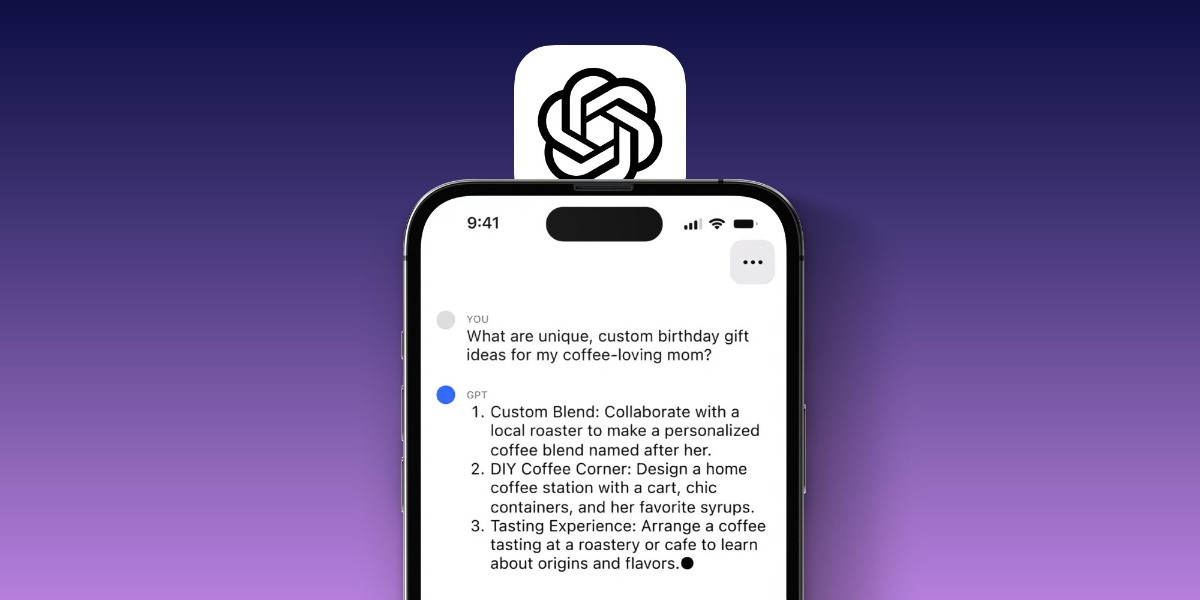
    Apple’s iOS 18.2 update brings ChatGPT integration to iPhones, enhancing AI tools and Siri’s capabilities.

    This feature works on iPhone 16 and iPhone 15 Pro/Pro Max. Here’s how to enable and use it.

    Enable ChatGPT on Your iPhone

    1. Go to Settings > Apple Intelligence & Siri.
    2. Find the ChatGPT option under “Extensions.”
    3. Tap Set Up and follow the instructions.
    4. Enable ChatGPT Requests to confirm actions.

    You can choose to turn off request confirmations for a smoother experience.

    Using ChatGPT with Siri

    Once enabled, Siri can use ChatGPT for advanced queries.

    • Ask Siri: “Hey Siri, ask ChatGPT if dogs can eat broccoli.”
    • Use it for creative tasks like composing emails or itineraries.

    ChatGPT can also analyze images or web pages. For example, ask Siri to summarize a recipe or identify an object in a photo.

    Writing Tools with ChatGPT

    ChatGPT is now part of Apple’s Writing Tools. In apps like Notes:

    1. Tap the Apple Intelligence button.
    2. Select Compose to create poems, letters, or technical documents.
    3. You can refine outputs or rewrite them.

    Visual Intelligence Features

    iOS 18.2 introduces Visual Intelligence.

    • Use the Camera Control button to identify objects, translate text, or ask ChatGPT questions like “Is this plant poisonous?”

    Daily Limits and Account Options

    Non-subscribers can make basic requests, but advanced tasks may require a ChatGPT Plus subscription.

    Final Thoughts

    ChatGPT integration in iOS 18.2 adds exciting features, making Siri smarter and your iPhone more powerful. Explore new ways to interact with AI through text, images, and writing tools.

    For more details, visit Apple’s official iOS 18 guide.

    Apple Apple iPhone ChatGPT OpenAI
    Share. Facebook Twitter Pinterest Telegram WhatsApp Copy Link
    Sazid Kabir
    • Website
    • X (Twitter)
    • Pinterest
    • Instagram
    • LinkedIn

    Founder & Chief Editor, NoMusica.com. Sazid Kabir is a tech writer and music producer covering music, tech, and music production with both analytical and practical experience.

    Related Posts

    5 Best Free AI Image Generators in 2026: Tested & Compared

    10 Free AI Courses With Certificates for High-Income Skills in 2026

    Best Discord AI Bots in 2026 (Safe, Useful & Verified Tools)

    15 Best AI Apps for Daily Use (2026 Guide)

    10 Free AI Voice Changers for Gamers and Streamers in 2026

    Best Free AI Tools for Content Creators in 2026 (Features, Limits, and Real Use Cases)

    Add A Comment

    Comments are closed.

    Latest Posts

    Travis Scott Drops Cactus Jack Nike Phantom 6 For 2026 World Cup

    June 7, 2026

    Netflix Corruption: Michael Jackson Film is False & Slander, Here’s the Documented Facts

    June 7, 2026

    Cassie Ventura Fled U.S. with Diddy’s $30M,  Her Innocence Now in Question

    June 5, 2026

    50 Cent Says Daphne Joy’s OnlyFans Up 85% After Diddy Tape, Hints Model Leaked Her Own Tape

    June 5, 2026

    NEW HIPHOP THIS FRIDAY (JUNE 5, 2026)

    June 5, 2026
    Facebook X (Twitter) Instagram Pinterest
    © 2026 A WowPress Initiative

    Type above and press Enter to search. Press Esc to cancel.