


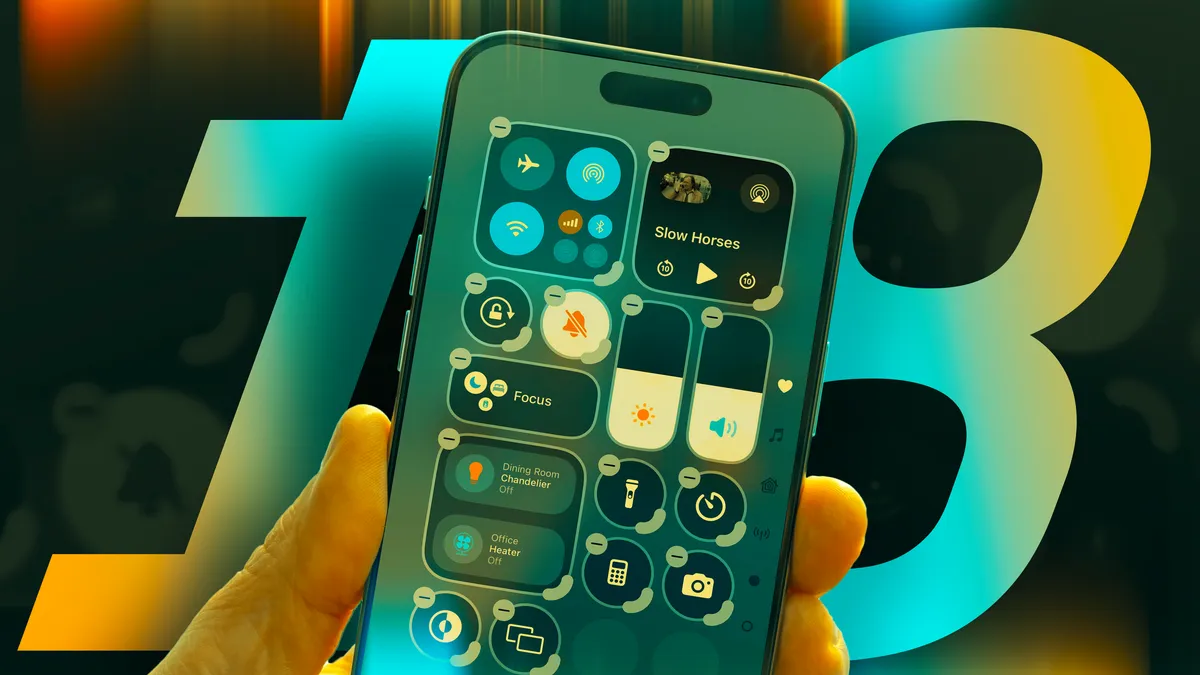
With the release of iOS 18, Apple has given users more ways to customize their iPhones, including the ability to fully personalize the Control Center.
This feature, first introduced in 2013, has evolved significantly, offering more options to add apps and functions for quick access.
In iOS 18, you can now add any app or function you want, making your Control Center even more useful.
How to Add Controls to Your Control Center in iOS 18
To begin customizing your Control Center, unlock your iPhone and swipe down from the top right corner of the screen. Once the Control Center appears, tap the plus (+) sign in the top left corner. From here, tap “Add a Control” near the bottom of the screen.
You can search for specific controls or scroll through the list. Popular controls include Screen Recording, Tap to Cash, Ping My Watch, and the Open App shortcut, which lets you add any app to your Control Center for easy access.
You can add as many controls as you like, and once the first page is full, new controls will appear on additional pages. You can navigate between pages by swiping up or down, or tapping the page symbol on the far right side of the screen.
Customizing Apps and Functions in Your Control Center
In addition to adding controls, you can also resize them to make them more accessible. To do this, tap the plus (+) sign in the top left corner of the Control Center.
When you enter the customization view, you’ll notice that the border around each control is thicker in the bottom right corner. Tap and drag this thicker section to resize the control.
You can also rearrange controls by tapping and dragging them to new positions, similar to how you would move apps on your home screen.
How to Remove Controls from Your Control Center
If you want to make room for new controls or remove ones you no longer use, you can easily delete them.
To do so, swipe down from the top right corner of the screen to open the Control Center, then tap the plus (+) sign in the top left corner. From there, tap the minus (-) sign next to the control you want to remove.
Resetting Your Control Center
If you ever want to reset your Control Center to its original layout, iOS 18.1 introduced a reset option.
To reset your Control Center, go to Settings, tap Control Center, and then select Reset Control Center. Follow the on-screen prompts, and your Control Center will return to its default settings.
With these customization options, your iPhone’s Control Center can now better suit your needs, offering faster access to your favorite apps and functions.
Whether you’re looking to add, resize, or remove controls, iOS 18 gives you the flexibility to make your Control Center truly your own.
