


AnythingLLM is an open-source platform developed by Mintplex Labs that lets you turn any document into a context-aware AI tool.
With more than 25,000 stars on GitHub, it’s becoming a go-to for developers, educators, and researchers who need a customizable, secure AI assistant.
Key Features:
- Advanced Agent Capabilities: Create custom agents capable of performing tasks like scraping websites, summarizing documents, and creating charts.
- Privacy and Security: With a built-in vector database, AnythingLLM ensures your data remains private and secure, never leaving your local environment.
- Cross-Platform Compatibility: AnythingLLM works on Mac, Windows, and Linux, and supports various document formats, making it a flexible tool for any tech stack.
How to Get Started:
- Install AnythingLLM Desktop: Download the version for your operating system (Mac, Windows, or Linux) from the official website.
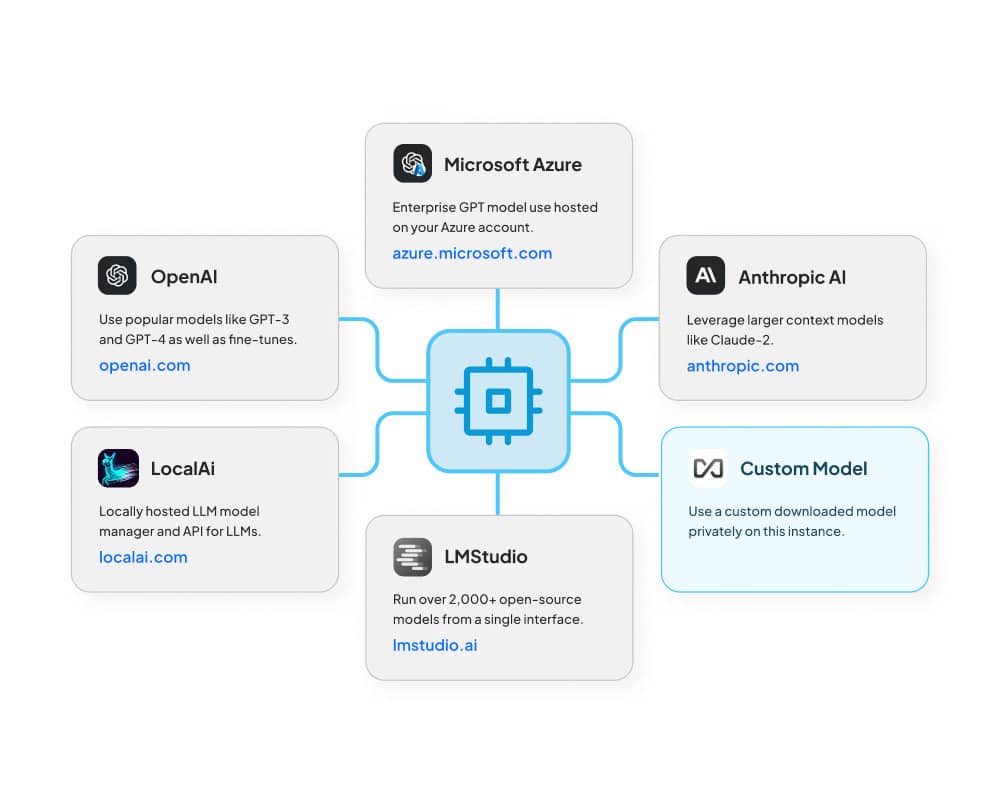
- Select Your LLM Provider: Choose between AnythingLLM or Ollama. After choosing, select a model (e.g., Phi-2: a 2.7B model by Microsoft).
- Create a Workspace: Organize your documents in workspaces, which keep them separate and easy to manage.
- Upload Documents and Start Chatting: Upload your documents to your workspace and start asking questions.
What’s Next:
Mintplex Labs is working on future features like workspace sharing, file editing, and image generation. Keep an eye on the roadmap for updates!
