




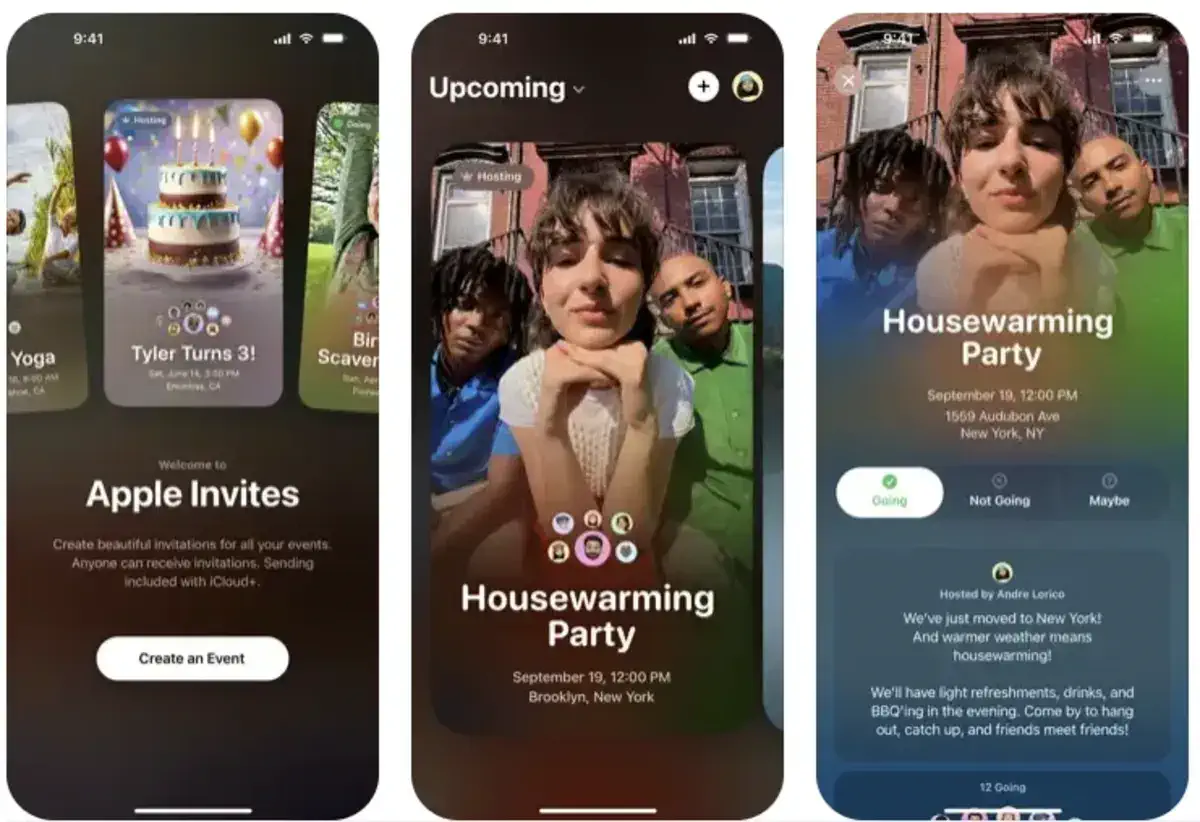
Apple recently launched the Apple Invites app, showcasing its strengths in creating a seamless and integrated experience within the iPhone ecosystem.
The app leverages Apple’s robust ecosystem to offer a unique event planning and invitation experience, making it an attractive option for iOS users.
Apple Invites Features Six Key App Integrations
The app’s standout feature is its deep integration with six key Apple apps, which elevate the event planning process. These apps include:
- Photos – For creating shared event albums
- Music – To curate collaborative playlists for events
- Image Playground – For designing custom invite images
- Maps – To show the event’s location
- Weather – To display event-specific forecasts
- Calendar – For easily adding events
These integrations make the app not only convenient but also highly functional, as it streamlines event organization and enhances the overall experience.
Additionally, there is potential for future integrations, such as with Wallet and Apple Cash for easier cost-splitting or even Find My for tracking attendees.
Strengths of Apple’s Ecosystem
Apple’s ecosystem has long been praised for its ability to seamlessly connect devices and services, and Apple Invites is no exception.
The integration of shared photo albums, collaborative playlists, and weather updates make it a superior option for event planning compared to other services, such as Partiful.
Even for casual events, the convenience and simplicity of Apple Invites make it a compelling choice.
User Experience and Design
In terms of design, Apple Invites is aesthetically pleasing and user-friendly, offering a smooth experience for both iPhone and Android users. The app simplifies the planning process, turning it into a fun and engaging activity.
The Only Downside: iCloud+ Subscription Requirement
However, there’s a catch. To create events, you need an iCloud+ subscription. Fortunately, even the most basic iCloud storage plan (which many users need for more than just the free 5GB) will allow you to use the app’s full features.
Apple’s ability to integrate its various apps into a single, streamlined service is a testament to its commitment to enhancing the user experience. Apple Invites showcases how the iPhone ecosystem can be leveraged to make everyday tasks, like event planning, easier and more enjoyable.
Have you tried Apple Invites? What do you think of its app integrations? Let us know in the comments!




