You don’t need a cable bill or a streaming subscription to watch live TV. In 2026, a robust ecosystem of free, ad-supported apps delivers news, sports, entertainment, and even local channels straight to your phone, tablet, or TV—no credit card, no trial period, no catch. This guide covers only legitimate, licensed platforms.
Key Takeaways
- Pluto TV remains the best overall free live TV app with 300+ channels and no account required
- Tubi offers the strongest hybrid of live channels and on-demand content
- No free app replaces cable completely—local channels and premium sports still require alternative solutions
- An OTA antenna is the perfect complement to free streaming apps for local broadcast access
- All platforms listed are 100% free with no subscription—ads are the only “price” you pay
- Stack multiple apps (Pluto + Tubi + Local Now) for the most comprehensive free experience
How Free Live TV Apps Actually Work
These services operate on the FAST model—Free Ad-Supported Streaming Television. Instead of charging subscription fees, they run commercials (typically 8–12 minutes per hour) and split ad revenue with content partners . The channels are real broadcast and cable networks, not user-generated content. You’re watching the same programming that airs on paid services, just with ads.
What you need:
- A compatible device (smartphone, tablet, smart TV, streaming stick, or computer)
- An internet connection
- An email address (for some apps—many don’t even require signup)
What you don’t need:
- A credit card
- A cable login
- A monthly subscription
The Best Free Live TV Apps in 2026
1. Pluto TV — Best Overall Free Live TV App
Best for: Broadest channel selection, familiar cable-style experience, zero friction
Pluto TV (owned by Paramount Global) is the category leader with 300+ live channels spanning news, sports, movies, reality TV, and niche programming . It replicates the traditional cable guide experience better than any other free platform.
What you get:
- News: CBS News, NBC News Now, Bloomberg, Sky News
- Sports: CBS Sports HQ, Fox Sports, beIN Xtra, dedicated NFL and MMA channels
- Entertainment: MTV, Comedy Central, Nickelodeon (select programming)
- Movies: Dedicated genre channels (action, comedy, horror, classics)
- Niche: Dedicated channels for Baywatch, Star Trek, CSI, Doctor Who
Standout features:
- No account required on most devices
- Available on virtually every platform (Roku, Fire TV, Apple TV, Android, iOS, web, PlayStation, Xbox)
- On-demand library supplements live channels
The catch: No DVR. You watch what’s airing when it’s airing. No pausing live TV on most channels.
Cost: 100% free, ad-supported. No signup needed for basic access .
2. Tubi — Best On-Demand + Live Hybrid
Best for: On-demand depth, Fox-owned content, sports documentaries
Tubi (owned by Fox Corporation) offers 200+ live channels alongside a massive on-demand library . While Pluto TV wins on pure live channel count, Tubi’s on-demand catalog is significantly deeper.
What you get:
- Live: Fox-affiliated channels, news, sports, entertainment
- On-demand: Movies, TV shows, anime, documentaries
- Sports: 27 dedicated sports channels including NFL, NBA, NHL, and MLB programming
Standout features:
- Stronger on-demand library than Pluto TV
- Clean, modern interface
- Personalized recommendations after free signup
The catch: Live channel selection is smaller than Pluto TV’s. This is a hybrid service, not a pure live TV replacement.
Cost: Free, ad-supported. Free account recommended for personalization .
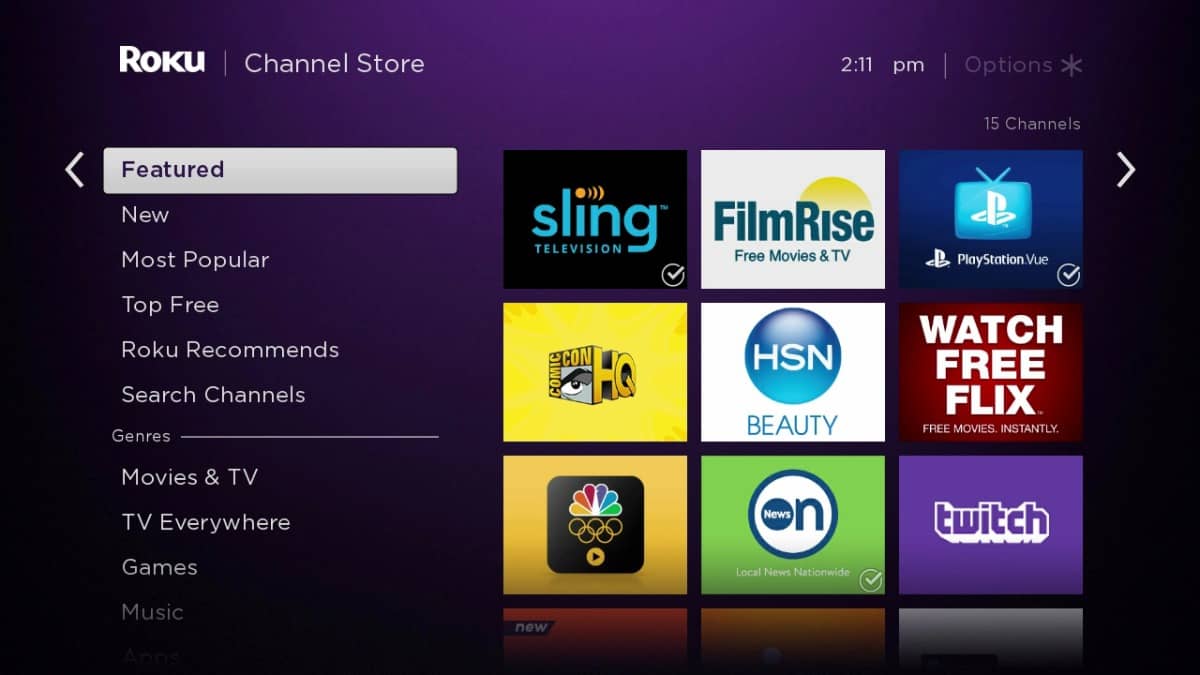
3. The Roku Channel — Best for Roku Users
Best for: Live TV + premium content aggregation, Roku ecosystem integration
The Roku Channel offers 400+ live channels and a substantial on-demand library, all free . If you own a Roku device, this is the most seamless free experience available.
What you get:
- Live news (ABC News Live, Reuters, etc.)
- Live sports and sports news
- Entertainment and reality channels
- On-demand movies and TV shows
- Optional premium subscriptions (HBO, Showtime, etc.) integrated into one interface
Standout features:
- Deep integration with Roku devices
- “Live TV Zone” for easy channel browsing
- Kids & Family section with dedicated live channels
The catch: Best experienced on Roku hardware. The mobile and web apps are functional but less polished.
Cost: Free, ad-supported. Roku account required .
4. Sling Freestream — Best Cable Replacement Feel
Best for: Cable-like channel lineup, news and sports focus, familiar interface
Sling TV’s free tier, Sling Freestream, offers a surprising number of live channels without requiring a paid subscription . It’s designed to give you a taste of Sling’s cable-replacement experience.
What you get:
- ABC News Live
- CBS News
- ESPN3 (select content)
- NFL Network (limited programming)
- Stadium
- Bloomberg Television
- WeatherNation
Standout features:
- Most cable-like interface among free options
- Channel guide that mirrors traditional TV
- Easy upgrade path if you want paid channels later
The catch: The free tier is intentionally limited to upsell paid plans ($40+/month). Many desirable channels are behind the paywall.
Cost: Free tier available; paid plans start at $40/month .
5. Plex — Best Interface and Local Media Integration
Best for: Clean UX, local media + streaming in one app, curated live channels
Plex has evolved from a media server tool into a legitimate free streaming platform with 300+ live TV channels .
What you get:
- News (Reuters, Yahoo Finance, etc.)
- Sports (Stadium, fubo Sports Network)
- Entertainment and lifestyle
- Music channels
- On-demand movies and shows
Standout features:
- Best-in-class interface design
- Integrates local media library with free streaming
- Universal search across all content sources
- Available on virtually every platform
The catch: Live channel selection is solid but not as deep as Pluto TV. The real strength is the unified experience.
Cost: Free, ad-supported. Plex account required .
6. Xumo Play — Best for Samsung and LG TV Owners
Best for: Pre-installed convenience, news and sports, no setup
Xumo Play (a joint venture between Comcast and Charter) comes pre-installed on many Samsung, LG, and Vizio smart TVs . If you bought a smart TV in the last few years, you likely already have this app.
What you get:
- 300+ live channels
- News (NBC News NOW, ABC News Live, etc.)
- Sports (Fox Sports, beIN Sports, etc.)
- Entertainment and movies
- On-demand content
Standout features:
- Zero setup if pre-installed
- Clean, responsive interface
- Strong news and sports selection
The catch: Less brand recognition than Pluto TV or Tubi. Many users don’t realize they already have it.
Cost: Free, ad-supported .
7. Local Now — Best for Local News and Weather
Best for: Hyperlocal news, weather, community information
Local Now (owned by The Weather Channel) focuses on local news, weather, and community content streamed to your specific location .
What you get:
- Local news from partner stations
- Weather updates and forecasts
- Traffic and community events
- National news supplements
Standout features:
- Location-aware content
- Useful for cord-cutters who miss local news access
- Clean, information-dense interface
The catch: Content quality varies significantly by market. Major cities get robust feeds; smaller markets get limited coverage.
Cost: Free, ad-supported .
8. Amazon Freevee — Best for Amazon Ecosystem Users
Best for: Amazon Originals, movies, integrated Prime Video experience
Amazon Freevee (formerly IMDb TV) offers live TV channels alongside a substantial on-demand library . It’s deeply integrated into Amazon’s Fire TV and Prime Video interfaces.
What you get:
- Live channels (news, entertainment, sports)
- Amazon Originals (Jury Duty, Bosch: Legacy)
- Licensed movies and TV shows
- On-demand content
Standout features:
- Seamless integration with Fire TV and Prime Video
- High production value on original content
- Strong movie selection
The catch: Live channel selection is smaller than Pluto TV or Xumo. The focus is more on-demand than live.
Cost: Free, ad-supported. Amazon account required .
Quick Comparison Table
| App | Live Channels | Account Required | Best For | Platforms |
|---|---|---|---|---|
| Pluto TV | 300+ | No | Broadest selection, cable feel | All |
| Tubi | 200+ | Recommended | On-demand depth + live | All |
| Roku Channel | 400+ | Yes | Roku users, premium aggregation | Roku, All |
| Sling Freestream | 100+ | Yes | Cable replacement feel | All |
| Plex | 300+ | Yes | Best interface, local media | All |
| Xumo Play | 300+ | No | Pre-installed convenience | Smart TVs, All |
| Local Now | Varies | No | Local news and weather | All |
| Amazon Freevee | 100+ | Yes | Amazon ecosystem, originals | Fire TV, All |
What You Won’t Get for Free
Be realistic about free live TV limitations:
- Local broadcast channels (ABC, CBS, NBC, Fox): Rarely available on free apps. Use an OTA antenna (~$20–$50 one-time cost) for these .
- Premium cable channels (HBO, Showtime, ESPN): Require paid subscriptions.
- Live sports: Mostly limited to highlights, news, and select events. Major live games require broadcast access or paid services.
- DVR functionality: Almost universally absent from free tiers.
How to Build Your Free Live TV Setup
The minimal setup:
- Pluto TV or Tubi on your phone/smart TV
- Zero cost, immediate access
The comprehensive cord-cutter stack:
- Pluto TV (general live TV)
- Tubi (on-demand + sports)
- Local Now (local news)
- OTA antenna (local broadcast channels)
- YouTube (official news clips, highlights)
Total cost: $0/month + ~$30 one-time for antenna
What to Avoid
The free live TV space has plenty of illegitimate options:
- Unlicensed “live TV” websites: Often host pirated streams with malware
- Apps promising “5000+ channels free”: Typically illegal and unstable
- Services requiring credit cards for “free” access: Not actually free
Rule of thumb: Stick to apps from recognized media companies (Paramount, Fox, Comcast, Amazon, Roku). If you’ve never heard of the company and can’t find legitimate press coverage, avoid it.