The best free VST plugins can help you produce professional-sounding music without spending hundreds of dollars on software. Whether you make electronic music, hip-hop, pop, house or cinematic soundtracks, there are free instruments and effects for almost every stage of production.
You can find powerful synthesizers, versatile equalizers, realistic sampled instruments, creative reverbs and mastering utilities without buying a premium plugin bundle.
However, not every free plugin deserves a place in your collection. Some offer impressive features but demand considerable CPU resources, while others have limited compatibility or paid upgrades that are easy to overlook.
This guide covers 25 free VST plugins for music production, explaining what each one does best, its main advantages and limitations, and where to find it. The goal is to help you build a useful plugin collection rather than download everything available.
Quick Comparison: Best Free VST Plugins
| Plugin | Best for | Category |
|---|---|---|
| Vital | Modern synth sounds | Synthesizer |
| Surge XT | Advanced sound design | Synthesizer |
| Dexed | FM synthesis | Synthesizer |
| Spitfire Audio LABS | Sampled instruments | Instrument |
| MT Power Drum Kit 2 | Acoustic drums | Drum instrument |
| TDR Nova | Dynamic equalization | EQ |
| TDR Kotelnikov | Transparent compression | Compressor |
| LoudMax | Limiting | Mastering |
| Valhalla Supermassive | Ambient effects | Reverb and delay |
| TAL-Reverb-4 | Vintage reverb | Reverb |
| Chow Tape Model | Tape saturation | Saturation |
| Voxengo SPAN | Frequency analysis | Analyzer |
| Youlean Loudness Meter | Loudness measurement | Metering |
This is a quick shortlist, not a claim that these plugins have been benchmarked against one another. Check each developer’s current download page for supported systems, formats and licensing.
Best Free Synthesizer VST Plugins
Synthesizers are essential for creating basslines, leads, pads, arpeggios and atmospheric textures. These free options cover everything from beginner-friendly sound design to advanced synthesis.
1. Vital: Best Free Wavetable Synthesizer
Vital is a powerful wavetable synthesizer for designing modern electronic sounds. Its visual interface makes modulation easier to understand, while its oscillators, filters and effects offer considerable flexibility.
You can use it to create deep basses, bright leads, evolving pads and experimental textures for house, techno, pop and other electronic genres.
Best for: Electronic music producers and sound designers.
Main advantage: Flexible wavetable synthesis with a highly visual modulation system.
Limitation: Its extensive controls can take time to learn, and complex patches may consume significant CPU resources.
Download: Official Vital website
2. Surge XT: Best for Advanced Sound Design
Surge XT is an open-source synthesizer featuring multiple synthesis methods, modulation options, filters and built-in effects. It is suitable for everything from conventional subtractive synthesis to unusual experimental sounds.
Its depth makes it especially valuable for producers who want a versatile instrument without paying for a premium synthesizer.
Best for: Experienced producers and electronic sound designers.
Main advantage: Extensive sound-design capabilities and an open-source development model.
Limitation: The large number of controls may overwhelm beginners.
Download: Surge XT
3. Dexed: Best Free FM Synthesizer
Dexed recreates the workflow of classic six-operator FM synthesis associated with the Yamaha DX7. It is particularly useful for electric piano sounds, metallic bells, punchy basses and distinctive digital textures.
Best for: Retro-inspired electronic music and FM sound design.
Main advantage: Detailed FM synthesis and compatibility with DX7-style patches.
Limitation: FM synthesis has a steeper learning curve than many modern subtractive synthesizers.
Download: Dexed on GitHub
Best Free Instrument and Drum Plugins
4. Spitfire Audio LABS
LABS is associated with expressive sampled instruments, including pianos, strings, textures and other playable sounds. It is useful when a track needs organic elements rather than another synthesizer.
Check the current Spitfire Audio product catalogue for the available free instruments and their installation requirements.
Best for: Cinematic music, ambient production and melodic arrangements.
Limitation: Sample libraries can require substantial storage and memory.
Download: Spitfire Audio
5. MT Power Drum Kit 2
MT Power Drum Kit 2 provides sampled acoustic drums suited to rock, pop and other arrangements that need a conventional drum-kit sound.
It can help producers build convincing rhythm sections without recording a physical drum kit.
Best for: Songwriters and home studios.
Limitation: Its acoustic drum character is less appropriate when you need highly synthetic or aggressively processed percussion.
Download: MT Power Drum Kit
6. BBC Symphony Orchestra Discover
BBC Symphony Orchestra Discover is a useful starting point for orchestral arrangements, film-inspired music and compositions that need strings, brass, woodwinds and other orchestral sounds.
It provides an accessible introduction to orchestral sample libraries, although it is not as comprehensive as larger paid collections.
Best for: Beginners exploring orchestral composition.
Limitation: The available instrument range and articulations are more limited than those in premium orchestral libraries.
Download: Spitfire Audio
Best Free EQ and Compression Plugins
Equalization and compression help control frequencies, balance dynamics and make individual elements fit together in a mix.
7. TDR Nova: Best Free Dynamic EQ
TDR Nova combines equalization with dynamic processing. Unlike a conventional static EQ, it can reduce a particular frequency range when that range becomes too prominent.
This makes it useful for controlling harsh vocals, resonant synths and boomy instruments without applying the same reduction throughout an entire performance.
Best for: Detailed mixing and frequency control.
Limitation: Its additional dynamic controls require more learning than a basic graphic EQ.
Download: Tokyo Dawn Labs
8. TDR Kotelnikov: Best Free Transparent Compressor
TDR Kotelnikov is designed for controlled, relatively transparent dynamic processing. It can help manage a mix or bus without necessarily adding the strong coloration associated with character compressors.
Best for: Mix-bus compression and dynamic control.
Limitation: Producers seeking obvious vintage coloration or aggressive pumping may prefer a different compressor.
Download: Tokyo Dawn Labs
9. Klanghelm DC1A
DC1A is a straightforward compressor that makes it easy to experiment with dynamics without navigating a complicated interface.
It can add density to drums, basses and other sources where a more immediate, characterful result is desirable.
Best for: Quick compression and creative processing.
Limitation: Its simplified controls offer less detailed adjustment than a full-featured compressor.
Download: Klanghelm
10. LoudMax
LoudMax is a simple look-ahead limiter designed to control peaks and increase perceived loudness. Its straightforward interface makes it useful for quick level management during production.
Best for: Limiting and final-level adjustments.
Limitation: Excessive limiting can introduce distortion and reduce dynamic impact. It does not replace a complete mastering process.
Download: LoudMax
Best Free Reverb, Delay and Saturation Plugins
Effects help create depth, movement and character. A small selection of versatile effects is usually more useful than dozens of plugins that perform nearly identical tasks.
11. Valhalla Supermassive
Valhalla Supermassive specializes in expansive reverbs and delays. Its large, evolving tails work particularly well on synth leads, pads, vocals and atmospheric transitions.
Best for: Ambient music, progressive house and cinematic textures.
Limitation: Its enormous spatial effects can obscure a mix when used too heavily.
Download: Valhalla DSP
12. TAL-Reverb-4
TAL-Reverb-4 is a vintage-inspired reverb suited to adding space and character to synthesizers, drums and other sounds.
It is a useful alternative when a production needs a more conventional reverb rather than an extremely expansive effect.
Best for: Vintage-inspired electronic music and general mixing.
Limitation: Its characteristic sound may not suit every source or production style.
Download: TAL Software
13. Chow Tape Model
Chow Tape Model emulates aspects of tape recording, including saturation and other forms of tape-style coloration. It can add harmonic character to drums, basses, synthesizers and full mixes.
Best for: Lo-fi production, saturation and creative sound design.
Limitation: The result depends heavily on the settings and source material; tape-style processing is not automatically an improvement.
Download: Chow Tape Model
14. Kilohearts Essentials
Kilohearts Essentials provides a collection of effects covering tasks such as filtering, delay, dynamics and other common processing needs. It is worth considering if you want a range of basic tools from one developer.
Best for: General-purpose production and experimentation.
Limitation: Verify the current free package contents and individual plugin formats before installing.
Download: Kilohearts
15. Baby Audio Magic Switch
Magic Switch is a simple chorus-style effect designed to add width and movement to sounds. It can work well on synths, vocals and other elements that need a thicker stereo presentation.
Best for: Quick modulation and width.
Limitation: Its deliberately simple interface provides less control than a full-featured modulation processor.
Download: Baby Audio
Best Free Vocal and Mixing Utility Plugins
16. Auburn Sounds Graillon 2 Free
Graillon 2 Free provides vocal-processing capabilities, including pitch-related effects. It can be useful for experimenting with vocal tuning and electronic vocal sounds.
Best for: Vocal production and creative pitch effects.
Limitation: The free edition does not include every feature of the paid version. Check the current edition and supported formats before downloading.
Download: Auburn Sounds
17. MeldaProduction MFreeFXBundle
MFreeFXBundle contains a collection of free audio effects covering various mixing and production tasks.
It is a practical way to expand your toolkit without installing a separate developer’s product for every basic processing need.
Best for: Producers who want a broad selection of effects.
Limitation: The number of available tools can make it harder to decide which effects deserve a place in your regular workflow.
Download: MeldaProduction
18. Voxengo SPAN
Voxengo SPAN is a real-time spectrum analyzer that displays the frequency distribution of an audio signal. It helps you identify excessive bass, harsh high frequencies and differences between sounds.
Use it alongside your ears rather than treating the visual display as a definitive measure of sound quality.
Best for: Mixing, frequency analysis and troubleshooting.
Limitation: It does not automatically fix frequency problems or tell you which tonal balance is artistically correct.
Download: Voxengo SPAN
19. Youlean Loudness Meter
Youlean Loudness Meter measures loudness using relevant loudness standards and can help you evaluate a mix before delivery.
It is particularly useful when preparing music for streaming platforms, video projects and other situations where loudness specifications matter.
Best for: Loudness measurement and delivery checks.
Limitation: Metering does not improve a mix by itself, and platform loudness normalization does not guarantee a particular mastering sound.
Download: Youlean Loudness Meter
20. OrilRiver
OrilRiver is a free algorithmic reverb known for its range of room and hall-style effects. It can add a sense of space to instruments and other audio sources.
Best for: General-purpose reverb and mixing.
Limitation: Confirm current operating-system and plugin-host compatibility, especially if you use a recent system.
Download: OrilRiver
Five More Free Plugins Worth Exploring
The following tools can fill more specialized roles in your setup. Check their current availability and compatibility before installing them.
21. Surge XT Effects
Explore Surge XT’s available effects when you want additional sound-design options without relying exclusively on third-party processing plugins.
Best for: Experimental processing and synthesis-focused workflows.
Download: Surge XT
22. Voxengo OldSkoolVerb
OldSkoolVerb is a reverb plugin designed for classic, smooth-sounding spatial effects.
Best for: Conventional reverb and vintage-inspired production.
Download: Voxengo
23. Blue Cat’s Chorus
Blue Cat’s Chorus provides chorus-style modulation for adding movement and thickness to instruments.
Best for: Bass, guitars, synths and layered sounds.
Download: Blue Cat Audio
24. TDR SlickEQ
TDR SlickEQ is an equalizer with a focus on accessible tonal shaping. It is useful for broad adjustments when mixing instruments, vocals and buses.
Best for: Musical EQ and general tonal balance.
Download: Tokyo Dawn Labs
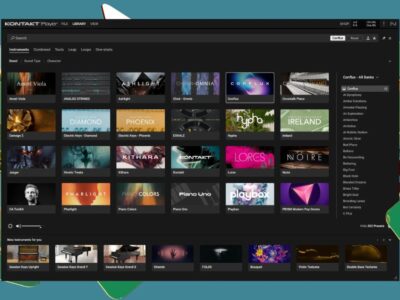
25. Native Instruments Komplete Start
Komplete Start offers a collection of instruments, effects and sounds from Native Instruments. It can be a convenient starting point for producers who want several kinds of tools in one ecosystem.
Best for: Beginners building a varied instrument collection.
Limitation: The offering may require an account, additional downloads or specific host software. Check which products are currently free.
Download: Native Instruments
How to Choose Free VST Plugins for Your DAW
Before downloading a plugin, confirm that it works with your operating system, DAW and supported plugin format.
VST3 is common in modern Windows and macOS production environments, but some hosts also support AU, AAX or other formats. Linux users should check for native Linux builds or verified compatibility layers rather than assuming Windows plugins will work directly.
For FL Studio, Ableton Live, Reaper and other DAWs, consult the host’s current documentation if you are unsure which formats are supported.
A plugin may also have different builds for Windows, macOS and Linux. Apple Silicon compatibility, 32-bit versus 64-bit architecture and the availability of legacy versions can all affect installation.
If your computer has limited RAM or processing power, begin with a small number of instruments and effects. Sample libraries can consume substantial memory, while complex synthesizers and high-quality processing modes may increase CPU usage.
Are Free VST Plugins Safe and Legal?
Free plugins can be safe and perfectly legitimate, but the source and license matter.
Download software from the developer’s official website or a trusted distribution platform. Avoid suspicious installers, cracked versions and download pages that bundle unrelated software.
Also, distinguish between genuinely free software, open-source projects, donationware and free editions of paid products. These licensing models have different conditions.
If you intend to release commercial music, check the license for both the plugin and any included samples, presets or loops. A free plugin does not automatically mean every sound bundled with it can be redistributed without restrictions.
Finally, check whether the developer still offers the plugin and supports your operating system. An older plugin may remain useful, but it should not be described as actively maintained without current evidence.
A Starter Setup for Music Production
You do not need all 25 plugins to produce a complete track. Start with a small collection that covers the most important jobs.
| Production task | Recommended plugin |
|---|---|
| Synthesizers and basses | Vital |
| Sampled instruments | Spitfire Audio LABS |
| Frequency control | TDR Nova |
| Dynamic control | TDR Kotelnikov |
| Creative reverb and delay | Valhalla Supermassive |
| Tape-style saturation | Chow Tape Model |
| Spectrum analysis | Voxengo SPAN |
| Loudness checks | Youlean Loudness Meter |
A practical workflow starts with an instrument or recording, followed by corrective EQ when necessary. Add compression if the dynamics need control, then use creative effects to establish space and character.
During the final mix checks, use a spectrum analyzer to investigate frequency balance and a loudness meter to measure levels. Neither tool should replace listening on different playback systems.
Most importantly, do not insert every plugin on every track. If a sound already works, additional processing may make it worse rather than better.