


Close Menu
NoMusica.com
    Facebook X (Twitter) Instagram
    Facebook X (Twitter) Instagram
    NoMusica.comNoMusica.com
    • Entertainment
    • Music
      • Music Production
    • Tech
      • AI
      • Electronics & Gadgets
      • Apps & Updates
      • Smartphones
    • Films & Shows
    • Gaming
    • Streaming
    NoMusica.com
    Home»Smartphones

    How to Prevent Your Clear Phone Case from Turning Yellow

    December 21, 2024
    Share
    Facebook Twitter LinkedIn Pinterest Email

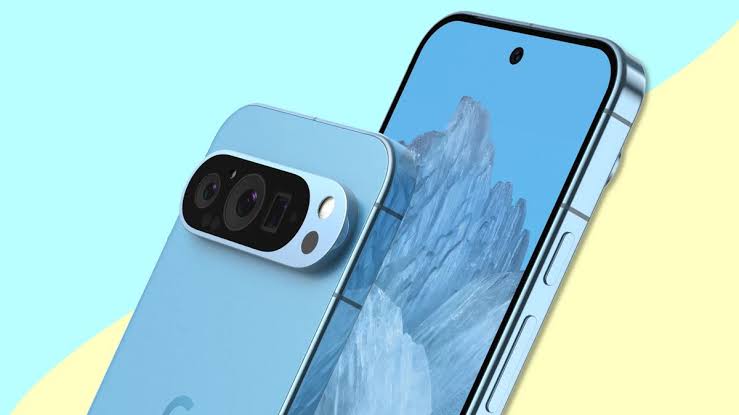
    Clear phone cases are a popular choice for showcasing the sleek design of smartphones while offering protection.

    However, over time, these cases can yellow, diminishing their aesthetic appeal. Here’s why this happens and how you can maintain your case’s clarity.

    Why Clear Cases Yellow Over Time

    1. UV Exposure: Ultraviolet (UV) rays from the sun trigger a chemical reaction in the case, causing it to yellow. Limiting sun exposure by storing your phone in a pocket or bag can help prevent this.
    2. Oil and Dirt: Oils from your skin, sweat, and dirt contribute to discoloration. Regular cleaning and ensuring your hands and pockets are clean can minimize this.
    3. Heat: Excessive heat from activities like gaming or charging can speed up yellowing. Remove the case when your phone gets too hot to extend its lifespan.

    How to Clean a Yellowed Case

    1. Dish Soap: Gently scrub the case with dish soap and a sponge to remove dirt and oils.
    2. Rubbing Alcohol: Use 70% isopropyl alcohol on a cotton ball or sponge to clean the case.
    3. Baking Soda or Toothpaste: Apply these substances with a toothbrush to scrub away discoloration. While they might not fully remove yellowing, they can improve the case’s appearance.

    Choosing a Long-Lasting Case
    Some high-quality clear cases come with anti-yellowing coatings, but even these can discolor over time.

    If you’re tired of maintenance, consider alternative materials like leather, rubber, or aramid fiber, which don’t yellow.

    However, these materials come with their own maintenance needs, such as fading or scratching.

    Regular cleaning is essential for keeping any case in good condition and extending its lifespan.

    Sazid Kabir
    • Website
    • X (Twitter)
    • Pinterest
    • Instagram
    • LinkedIn

    Founder & Chief Editor, NoMusica.com. Sazid Kabir is a tech writer and music producer covering music, tech, and music production with both analytical and practical experience.

    Keep Reading

    Best Old Flagship Phones You Can Buy for Around $300 in 2026

    iPhone Fold Delay Confirmed by Apple’s Own Supply Chain

    The OnePlus Nord 6 Is Almost Here and It Looks Like a Serious Mid-Range Beast

    Realme Is Launching a New Budget Phone Next Week With a Massive 7,000mAh Battery

    Google Has Launched a Special Edition Pixel 10a and It Looks Incredible

    Major Android Flaw Exposes 875 Million Devices To Hackers

    Add A Comment

    Comments are closed.

    Latest Posts

    People Want To Know Why Cities Are Banning Kanye But Not Netanyahu & Israel’s Genocidal Regime, Epstein Friends

    June 24, 2026

    Drake Fans Go Off On Lil Yachty Over A$AP Rocky Link-Up

    June 22, 2026

    New Pooh Shiesty x GloRilla Track Sparks Gucci Mane Debate Online

    June 22, 2026

    #HimToo: The Man Cassie Ventura exposed to STDs & Public Embarrassment, wants Accountability

    June 20, 2026

    21 Savage Mentions Lamelo Ball’s Car Accident in New Rap Song “WTF Goin”

    June 20, 2026
    Pages
    • Home
    • Blog
    • About
    • Contact
    • Advertise
    • Cookie Policy
    • Privacy Policy
    Categories
    • AI
    • Tech & Science
    • Films & TV Shows
    • Entertainment
    • Music
    • Streaming
    • Music Production
    Random Reads

    Google’s Gemini Live Might Come to Chrome Desktop Soon

    ChatGPT Adds Personality Traits Like “Chatty” and “Gen Z”

    Apple Surpasses 2.35 Billion Active Users

    Facebook X (Twitter) Instagram Pinterest
    © 2026 WowPress Digital

    Type above and press Enter to search. Press Esc to cancel.