Open-source software in 2026 is no longer just an alternative to paid tools—it is a complete ecosystem powering content creation, software development, privacy-focused workflows, and even AI systems.
However, not all open-source tools are equal. Some are highly polished production-grade systems, while others are experimental or developer-focused utilities.
This list focuses on real, usable, actively maintained open-source software that provides practical value, not just popularity.
1. RustDesk (Remote Access Alternative)
Official site: https://rustdesk.com
A self-hostable remote desktop tool similar to TeamViewer.
Use cases:
- Remote PC access
- IT support
- Self-hosted enterprise setups
Limitations:
- Requires setup for self-hosting
- Slight latency on weak networks
2. Beekeeper Studio (Database GUI)
Official site: https://www.beekeeperstudio.io
Modern SQL editor for multiple databases.
Use cases:
- MySQL/PostgreSQL management
- Query editing and debugging
- Lightweight database admin
Limitations:
- Advanced enterprise features are limited compared to paid tools
3. Supabase (Firebase Alternative)
Official site: https://supabase.com
Open-source backend platform for apps.
Use cases:
- Authentication systems
- Real-time databases
- API generation
Limitations:
- Can become complex at scale
- Some features depend on cloud services
4. AppFlowy (Notion Alternative)
Official site: https://appflowy.io
Local-first productivity workspace.
Use cases:
- Notes and knowledge base
- Project management
- Personal dashboards
Limitations:
- Still evolving compared to Notion
- Fewer integrations
5. n8n (Workflow Automation)
Official site: https://n8n.io
Visual automation tool similar to Zapier.
Use cases:
- API automation
- AI workflows
- SaaS integration pipelines
Limitations:
- Requires technical setup for full power
- Hosting complexity for beginners
6. Open WebUI (Local AI Interface)
Official site: https://openwebui.com
Self-hosted interface for running AI models locally.
Use cases:
- Local LLM interaction
- Private AI chat systems
- Custom AI workflows
Limitations:
- Needs strong hardware
- Setup required
7. Immich (Google Photos Alternative)
Official site: https://immich.app
Self-hosted photo and video backup system.
Use cases:
- Automatic media backup
- AI photo search
- Private cloud gallery
Limitations:
- Requires server or NAS
- Mobile sync still evolving
8. Excalidraw (Visual Diagram Tool)
Official site: https://excalidraw.com
Hand-drawn style whiteboard tool.
Use cases:
- UI/UX brainstorming
- System design diagrams
- Creative sketching
Limitations:
- Not ideal for complex vector design
9. Uptime Kuma (Server Monitoring)
Official site: https://uptime.kuma.pet
Self-hosted uptime monitoring tool.
Use cases:
- Website monitoring
- API health checks
- Server alerts
Limitations:
- Requires hosting setup
10. Hoppscotch (API Testing Tool)
Official site: https://hoppscotch.io
Lightweight Postman alternative.
Use cases:
- API debugging
- REST/GraphQL testing
- Developer workflows
Limitations:
- Fewer enterprise integrations
11. Penpot (Design Tool)
Official site: https://penpot.app
Open-source alternative to Figma.
Use cases:
- UI/UX design
- Prototyping
- Collaborative design work
Limitations:
- Slight performance lag on large projects
12. Nextcloud (Private Cloud Platform)
Official site: https://nextcloud.com
Self-hosted Google Drive alternative.
Use cases:
- File storage
- Collaboration tools
- Private cloud ecosystem
Limitations:
- Server maintenance required
13. LibreOffice (Office Suite)
Official site: https://www.libreoffice.org
Full offline office productivity suite.
Use cases:
- Documents, spreadsheets, presentations
- Offline work environments
Limitations:
- UI less modern than cloud tools
14. GIMP (Image Editing Tool)
Official site: https://www.gimp.org
Open-source Photoshop alternative.
Use cases:
- Image editing
- Graphic design
- Photo manipulation
Limitations:
- Steeper learning curve
15. Kdenlive (Video Editor)
Official site: https://kdenlive.org
Professional open-source video editor.
Use cases:
- YouTube editing
- Timeline-based editing
- Effects and transitions
Limitations:
- Occasional performance issues on low-end systems
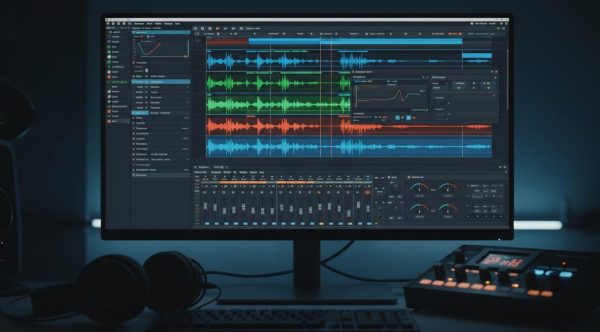
16. Audacity (Audio Editor)
Official site: https://www.audacityteam.org
Lightweight audio editing software.
Use cases:
- Podcast editing
- Voice cleanup
- Audio recording
Limitations:
- Limited advanced mixing features
17. Calibre (E-book Manager)
Official site: https://calibre-ebook.com
E-book library management tool.
Use cases:
- EPUB/PDF organization
- Format conversion
- Library management
Limitations:
- Outdated UI design
18. Syncthing (Peer-to-Peer Sync)
Official site: https://syncthing.net
Decentralized file syncing tool.
Use cases:
- Private file sync
- Cross-device backup
- No cloud dependency
Limitations:
- Initial setup complexity
19. OBS Studio (Streaming Tool)
Official site: https://obsproject.com
Industry-standard open-source streaming software.
Use cases:
- Live streaming
- Screen recording
- Content creation
Limitations:
- Requires optimization for low-end PCs
20. Coolify (Self-Hosting Platform)
Official site: https://coolify.io
Open-source alternative to Heroku/Vercel-style deployments.
Use cases:
- Deploy web apps
- Manage servers
- DevOps automation
Limitations:
- Requires server knowledge
Why Open-Source Software Matters in 2026
Open-source tools are increasingly important because they offer:
- Transparency (you can inspect the code)
- Privacy control (self-hosting options)
- No vendor lock-in
- Long-term sustainability
However, they often require:
- More setup effort
- Technical understanding
- Manual updates
Final Verdict
The open-source ecosystem in 2026 is no longer “just an alternative”—it is a parallel infrastructure for creators, developers, and privacy-focused users.
The best approach is not replacing everything with open-source, but building a hybrid workflow using:
- OSS for control and privacy
- Commercial tools for convenience