AI image generation has become a standard tool for designers, marketers, streamers, and hobbyists. In 2026, you no longer need a paid subscription to produce professional-quality visuals — but the free landscape is crowded with tools that watermark outputs, cap daily generations, or require account creation before you can even test them.
We tested the most popular free AI image generators available right now and narrowed it down to five that deliver genuinely usable, high-quality images without forcing you to pay or sign up.
Quick Comparison Table
| Tool | Free Allowance | Resolution | Watermark? | Best For | Standout Feature |
|---|---|---|---|---|---|
| Meta AI | Unlimited | 1024×1024 | ❌ No | Volume, social media | No limits, no credits |
| Google Gemini | 20/day | Up to 2048×2048 | ❌ No | Quality, professional work | Nano Banana 2 — best overall quality |
| Leonardo AI | 150 credits/day (~25–37 images) | Up to 1024×1024 | ❌ No | Game art, creative styles | Multiple specialized models |
| Ideogram | 10 credits/day (~40 images) | Up to 1024×1024 | ❌ No | Text-in-images, graphics | 90% text accuracy |
| Playground AI | 10 images/3 hours (~80/day) | Up to 1024×1024 | ❌ No | Design, editing, POD | Built-in editor + 1,800 fonts |
Tools to Avoid (Watermarked or Too Limited)
| Tool | Free Limitation | Why Skip |
|---|---|---|
| DALL-E 3 (ChatGPT free) | ~2–3 images/day | Barely enough to test a single concept; effectively a demo |
| Bing Image Creator | Watermarked outputs | 200 generations/day but all include watermarks; unusable for professional content |
| Craiyon | Watermarked + low quality | Unlimited but watermarked, inconsistent quality, and attribution required |
| Midjourney | No free tier | Subscription-only; no free access in 2026 |
| Adobe Firefly | Watermarked + credit caps | Free tier heavily restricted; clean output requires paid plan |
Recommended Workflow by Use Case
For Social Media Content (High Volume)
- Meta AI — Unlimited generations for bulk content, thumbnails, and testing
- Ideogram — For posts that need readable text (quotes, announcements, memes)
- Playground AI — For designed posts with layers, branding, and typography
For Professional Design Work
- Google Gemini — For highest quality base images
- Leonardo AI — For stylized or game-oriented artwork
- Playground AI — For editing, compositing, and final design assembly
For Print-on-Demand & Merchandise
- Playground AI — Built-in mockups, background removal, and design tools
- Leonardo AI — For unique artistic styles that stand out on products
- Ideogram — For text-based designs (slogans, quotes, brand names)
For Game Development & Concept Art
- Leonardo AI — Specialized models for characters, environments, and assets
- Google Gemini — For photorealistic reference images
- Meta AI — For rapid iteration and brainstorming
What We Tested For
- No watermark on free output: Clean images you can actually use for content, thumbnails, or social media
- No mandatory sign-up: You can start generating without creating an account (though some tools offer more features if you do)
- Recurring free access: Not a 7-day trial or one-time credit dump — ongoing daily or unlimited free generation
- Minimum 512px resolution: Output must be crisp enough for web use
- Text-to-image capability: Core functionality that creators actually need
1. Meta AI — Unlimited Free Generation
Best for: High-volume creators, social media managers, and anyone who needs unlimited images without cost barriers
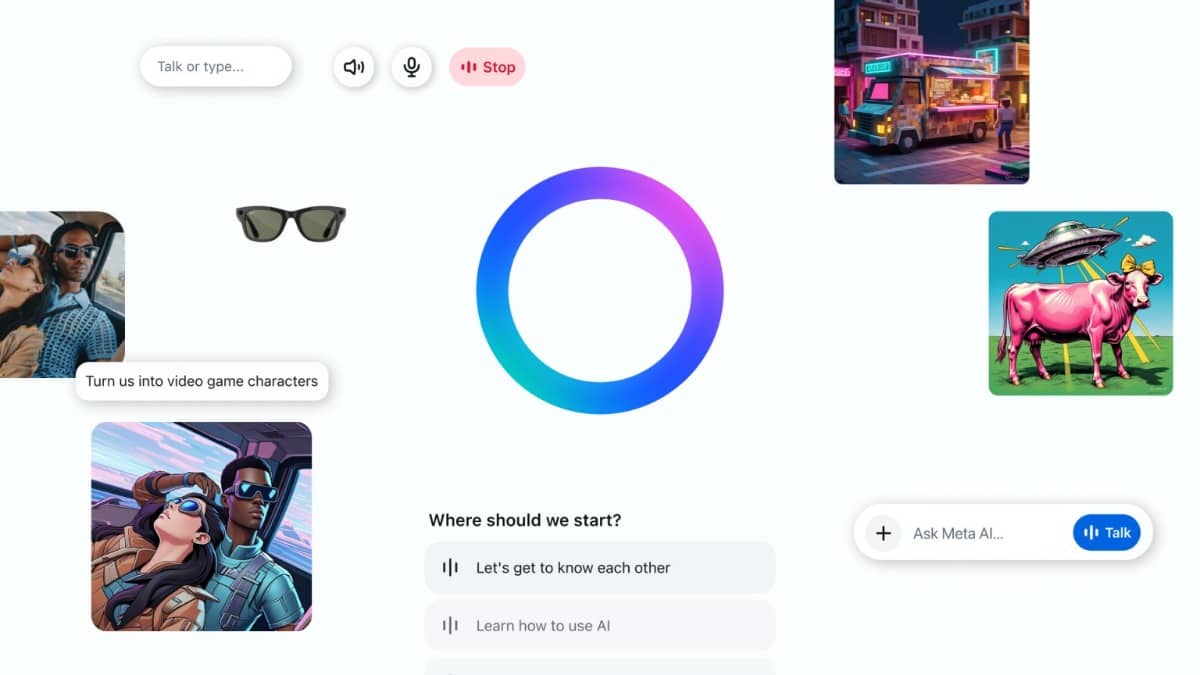
Meta AI has become the most generous free image generator on the market in 2026. Unlike competitors that gatekeep output behind credit systems, Meta AI offers truly unlimited image generation with no daily caps, no credit counters, and no watermarks.
What You Get for Free
- Unlimited generations — no credit system, no daily limits
- No watermarks on any export
- Text-to-image generation with natural language prompts
- Image editing and variation tools built-in
- Integration with Facebook, Instagram, WhatsApp, Messenger, and meta.ai
- Works across all devices with a browser
- Supports popular formats: JPG, PNG
The Trade-Offs
- Quality ceiling: Output is good for social media and casual use but doesn’t match dedicated platforms like Google Gemini or Leonardo AI for photorealism or fine detail
- Limited creative control: No advanced settings for aspect ratio, seed, or negative prompts
- Content restrictions: Stricter moderation filters than most dedicated platforms
- Platform lock-in: Optimized for Meta’s ecosystem; less ideal for multi-platform publishing
- Output variance: Results can vary noticeably depending on prompt wording
- No commercial rights clarity: Terms around commercial use on the free tier are less explicit than competitors
Verdict
Meta AI is the clear winner for anyone who needs volume over premium quality. If you’re producing social media content, blog thumbnails, or testing visual concepts, the unlimited free tier removes every financial barrier. For professional design work or photorealistic product shots, pair it with one of the quality-focused tools below.
2. Google Gemini (Nano Banana 2) — Best Overall Quality
Best for: Designers, marketers, and creators who need the highest possible image quality on a free plan
Google’s Gemini, powered by the Nano Banana 2 image model, currently ranks as the best overall AI image generator in 2026 according to independent testing. The free tier delivers professional-grade output that rivals paid competitors.
What You Get for Free
- 20 images per day on the free tier
- No watermarks on standard exports
- Nano Banana 2 model — ranked #1 for overall image quality in 2026 comparisons
- Text-to-image and image editing capabilities
- Integration with Google Workspace (Docs, Slides, Gmail)
- Multiple aspect ratios and style options
- Fast generation speed with priority queue for free users
The Trade-Offs
- 20 images/day limit — enough for most users but restrictive for high-volume workflows
- Requires Google account for full access
- Less optimized for specific niches like game art or anime compared to Leonardo AI
- No standalone mobile app — works through browser or Gemini app
Verdict
If image quality is your top priority and you can work within the 20-image daily limit, Gemini’s free tier is unbeatable. The Nano Banana 2 model produces the sharpest, most accurate, and most visually appealing images of any free tool we tested. For professional design work, marketing materials, or portfolio pieces, this is your starting point.
3. Leonardo AI — Best for Game Art & Creative Styles
Best for: Game developers, concept artists, and creators who need diverse artistic styles
Leonardo AI has built a strong reputation in the creative community for its versatility and generous free tier. With 150 daily credits and access to multiple specialized models, it’s a powerhouse for stylized and game-oriented artwork.
What You Get for Free
- 150 credits per day (resets daily, does not accumulate)
- ~25–37 standard images per day at 4–6 credits per generation
- No watermarks on free outputs
- Multiple AI models: Leonardo Diffusion XL, Leonardo Vision, and community-trained models
- Advanced features: Alchemy Refiner, PhotoReal v2, Prompt Magic v3
- Image-to-image generation and inpainting
- Custom model training capabilities
- Active community with shared models and prompts
The Trade-Offs
- Credit consumption varies: Advanced features like Alchemy Refiner can burn 10–15 credits per image, reducing daily output to 10–15 images
- No direct video generation — images only (must use other tools for animation)
- Queue times during peak hours
- Some premium models locked behind paid tiers
Verdict
Leonardo AI is the best free option for anyone working in game art, concept design, or stylized illustration. The daily credit refresh makes it practical for ongoing creative work, and the variety of models means you can achieve looks that other tools simply can’t match. Just be mindful of credit costs when enabling advanced features.
4. Ideogram — Best for Text-in-Images
Best for: Social media graphics, posters, memes, logos, and any design that requires readable text
Ideogram has carved out a unique niche: it’s the only AI image generator that consistently renders readable, accurate text inside images. While competitors still struggle with garbled letters and misspelled words, Ideogram achieves roughly 90% text accuracy — a game-changer for design-focused work.
What You Get for Free
- 10 slow credits per day (~10 prompts, up to 40 individual images if each prompt generates 4 variations)
- Full text rendering capability — Ideogram’s killer feature
- No watermarks on free outputs
- Multiple aspect ratios and style presets
- Public gallery for inspiration and community sharing
- No account required to start generating
The Trade-Offs
- Slow queue only — generation can take 30–60 seconds per image during peak hours
- All images are public on the free tier — anyone can see your prompts and results
- No image upload for remixing or style transfer on free plan
- Describe feature costs 1 credit per use on free tier
- 10 credits/day is restrictive for high-volume production
Verdict
If your work involves text — social media quotes, event posters, meme templates, logo concepts — Ideogram is essential. No other free tool comes close for text accuracy. The daily limit is tight, so use it strategically for your most text-heavy designs and pair it with Meta AI or Gemini for everything else.
5. Playground AI — Best for Design & Editing
Best for: Designers, print-on-demand sellers, and creators who need editing tools beyond basic generation
Playground AI offers a unique combination of image generation and design editing in one platform. The free tier includes access to powerful models and a suite of design tools that other generators don’t offer.
What You Get for Free
- 10 images every 3 hours (~80 images per day if you space generations)
- No watermarks on free outputs
- Multiple AI models including GPT Image 2 and Nano Banana variants
- Built-in design editor with layers, text, and templates
- Background removal tool
- Style transfer and image variation features
- ~1,800 fonts for design work
- Extract Text tool to turn flat text into editable layers
The Trade-Offs
- 10 images per 3-hour window — requires planning for batch workflows
- No image upload on free tier for remixing existing images
- Some advanced editing features locked behind Pro ($12/month)
- Less focused on pure image quality compared to Gemini or Leonardo
Verdict
Playground AI is ideal if you need to generate AND edit images in one place. The built-in design tools, background remover, and font library make it perfect for creating social media posts, product mockups, and print-on-demand designs without switching between multiple apps. For pure image generation quality, Gemini wins — but for a complete design workflow, Playground is unmatched on a free plan.
Important Legal & Safety Notes
Commercial Use
- Meta AI: Terms are ambiguous for commercial use on free tier; verify current policy before using for client work
- Google Gemini: Free tier permits personal use; commercial licensing typically requires paid plan
- Leonardo AI: Free tier images are for personal use; commercial rights require paid subscription
- Ideogram: Free tier images are public and may have usage restrictions; check current terms
- Playground AI: Free tier allows personal use; commercial licensing available on Pro plan
Always verify each platform’s current terms of service before using generated images commercially. When in doubt, upgrade to a paid plan for clear commercial rights.
Copyright & Ownership
AI-generated images exist in a legal gray area in many jurisdictions. Key considerations:
- You typically receive a license to use generated images, not full copyright ownership
- Some platforms retain rights to use your prompts for model training
- Avoid generating images of real people, trademarked characters, or copyrighted artwork without permission
- Disclose AI use when required by platform policies (e.g., YouTube, Instagram)
Privacy
- Meta AI, Google Gemini, and Playground AI process images through cloud servers
- Ideogram makes all free-tier images public — do not generate proprietary or sensitive content
- Read each platform’s privacy policy to understand data retention and training use
When to Upgrade from Free
Consider paying when:
- You need private image generation (client work, proprietary designs) — Ideogram Basic ($8/month)
- You need more than 20 high-quality images per day — Gemini Pro ($7.99/month)
- You need commercial licensing for monetized content — most paid plans include this
- You need advanced features like Alchemy Refiner, image upload, or priority queue — Leonardo AI Apprentice ($9.99/month)
- You need integrated design tools with higher limits — Playground AI Pro ($12/month)
For most creators, the free tier combination above is sufficient for 6–12 months before upgrading makes financial sense.
FAQ
Q: Can I really use Meta AI for free forever? A: Yes — Meta AI’s image generation is included in the standard Meta experience with no additional subscription required. There is no credit system or daily cap.
Q: Which free tool has the best image quality? A: Google Gemini (Nano Banana 2) consistently ranks #1 in independent quality comparisons for photorealism, detail accuracy, and overall visual appeal.
Q: Can I use free AI images for my business or Etsy shop? A: It depends on the tool. Most free tiers are for personal use only. For commercial use, verify each platform’s terms or upgrade to a paid plan. Bing Image Creator and ChatGPT free tier allow commercial use but have strict limits or watermarks.
Q: Why do some tools have watermarks on free tiers? A: Watermarks are a common monetization strategy — they make the free tier usable for testing but force payment for professional output. All five tools in this list offer watermark-free free generation.
Q: Do free credits roll over? A: No. Daily credits reset whether you use them or not. The exception is Meta AI, which has no credit system at all.
Q: Can I generate images of real people or celebrities? A: Most platforms block or restrict generation of real people’s likenesses to prevent deepfakes and misuse. This is a safety feature, not a bug.
Q: What’s the best tool for logos? A: Ideogram for text-based logos (it renders text accurately). Leonardo AI for stylized iconography. Playground AI for complete logo design with editing tools.
This guide was last updated in May 2026. AI image generation tools change rapidly — free tier allowances, features, and policies are subject to change. Always verify current terms on each platform’s official website before generating.