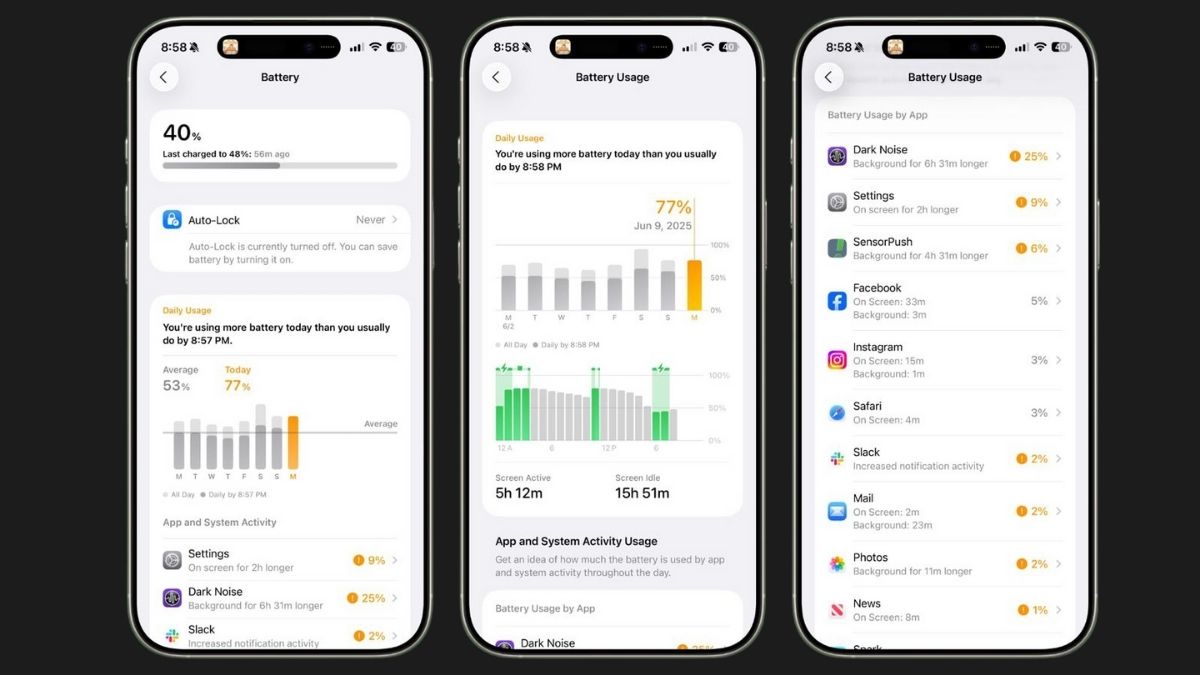
If your iPhone battery often dies before the day ends, a few simple changes could help it last much longer. According to tech YouTuber Tom Wells, also known as Proper Honest Tech, adjusting just a handful of settings can nearly double your battery life.
One key adjustment is turning off Wi-Fi Assist. This feature automatically switches your phone to cellular data when Wi-Fi is weak, which can drain your battery unnecessarily. To disable it, go to Settings > Mobile Data Options > Voice and Data.
Another drain is Background App Refresh. This allows apps to update in the background even when you’re not using them. For most apps, this is unnecessary. You can customize which apps refresh by going into Settings and adjusting each app individually.
Disabling Always-On Display can also help. While it’s convenient to see your clock and widgets without touching your phone, turning it off can save battery and reduce distractions. Go to Settings > Display & Brightness to switch it off.
Brightness and Dark Mode are important too. iPhones with OLED screens use less power with darker colors, so enabling Dark Mode can significantly save battery.
Turning off analytics tracking and location services can also make a difference. Your iPhone collects usage data in the background, which consumes power. Disable these in Settings > Privacy & Security > Analytics & Improvements, and adjust location access to “While Using” for apps that don’t need constant tracking.
Finally, be mindful of Low Power Mode and charging habits. Using Low Power Mode all the time reduces performance unnecessarily, and fully charging your phone repeatedly can shorten battery life. Experts suggest charging to around 80–90% instead of 100% for better long-term health.
With these simple tweaks, iPhone users can get significantly more battery life without buying a new device.







 Follow on Google News