



Apple’s iOS 18 update has made the Messages app more useful than ever, allowing you to perform calculations and conversions directly in the app.
Before iOS 18, users had to switch between apps to do math or convert values. Now, you can perform multi-step calculations, and even convert units like temperature and currency, all within Messages.
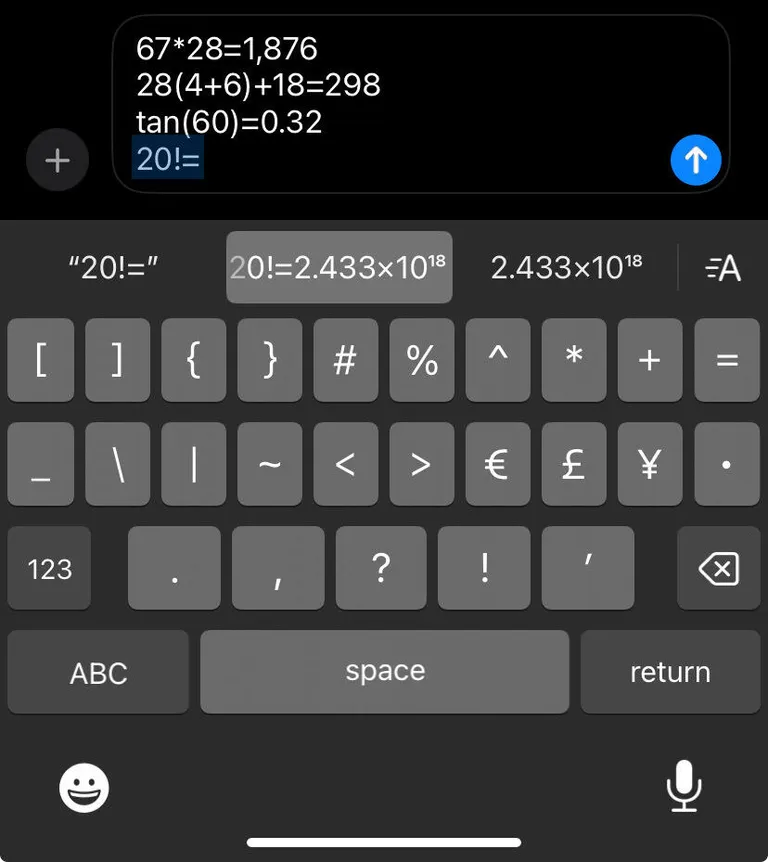
How to Solve Math Problems in Messages: To solve math problems, simply type the equation into the text field, ending with an equals sign (=). The solution will appear in the predictive text field, and you can tap it to insert it into your message. Complex equations, including trigonometric functions, are also supported.
How to Convert Values in Messages: For conversions, type the value and unit (e.g., “60°F”) followed by the equals sign (=). The app will suggest the appropriate conversion, like Celsius for temperature or kilograms for weight. You can also specify your conversion, such as “60hr to min=” to convert hours to minutes.
