


Close Menu
NoMusica.com
    Facebook X (Twitter) Instagram
    Facebook X (Twitter) Instagram
    NoMusica.comNoMusica.com
    • Entertainment
    • Music
      • Music Production
    • Tech
      • AI
      • Electronics & Gadgets
      • Apps & Updates
      • Smartphones
    • Films & Shows
    • Gaming
    • Streaming
    NoMusica.com
    Home»Tech & Science

    Google Lets You Search Google Maps Lists via Saved Feature

    December 17, 2024
    Google Saved Search
    Share
    Facebook Twitter LinkedIn Pinterest Email

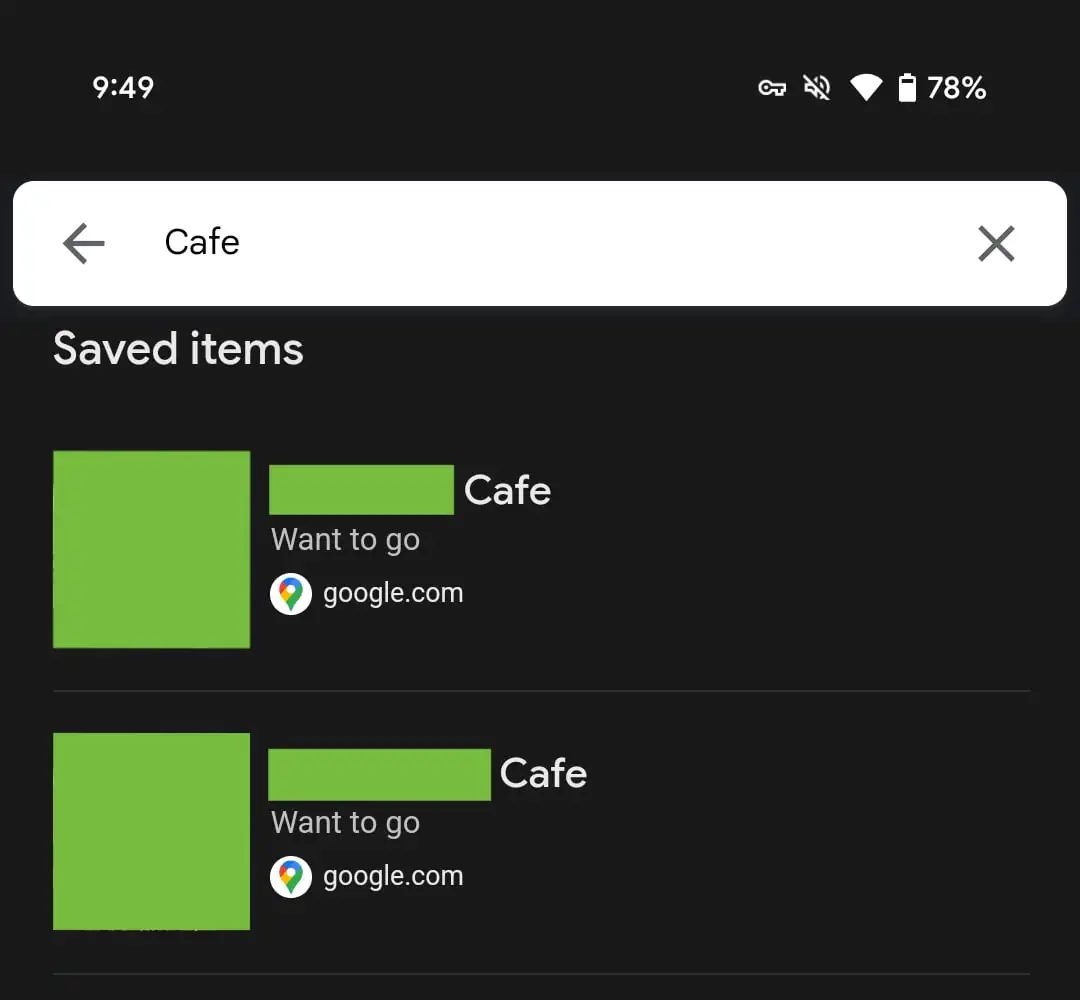
    Google has added a new search feature to its “Saved” section, allowing users to search through their Google Maps lists along with web and Discover bookmarks.

    This update is available on Android and iOS, making it easier to find saved locations.

    How It Works

    On Android, a magnifying glass icon has been added to the top bar of the Saved tab, making it simple to search for saved locations. Google clearly labels the search results by the type of Collection they belong to.

    For iOS users, the “Saves & Collections” section is now found in the account menu, accessible by tapping your profile image in the top-right corner of the Google app. You can also visit saved items directly via google.com/interests/saved or google.com/saved on the web.

    What’s New in Google Saved

    This update follows the rebranding of “Collections” to “Saved” in August, which allowed users to store a variety of content. You can save links from Google Search, movies and shows from Google TV, images from Google Images, and now, locations in Google Maps.

    The “Save” button is available in the overflow menu of Search and Image results, as well as in the top-right corner of Chrome Custom Tabs on Android.

    Performance Issues

    While the new feature is useful, the mobile experience can be a bit laggy, as it still functions as a webpage. Despite this, the addition of search functionality makes it easier to access your saved locations in Google Maps, enhancing the overall user experience.

    Google Google Maps
    Sazid Kabir
    • Website
    • X (Twitter)
    • Pinterest
    • Instagram
    • LinkedIn

    Founder & Chief Editor, NoMusica.com. Sazid Kabir is a tech writer and music producer covering music, tech, and music production with both analytical and practical experience.

    Keep Reading

    Rinbga founders, Adam Young & Harrison Gevirtz, Convicted for Stealing Millions of Dollars with Tech Support Fraud Scheme

    New UK Law Could Stop Under-16s From Using TikTok, Instagram and More

    10 Free AI Courses With Certificates for High-Income Skills in 2026

    7 Best Knowledge Base Tools for Learning in 2026 (Ranked)

    Best Open-Source Softwares in 2026: Safe, Free Tools for Creators, Developers, and Everyday Use

    How to Use Google Nano Banana: Prompt Structure, Examples, and Limitations

    Add A Comment

    Comments are closed.

    Latest Posts

    Rinbga founders, Adam Young & Harrison Gevirtz, Convicted for Stealing Millions of Dollars with Tech Support Fraud Scheme

    July 27, 2026

    Crypto Traders Bet Big on Cardi B’s Womb in Wild “Cardi Bee” Presale Frenzy

    July 24, 2026

    Snoop Dogg Biopic Set for 2027 Release with Jonathan Daviss in Lead Role

    July 23, 2026

    Kevin durant Ignores Lionel Messi & racist Argentian Soccer Team, refusing to shake their Hands

    July 19, 2026

    Spotify Removes Over 75 Million AI-Generated Tracks in Major Crackdown

    July 18, 2026
    Pages
    • Home
    • Blog
    • About
    • Contact
    • Advertise
    • Cookie Policy
    • Privacy Policy
    Categories
    • AI
    • Tech & Science
    • Films & TV Shows
    • Entertainment
    • Music
    • Streaming
    • Music Production
    Random Reads

    A24 Reopens Historic Cherry Lane Theatre with Film, Theater, and Comedy Events

    AI May Soon Let Humans Talk to Animals

    Most Anticipated Documentaries of 2025: Musk, Rihanna, Titan Submersible Tragedy & More

    Facebook X (Twitter) Instagram Pinterest
    © 2026 WowPress Digital

    Type above and press Enter to search. Press Esc to cancel.