Category: AI

Explore AI breakthroughs, tools, and applications in 2025. Stay updated on artificial intelligence news, machine learning, and how AI is changing industries.

  • Suno vs Udio vs Soundraw: Best AI Music Generator Comparison (2026)

    Suno vs Udio vs Soundraw: Best AI Music Generator Comparison (2026)

    The AI music generation industry has developed rapidly since 2023 and is now a practical toolset for creators, musicians, and video producers. By 2026, platforms such as Suno, Udio, and Soundraw represent three distinct approaches to AI-assisted music creation rather than competing directly in the same category.

    Each tool is designed for a different workflow: full song generation, production-level control, or background music for content creation.

    Suno vs Udio vs Soundraw Compared: At a Glance

    ToolPrimary FocusBest Use CaseVocalsFree AccessStarting Price
    SunoFull song generationCreators, musicians, hobbyistsYesLimited daily credits$10/month
    UdioHigh-fidelity production controlProducers, remixersYesLimited credits$10/month
    SoundrawAdaptive background musicVideo editors, podcastersNoTrial only$16.99/month

    Industry Context: How AI Music Tools Work in 2026

    AI music platforms generally fall into three categories:

    • Text-to-music generation (Suno, Udio): Generates complete songs from prompts
    • Studio-assisted composition tools (Udio advanced workflows): Focused on structure, refinement, and editing
    • Adaptive scoring platforms (Soundraw): Designed for video and background audio production

    Unlike traditional music software (DAWs), these tools rely on machine learning models trained on large audio datasets. However, output quality, licensing terms, and creative control vary significantly between platforms.

    Suno: Full Song Generation with Vocals

    Suno is currently one of the most widely used AI music generators, known for producing complete songs with vocals, lyrics, and instrumentation from simple text prompts.

    Key Capabilities

    • Generates full tracks in under a minute
    • Supports vocal and instrumental compositions
    • Offers extended song length options in newer models
    • Includes editing features via Suno Studio (browser-based workflow)
    • Allows remixing from audio uploads or voice inputs

    Suno is generally designed for speed and accessibility rather than deep production control.

    Strengths

    • Very fast creative output
    • Strong vocal generation compared to most competitors
    • Beginner-friendly interface
    • Useful for demos and content creation

    Limitations

    • Output consistency varies depending on prompts
    • Limited granular control compared to production tools
    • Licensing terms and commercial use conditions should be reviewed carefully before monetization
    • Advanced editing still less flexible than traditional DAWs

    Best For

    Content creators, musicians prototyping ideas, and users who want complete songs without technical production knowledge.

    Udio: High-Control AI Music Production

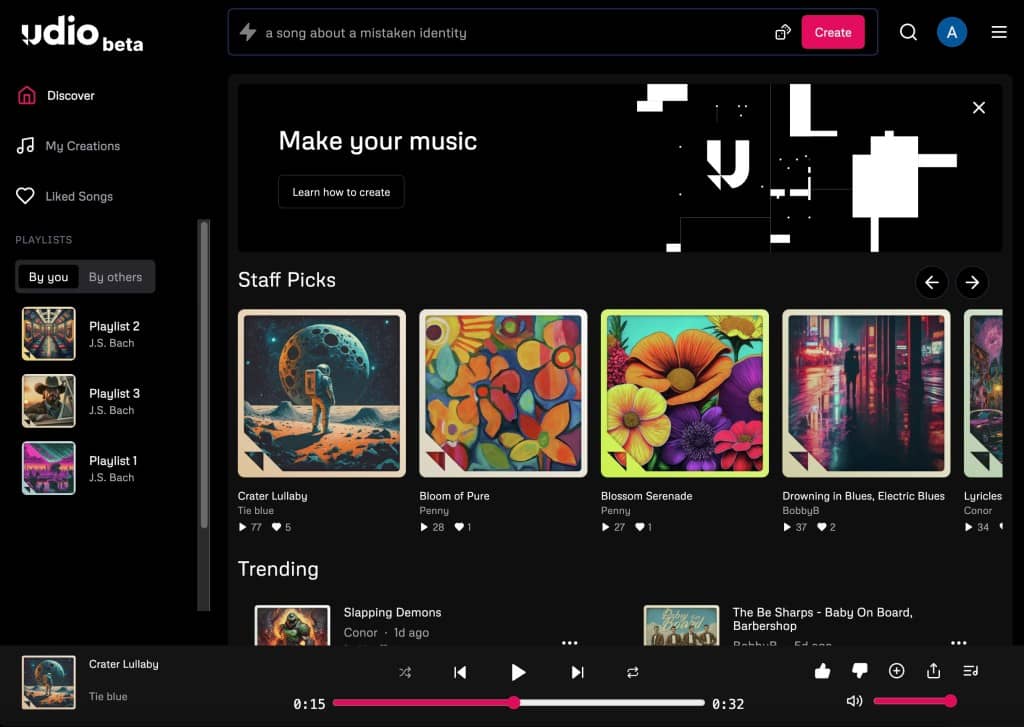
    Udio takes a more structured, production-oriented approach compared to Suno. Instead of generating complete songs instantly, it builds music in segments that can be extended and refined.

    Key Capabilities

    • Segment-based generation for structured composition
    • High-quality audio output suitable for production use
    • Style blending and inpainting tools for targeted edits
    • Stem separation available on paid plans (where supported)
    • Designed for iterative workflow rather than one-shot generation

    Strengths

    • Higher level of audio detail and mix clarity
    • Greater creative control over arrangement
    • More suitable for professional production workflows
    • Better flexibility for remixing and restructuring tracks

    Limitations

    • Requires more time and iteration than Suno
    • Learning curve is higher for new users
    • Feature availability (such as downloads or stems) may vary based on licensing updates
    • Free tier is limited in output capacity

    Best For

    Music producers, remix artists, and creators who want more control over structure and sound design.

    Soundraw: Adaptive Music for Video and Content Creation

    Soundraw is not a direct competitor to Suno or Udio in songwriting. Instead, it focuses on generating royalty-free background music designed for visual content.

    Key Capabilities

    • Customizable music based on mood, genre, and tempo
    • Timeline-based editing for video synchronization
    • Instrumental-only output
    • Designed for commercial content use cases

    Strengths

    • Predictable, production-ready background music
    • Easy integration into video workflows
    • Suitable for YouTube, podcasts, and advertising content
    • Clear focus on licensing and usability

    Limitations

    • No vocal generation
    • Less creative unpredictability compared to Suno/Udio
    • Paid access required for full functionality
    • Not intended for standalone music creation

    Best For

    Video editors, content creators, and businesses needing consistent background music for media production.

    Comparison Summary

    Audio Quality

    Udio generally provides the highest level of technical detail in mixing and separation. Suno performs strongly in vocal realism and creative output. Soundraw prioritizes clarity for background use rather than standalone listening quality.

    Creative Control

    Udio offers the most granular control through segment-based editing. Suno balances simplicity with moderate editing features. Soundraw provides structured but limited customization focused on video timing.

    Ease of Use

    Suno is the most accessible tool for beginners. Soundraw is simple but purpose-specific. Udio requires more experience but offers deeper control.

    Commercial Use Considerations

    All three platforms provide some level of commercial licensing, but terms vary and may change over time. Users should always review current licensing agreements before publishing monetized content.

    Which Tool Should You Use?

    • Suno: Best for fast, complete song generation with vocals
    • Udio: Best for structured production and remix-oriented workflows
    • Soundraw: Best for video background music and commercial content scoring

    Rather than competing directly, these tools serve different stages of the modern creative workflow.

    Final Perspective

    AI music generation in 2026 is no longer experimental. It is a functional layer in modern creative production workflows. However, the tools are still evolving, particularly in areas such as licensing clarity, output consistency, and professional integration.

    For most creators, the choice is not about finding a single “best” platform, but selecting the tool that matches their production goal: ideation, production control, or media scoring.

  • 15 AI Tools Musicians Can Use to Create and Promote Music

    15 AI Tools Musicians Can Use to Create and Promote Music

    AI tools have changed how music is created, edited, and promoted. In 2026, you don’t need a full studio or marketing team to produce songs, design visuals, or promote your releases.

    However, not all AI tools are built for the same purpose. Some generate full songs, others help with mixing, and some are designed for promotion and content creation.

    This guide breaks down 15 AI tools musicians can actually use, grouped by real-world use cases — with clear explanations, limitations, and when to use each.

    Quick Setup: A Practical AI Workflow for Musicians

    If you’re starting out, this combination covers most needs:

    • Music creation: Suno or Udio
    • Editing & mastering: LANDR or iZotope tools
    • Artwork & visuals: Canva or Adobe Firefly
    • Promotion: Copy.ai or Buffer AI

    This setup allows you to go from idea → finished track → promotion without paid software.

    AI Tools for Music Creation (Song Generation)

    1. Suno

    Suno generates complete songs from text prompts, including vocals, lyrics, and instrumentation.

    • Best for: quick demos, social media content, idea generation
    • Not ideal for: final commercial releases without reviewing licensing

    Visit: https://suno.ai

    2. Udio

    Udio focuses on higher-quality generation with more control over structure and sound.

    • Best for: producers who want more control
    • Limitation: slower workflow compared to Suno

    Visit: https://udio.com

    3. Soundraw

    Soundraw creates royalty-free instrumental music tailored for content.

    • Best for: YouTube, background music
    • Limitation: no vocals

    Visit: https://soundraw.io

    4. Boomy

    Boomy allows users to create songs and publish them directly to streaming platforms.

    • Best for: beginners releasing music quickly
    • Limitation: limited control over composition

    Visit: https://boomy.com

    5. AIVA

    AIVA specializes in composing cinematic and orchestral music.

    • Best for: film scoring, emotional compositions
    • Limitation: less suited for modern pop or EDM

    Visit: https://aiva.ai

    AI Tools for Audio Editing & Production

    6. LANDR

    LANDR offers AI mastering and distribution tools.

    • Best for: quick mastering without technical knowledge
    • Limitation: less control than manual mastering

    Visit: https://www.landr.com

    7. iZotope Ozone (AI Mastering Assistant)

    Ozone uses AI to suggest mastering settings based on your track.

    • Best for: semi-professional mastering workflows
    • Limitation: requires DAW knowledge

    Visit: https://www.izotope.com

    8. iZotope RX

    RX helps clean audio (noise removal, repair, vocal clarity).

    • Best for: fixing recordings
    • Limitation: not a music creation tool

    Visit: https://www.izotope.com

    9. LALAL.AI

    LALAL.AI separates vocals and instruments from songs.

    • Best for: remixing, sampling (with proper rights)
    • Legal note: only use audio you have rights to

    Visit: https://www.lalal.ai

    10. Moises.ai

    Moises offers stem separation and practice tools.

    • Best for: musicians learning or remixing
    • Limitation: depends on input quality

    Visit: https://moises.ai

    AI Tools for Music Promotion & Marketing

    11. Copy.ai

    Copy.ai generates captions, bios, and promotional text.

    • Best for: social media posts, release announcements
    • Limitation: requires editing for authenticity

    Visit: https://www.copy.ai

    12. Jasper AI

    Jasper is designed for longer-form marketing content.

    • Best for: blogs, artist branding
    • Limitation: overkill for simple posts

    Visit: https://www.jasper.ai

    13. Buffer AI Assistant

    Buffer helps generate and schedule social media posts.

    • Best for: consistent posting
    • Limitation: depends on platform strategy

    Visit: https://buffer.com

    AI Tools for Artwork & Visual Content

    14. Canva (AI Tools)

    Canva includes AI image generation and design tools.

    • Best for: cover art, social posts
    • Limitation: less control than advanced tools

    Visit: https://www.canva.com

    15. Adobe Firefly

    Firefly generates high-quality visuals and design assets.

    • Best for: professional artwork and branding
    • Limitation: requires Adobe ecosystem familiarity

    Visit: https://www.adobe.com/firefly

    How to Choose the Right AI Tools

    1. Define your goal

    • Making songs → Suno / Udio
    • Editing audio → iZotope / LANDR
    • Promotion → Copy.ai / Buffer
    • Visuals → Canva / Firefly

    2. Start simple

    Avoid using too many tools at once. One tool per task is enough.

    3. Check licensing before publishing

    AI tools often allow commercial use only on paid plans.

    Legal and Safety Considerations

    • Only upload audio you own or have permission to use
    • Avoid generating content that imitates real artists
    • Review each platform’s commercial licensing terms
    • Be cautious with voice cloning or identity-based tools

    Final Thoughts

    AI tools in 2026 are no longer experimental — they are practical tools that can speed up music production and promotion.

    However, they are not replacements for creativity. The best results come from combining your ideas with AI assistance, not relying on automation alone.

    For most musicians, a simple setup using 3–5 tools is more effective than trying every platform available.

  • 10 Best AI Music Generator Apps and Websites for 2026

    10 Best AI Music Generator Apps and Websites for 2026

    AI music tools have evolved fast — from generating full songs with vocals to creating adaptive soundtracks and mood‑based loops. Whether you’re a beginner experimenting with ideas or a pro crafting polished tracks, here are the best AI music generators you should try in 2026.

    1. Suno AI – Best All‑Around AI Song Generator

    👉 https://www.suno.com
    Suno remains one of the most popular platforms for turning simple text prompts into full songs with vocals and instruments. It’s great for creators who want complete, polished tracks fast. Its music generation supports both instrumental and lyric‑based creations, making it a top choice for songwriters and content creators alike.

    2. Udio – High‑Quality Vocal and Pop‑Style Tracks

    👉 https://www.udio.com
    Udio excels at producing realistic vocals and clean audio quality, making it perfect for pop, hip‑hop, and mainstream song styles. Creators can refine song structure and styles, remix sections, and export more finished results.

    3. Soundverse AI Music Generator – Best for Instrumentals

    👉 https://www.soundverse.ai
    Soundverse is ideal if you want custom instrumentals and background music, especially with detailed vibe and genre control. It also ties into features like AI lyric writing and loop modes for seamless repetition in videos and games.

    4. Soundraw – Customizable Track Generation

    👉 https://soundraw.io
    Soundraw lets you adjust tempo, instruments, and track sections after the AI generates a song base. It’s perfect for creators wanting more control over structure than typical prompt‑only tools.

    5. Mubert – Real‑Time Generative Music

    👉 https://mubert.com
    Mubert focuses on infinite music streams and mood‑based generation — ideal for podcasts, streams, or long background soundtracks. Its adaptive nature makes it stand out from fixed‑length song generators.

    6. Beatoven.ai – Mood‑Driven Background Music

    👉 https://beatoven.ai
    Beatoven shines at creating background music tailored to moods and transitions, useful for video scoring or branding. It also supports commercial‑friendly licensing, making it practical for creatives wanting to monetize.

    7. AIVA – Composer‑Style AI for Film & Games

    👉 https://www.aiva.ai
    AIVA has been around a while and is known for cinematic and orchestral compositions. It’s more suited to users looking for dramatic scoring or music with complex arrangements.

    8. Boomy – Quick Song Creation for Beginners

    👉 https://www.boomy.com
    Boomy makes it super easy to whip up songs using templates and simple controls. It’s great for casual creators, social media content, and experimenting with different genres.

    9. Soundful – Genre‑Focused Beats and Loops

    👉 https://www.soundful.com
    Soundful helps generate genre‑specific music — especially EDM, lo‑fi, and pop loops — that you can drop directly into video projects or mixes.

    10. Loudly – Fast Creation for Content & Social

    👉 https://www.loudly.com
    Loudly is built for creators who need quick, vibe‑based tracks for social platforms. It’s less about deep editing and more about fast results you can use immediately.

    Bonus Picks (Useful Tools)

    • Endel – AI soundscapes personalized for focus, sleep, and relaxation.
    • BandLab – A cloud‑based DAW with collaborative creation tools (not purely AI but useful for finalizing tracks).

    AI music generation in 2026 isn’t just experimental — it’s a practical creative tool. From full songs with vocals to adaptive background soundtracks, there’s an app or platform for every workflow and skill level. Try a few of these to see which fits your creative style and project needs.

  • How to Generate Music From Your Audio (AI Tools Guide 2026)

    How to Generate Music From Your Audio (AI Tools Guide 2026)

    AI music generation in 2026 is no longer limited to text prompts. Modern tools now allow creators to upload audio directly—such as voice memos, hummed melodies, or reference tracks—and transform them into fully produced music.

    This capability is reshaping music production workflows by removing technical barriers and allowing ideas to be developed from simple recordings.

    However, not all platforms handle audio inputs in the same way. Some focus on full song generation, while others specialize in style matching or structured remixing.

    🎯 Which Tool Should You Use?

    GoalRecommended Tool
    Turn voice memos into full songsSuno
    Precise remixing and editingUdio
    Style-matched variationsMiniMax Music
    Experimental low-cost generationACE-Step
    Structured production workflowsSoundverse

    What “Generate Music From Audio” Actually Means

    There are two primary approaches used in AI music tools:

    TypeFunctionBest Use Case
    Audio-to-Song GenerationConverts a short audio clip into a full compositionSongwriters, vocalists, idea development
    Reference-Based Style MatchingUses full tracks to generate similar or derived musicProducers, remixing, consistency workflows

    In both cases, your audio acts as a creative seed, where the AI analyzes pitch, rhythm, structure, and tonal characteristics before generating new musical output.

    5 Best AI Tools for Audio-to-Music Generation

    1. Suno — Best for Full Song Creation from Audio

    🔗 https://suno.com

    Suno is currently one of the most widely used platforms for transforming short audio inputs into complete songs with vocals, instrumentation, and structure.

    Key Capabilities

    • Upload or record voice memos, melodies, or riffs
    • Generate full songs based on audio input
    • Use natural language prompts to guide output
    • Edit and refine tracks in Suno Studio
    • Export multi-stem audio (on supported plans)

    Suno is designed to turn rough ideas into complete musical compositions quickly, making it ideal for early-stage songwriting.

    Strengths

    • Fast end-to-end song generation
    • Strong vocal synthesis quality
    • Simple workflow for non-technical users
    • Useful for turning ideas into demos

    Limitations

    • Output consistency varies between generations
    • Limited precision control compared to production tools
    • Licensing and commercial usage terms should be reviewed before publishing

    Best For

    Songwriters, content creators, and musicians turning voice ideas into finished tracks.

    2. Udio — Best for Controlled Audio Remixing

    🔗 https://www.udio.com

    Udio focuses on structured generation and refinement rather than instant full-song creation.

    Key Capabilities

    • Upload audio for stylistic transformation
    • Extend or continue existing music
    • Remix audio into new genres
    • Segment-based generation for precise control
    • Inpainting tools for targeted edits

    Unlike full-song generators, Udio processes audio in structured segments, allowing more detailed control over arrangement and progression.

    Strengths

    • High audio fidelity
    • Strong structural control over composition
    • Suitable for iterative production workflows
    • Effective for remix and variation generation

    Limitations

    • Requires more time and iteration
    • Workflow is less beginner-friendly
    • Feature availability (such as downloads) may vary depending on licensing status

    Best For

    Producers and remix artists who want control over structure and arrangement.

    3. MiniMax Music — Best for Reference-Based Style Matching

    🔗 https://www.minimax.io (product availability may vary by region)

    MiniMax Music specializes in generating new tracks based on reference audio input.

    Key Capabilities

    • Upload a reference track (with vocals and instrumentation)
    • Generate new music in similar style or structure
    • Produce multiple variations at low cost
    • Supports lyric-based generation inputs

    This tool is particularly useful when maintaining a consistent musical style across multiple tracks.

    Strengths

    • Strong style consistency
    • Cost-efficient generation
    • Useful for variation-based production workflows

    Limitations

    • Input requirements are stricter (audio + vocals preferred)
    • Less suited for freeform creativity

    Best For

    Producers creating multiple tracks in a consistent sonic direction.

    4. ACE-Step — Best Low-Cost Audio Remixing Tool

    🔗 https://github.com/ace-step (open-source ecosystem varies)

    ACE-Step is an open-source AI audio model focused on affordability and flexibility.

    Key Capabilities

    • Audio-to-audio remixing
    • Section replacement (inpainting)
    • Audio extension (outpainting)
    • Experimental production workflows

    Strengths

    • Extremely low cost per generation
    • Flexible experimentation environment
    • Open-source accessibility

    Limitations

    • Lower audio quality compared to premium tools
    • Requires technical setup in many cases
    • Not optimized for commercial-grade output

    Best For

    Experimental producers and developers working with AI audio systems.

    5. Soundverse — Best for Structured Production Workflows

    🔗 https://soundverse.ai

    Soundverse combines AI generation with structured editing tools designed for more professional production workflows.

    Key Capabilities

    • Reference-based music generation
    • Stem separation tools
    • Section-based song analysis
    • Arrangement editing and refinement

    Strengths

    • End-to-end production workflow
    • Useful for structured composition
    • Suitable for commercial project development

    Limitations

    • Requires learning curve
    • More complex than consumer-focused tools

    Best For

    Producers who want full control over arrangement and production structure.

    Best Practices for High-Quality Output

    Before Uploading Audio

    • Use WAV or FLAC instead of compressed formats
    • Keep clips between 15–60 seconds
    • Avoid background noise or distortion
    • Ensure melody or rhythm is clearly identifiable

    After Generation

    • Generate multiple variations (3–5 recommended)
    • Use remix or extend features for refinement
    • Apply detailed prompts for better control
    • Export stems where available for mixing workflows

    Legal and Usage Considerations

    AI music tools introduce new considerations around audio ownership and usage rights.

    • Only upload audio you own or have rights to use
    • Avoid uploading copyrighted music for transformation
    • Review platform-specific licensing terms before commercial release
    • Commercial usage rights vary by provider and subscription tier

    While some platforms provide royalty-free licensing, the legal framework around AI-generated music is still evolving.

    Final Perspective

    Generating music from audio inputs represents a shift from traditional production workflows. Instead of building music manually from scratch, creators now begin with ideas captured in simple recordings and refine them through AI-assisted systems.

    The most effective approach is not replacing creativity, but accelerating it—turning raw ideas into structured musical output with fewer technical barriers.